Development
GitHub Desktop Shortcut Profile + Icon Pack
by Adx.cool
Overview
The complete GitHub Desktop keyboard shortcut pack for Stream Deck.
35 shortcuts across 5 categories — organized, scored by importance, and ready to install on Stream Deck Mini, Neo, Classic / MK.2, XL. Stop memorizing key combos. One tap, one action.
What's included:
• View (8): Toggle Repository List, Focus Changes, Focus History, Focus Commit Message, Zoom In, and 3 more • Repository (7): New Repository, Add Repository, Clone Repository, Switch Repository, Show in Finder/Explorer, and 2 more • Branch (7): New Branch, Rename Branch, Delete Branch, Show Branches List, Merge Into Current, and 2 more • Changes (7): View Changes, View History, Commit, Amend Last Commit, Stash All Changes, and 2 more • Remote (6): Fetch Origin, Pull, Push, Create Pull Request, View on GitHub, and 1 more
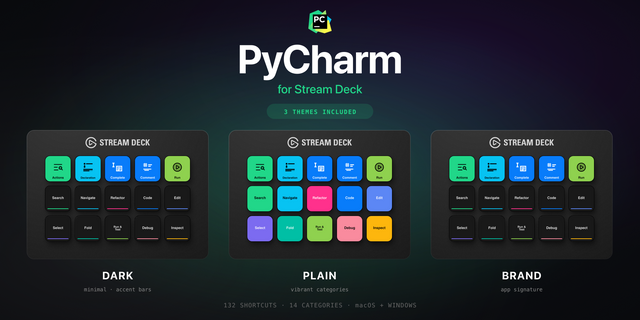
Features: • 3 icon themes: Dark, Plain, Brand • Folder-based navigation with category pages for quick access • Auto-organized layout — most important shortcuts first • Works on Stream Deck Mini, Neo, Classic / MK.2, XL • Available for macOS and Windows
Install: double-click any .streamDeckProfile to import, then in the Stream Deck app open Preferences → Profiles → App and pick GitHub Desktop.
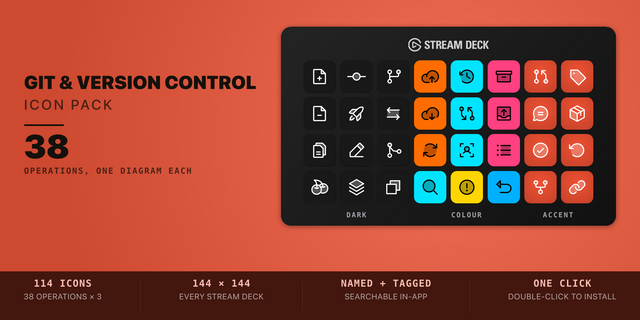
Also included: the 105-icon GitHub Desktop icon pack (35 icons in 3 finishes), as a .streamDeckIconPack you can install with a double-click. Every key in this profile, available to drop on any action you like.
Try it first: press the keys of this profile in your browser, no install — https://streamdeck.adx.cool/try/github-desktop/
Learn more about GitHub Desktop: https://desktop.github.com
v1.0 — Initial release.
The GitHub Desktop shortcut pack for Stream Deck.
• 35 shortcuts across 5 folders — Repository, Branch, Changes, Remote, View • Full Git loop on the deck — fetch, pull, push, branch, stash, commit, pull request • macOS and Windows keymaps in the same download • Three icon themes — Dark, Plain, Brand • 1.2x text scale so labels stay readable on the keypad
Version 1
Sep 22, 2026
Details
Type
Development
Productivity
Device
Stream Deck Mini
Stream Deck MK
Stream Deck Neo
Stream Deck XL
OS
macOS
Windows
Compatibility
Stream Deck 6.4 or later
Size
6.19 MB
Version
1
Language
English
Support
Icons
Yes
Additional links
You might also like