Development
3D Builder Commander
Overview
3D Builder Commander puts Microsoft 3D Builder on your Stream Deck: 52 commands across 8 categories, plus four Stream Deck + dials that move, rotate and scale the selected object, zoom the view, and step through the scene.
3D Builder is one of the simplest ways to build and print 3D models on Windows. Its one weakness is that it has almost no keyboard shortcuts, so every tool means a trip to the ribbon. This plugin fixes that by driving the app's own buttons through Windows UI Automation: press a key and the matching tool fires, the same as if you had clicked it, and the plugin checks the app's real state so the keys tell you the truth.
WHAT YOU GET
52 commands across 8 categories, each one remappable from a grid of key faces in the property inspector:
- Insert Shapes: cube, cylinder, pyramid, cone, sphere, hexagon, wedge, torus, tetrahedron, and the custom shape creator.
- Object: duplicate, copy, cut, paste, delete, settle, mirror, measure.
- Edit Tools: simplify, split, smooth, emboss (raised text on models), extrude down, merge, intersect, subtract, hollow.
- Paint: material, color, texture.
- View: center view, and the shading, shadows, colors, reflections, smoothing, wireframe, X-ray, and grid toggles.
- Selection: group, ungroup, select all, deselect all, invert, sticky selection.
- Transform: switch the Move, Rotate, and Scale manipulator.
- File and App: save, 3D print, undo, redo.
TRUTHFUL KEYS
Keys reflect what the app is actually doing. Undo and Redo dim when there is nothing to undo or redo. Save dims when there are no unsaved changes. The boolean tools (Intersect, Subtract) dim until you have two objects selected. The Move, Rotate, and Scale keys light up to show the active manipulator, and the View toggles light up when their effect is on.
STATUS KEY
A dedicated Status key shows the scene name, how many objects are in it, and an unsaved-changes badge, or switch it to show the active manipulator mode. An optional setting makes the deck page follow the app's active ribbon tab.
STREAM DECK + DIALS
Four dials, and they read the app rather than guessing at it.
- Transform X and Transform Y move the selected object along an axis, and they follow whichever manipulator mode you are in. In Move mode they change position, in Rotate mode they change Roll and Pitch, in Scale mode they change dimensions. The touch strip shows the live value straight from the app, in millimetres or degrees. Turn slowly for the finest step 3D Builder allows, or spin faster to travel. Push either dial to switch between Move, Rotate, and Scale.
- Zoom zooms the 3D view, and it is the one dial that does not need 3D Builder in front. Point at the model and turn. It stays quiet while the pointer is over another window.
- Object steps through the objects in your scene and selects each one as you land on it. It reads and sets the real selection, so the scene follows the dial. Push to deselect everything.
Each strip is split into a minus half and a plus half, so you can tap for a single step instead of turning.
BUNDLED PROFILES
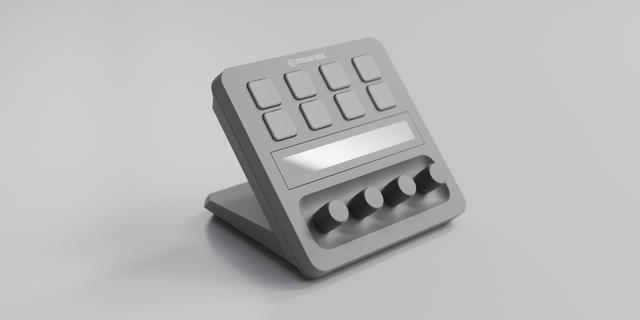
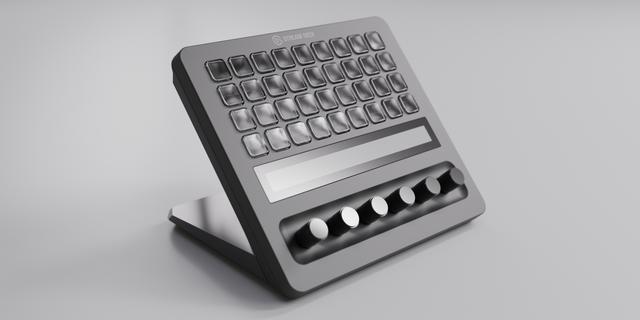
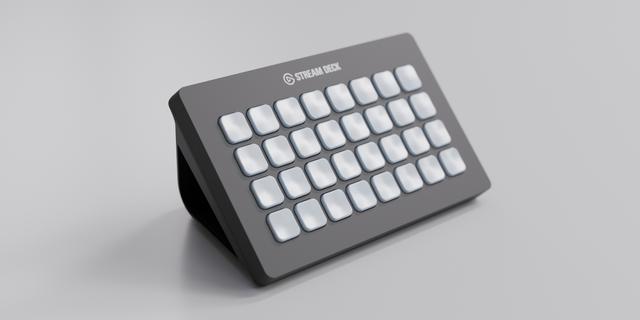
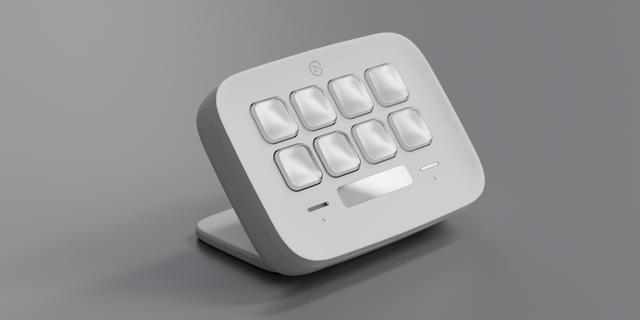
Six ready-made profiles, one per Stream Deck. The 15-key Stream Deck gets a hub with all 8 categories plus the Status key, then a page per category. Stream Deck + gets Easy Link, seven keys and all four dials. Stream Deck + XL gets all 52 commands on three category-grouped pages with the four dials on every page. Stream Deck XL gets all 52 on four pages. Stream Deck Mini gets a curated eight-command set, and Stream Deck Neo fifteen.
Every profile has an Easy Link key: hold it about a second with 3D Builder in front, and from then on your decks bring up these profiles whenever 3D Builder comes forward and hand back your previous profile when you leave.
3D Builder Commander 1.0.1.0. Still 52 commands in 8 categories, four dials and six bundled profiles, for the Microsoft 3D Builder desktop app (version 20.x) on Windows 10 and 11.
Pick by face: a command key's settings now show the category's commands as a grid of their key art.
Fixed: a custom hotkey captured with an arrow key never fired. Capture now stores arrows in a form the plugin can send; capture any arrow hotkey set before this update again.
Easy Link: the linked key shows the app's icon above its name when one can be read, and its settings show each link as the face it wears on the deck. A failed link plays a shorter chime. Easy Link is now a key action only; if you put it on a dial, move it to a key. The bundled profiles always had it on a key.
Easy Link on several decks: the Stream Deck app installs one new profile at a time, so linking several decks at once could leave all but one on its old profile. Each extra deck now comes up about 12 seconds after the one before, once per deck.
Fixed: a refused profile switch from Open Category or Back no longer stops the plugin. Helper processes now start in your temp folder, so they cannot hold the plugin's folder open during an update. A custom hotkey pressed while the keystroke helper restarted after a slow start could fail. The Open Category settings now point to Home, the hub page, instead of a Back key the profiles do not carry.
Version 1.0.1
Oct 16, 2026
Details
Type
Development
Productivity
OS
Windows
Compatibility
Stream Deck 6.9 or later
Size
2.39 MB
Version
1.0.1
Language
English
Support
Neo Infobar support
No
Dial support
Yes
Profiles
Yes
You might also like