Productivity
Activity Stopwatch
by G Tech Group
Overview
Activity Stopwatch turns any Stream Deck key into a precise time tracker — a count-up stopwatch or a count-down timer — so you always know how long you’ve spent on a task without leaving your keyboard or opening another app.
Tap to start or pause. Long-press to reset. That’s it. No pop-ups, no accounts, no clutter — just your time, right on the key.
──────────────────────────────
TWO MODES, ONE KEY
──────────────────────────────
• Stopwatch (count up) — time flows upward from zero. Perfect for open-ended work: focus sessions, client work, study, streaming segments.
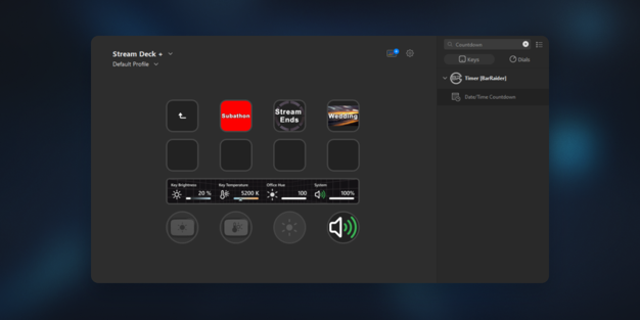
• Timer (count down) — set a duration and watch it count down. When it reaches zero you get a clear visual alert and the timer stops automatically. Great for Pomodoro, time-boxing meetings, breaks, and cooking-style reminders.
The mode is set per key, so you can have a stopwatch on one button and a countdown on another, side by side.
──────────────────────────────
BUILT FOR REAL WORK
──────────────────────────────
• Labels — name each key (e.g. “Focus”, “Client A”, “Design”) to keep activities separate.
• Daily totals — see how much time you’ve logged today for a label, right on the key. Totals are kept per label and auto-cleaned after 30 days.
• Billable rounding — optionally round each recorded session up to 15, 30, or 60 minutes. Ideal for timesheets and invoicing; it applies to your history, daily totals, and CSV export while the live display stays exact.
• Target notifications — set a target and get a distinct visual cue (and a dedicated “reached” state) the moment you hit it.
• Session history — every completed session is saved with its label, start time, and duration. Preview your most recent sessions directly in the settings panel, and export the full list to CSV with one click for spreadsheets, invoices, or reports. Clear your history anytime.
──────────────────────────────
STREAM DECK + (DIALS)
──────────────────────────────
Full support for the Stream Deck + touch dials:
• Push — start / pause
• Rotate — adjust the time by ±1 minute
• Touch / long-touch — start/pause and reset
• A live progress ring on the LCD that fills toward your target (or drains as a countdown runs out), plus a state icon that reflects idle / running / done.
──────────────────────────────
MADE TO FIT YOUR WORKFLOW
──────────────────────────────
• Configurable actions — choose what short-press and long-press do (start/pause or reset), and set your own long-press duration.
• Flexible time formats — auto, mm:ss, h:mm:ss, or total seconds.
• Custom colors — pick your own Idle, Running, and Target-reached colors for a look that matches your deck.
• Persistent state — optionally keep your timers running across Stream Deck restarts.
• Multi-Action friendly — drop it into Multi-Actions to start, pause, or reset as part of a larger routine.
• Localized — available in English and Italian.
──────────────────────────────
PRIVATE BY DESIGN
──────────────────────────────
Everything runs locally on your machine. No account, no sign-in, no cloud — your time data never leaves your computer.
Stop guessing where your time goes. Put a stopwatch (or a timer) on your deck and track it in one tap.
NEW
• Countdown timer mode — switch any key between count-up (stopwatch) and
count-down (timer). Set a duration, watch it count down, and get a visual
alert when it reaches zero; it stops automatically. Works on keys and on the
Stream Deck + dial, with a draining progress ring.
• Billable rounding — optionally round each recorded session up to 15, 30, or
60 minutes, ideal for timesheets and invoicing. Applies to session history,
daily totals, and CSV export.
• Recent-sessions preview — see your latest sessions (label, date, duration)
right in the settings panel, without exporting the CSV.
IMPROVED
• Easier to find in the actions list — the plugin is now surfaced when searching
“timer”, “stopwatch”, “tracker”, and similar terms.
FIXED
• Fixed the timer freezing after a few seconds and only updating about once a
minute while the Stream Deck window was in the background — the counter now
advances every second, reliably.
• Hardened data safety: recorded sessions can no longer be lost during a
settings-sync hiccup, and incoming settings values are validated defensively.
• Added diagnostic logging to make any future issues easier to trace.
Existing count-up timers are unaffected — the new countdown mode is opt-in per key.
Version 1.3
Jul 1, 2026
Details
Type
Productivity
OS
Mac
Windows
Compatibility
Stream Deck 6.9 or later
Size
35.52 KB
Version
1.3
Language
English
Support
Profiles
No
Dial support
Yes
You might also like