Productivity
Advanced Workspace
by Qaem
Overview
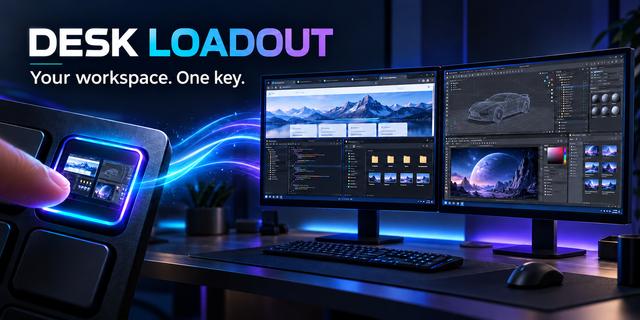
Automate your workspace. Stop manually dragging windows and resizing borders set your perfect layout once and trigger it instantly.
Whether you're a Streamer prepping for a broadcast, a Developer managing deep-stack environments, or a Power User seeking ultimate productivity, this tool eliminates the friction of switching tasks.
Functionality:
Smart App Detection: Checks if an app in the apps list needs to be launched or repositioned or resized. everything with a single click.
Intelligent Auto-Positioning: Save your current layout setup using "Save All" or target a specific app with "Single App Save" to save current layout and automatically set the layout whenever you need it
Multi-Monitor Support: Seamlessly manage and snap applications across multiple displays, ensuring your windows land on the correct monitor every time.
Virtual Desktop Integration: Easily Set your workspace into dedicated Virtual Desktop, it does it all for you. Creates it, Moves App into it, Switch your view to it.
Advanced Window States: Go beyond simple positioning with full support for Minimize, Maximize, and Full Screen modes to suit your specific workflow needs.
Multi-App Orchestration: Configure and launch up to 10 different applications at once with custom "Save Positions" to ensure they land exactly where you want them.
Smart Window Management: Toggle between layouts effortlessly. Use the "Press again to minimize" feature for quick multitasking or "Bring to front" to keep your primary tools in focus.
Long-Press Master Close: Instantly clear your workspace by holding the key to close all applications in that layout, providing a clean slate in seconds.
Graceful & Force Control: Choose how you close your workspace. Opt for a "Graceful Close" to save work or a "Force Close" for an instant, high-speed reset.
Real-Time Status Indicators: Never guess if an app is running. The plugin features a customizable status dot with adjustable positions and border colors directly on your Stream Deck key.
Live Visual Overlay: See exactly what is happening in real-time with an on-screen Windows overlay that tracks progress, such as "Launching Chrome" or "Positioning Discord."
Borderless URL Viewer: Open any URL in a dedicated borderless, chromeless window—perfect for dashboards, monitoring tools, or distraction-free browsing.
Additional Settings:
Launch Control: Full URL support for browser-based workflows.
Precision Timing: Adjustable delay timers (in seconds) to manage high-resource software startups—set delays before/after launching or positioning apps.
Syncing: Selective closing options (Close even if not launched by key) for total environment parity.
Stop dragging and resizing. Your workflow, perfected.
Version 1.1.0:
NEW: Borderless URL Viewer - Open any URL in a chromeless, borderless window for distraction-free viewing
NEW: Virtual Desktop Support - Create, Manage and Switch layouts across Windows Virtual Desktops
NEW: Real-time Visual Overlay - See progress updates like "Launching Chrome" directly on screen
NEW: Customizable Status Indicators - Status dots with adjustable positions and border colors on Stream Deck keys
NEW: Graceful & Force Close Options - Choose between saving work or instant app termination
ENHANCED: Multi-Monitor Support - Improved window positioning across multiple displays
ENHANCED: Smart Window Management - Toggle layouts with "Press again to minimize" and "Bring to front" features
Roadmap hopefully:
Upcoming Functionality:
Profile System
Customizable Delays; e.g: delay before/after launching or positioning and more.
Customizable options; e.g: disable click/double click/long press, change click/double click/long press functionality
Upcoming Keys:
Switch Monitors: e.g move current layout from Monitor 1 to Monitor 2 while keeping them in the same layout
Always On Top Toggle: e.g keep a specific window on top
Save specific app current position: for a specific profile
Save all apps positions: for a specific profile
Version 1.1
Feb 17, 2026
Details
Type
Productivity
Smart Home
Streaming
Utilities
OS
Windows
Compatibility
Stream Deck 6.9 or later
Size
78.31 MB
Version
1.1
Language
English
Support
Dial support
No
Profiles
No
You might also like