Creative Tools
Affinity Photo Pro Profiles for SD+
by SideshowFX
Overview
PUT AFFINITY PHOTO AT YOUR FINGERTIPS
227 ROTARY CONTROLS • 389 PROGRAMMED COMMANDS
Built exclusively for Stream Deck + • Mac & Windows • English QWERTY keyboard required for shortcut commands
⚠️ IMPORTANT COMPATIBILITY NOTICE
Designed for the original Affinity Photo application, not the new unified Affinity app released in November 2025.
🎛️ 227 ROTARY CONTROLS. HANDS-ON EDITING.
Transform your Stream Deck + into a powerful Affinity Photo editing controller, combining precise rotary adjustments with hundreds of ready-to-use commands. Use your dials to adjust parameters across most of Affinity Photo's filters and adjustments. Fine-tune your images with tactile control instead of constantly reaching for your mouse. Filter dial controls work regardless of keyboard layout.
⚡ 389 PROGRAMMED COMMANDS
Access essential Affinity Photo tools, commands and shortcuts directly from your Stream Deck +. Spend less time navigating menus or remembering shortcuts and more time creating.
🔄 7 INTERCONNECTED PROFILES
Work with a professionally organized suite of seven profiles, seamlessly connected through the Main Profile. Quickly move between editing tools and workflows without losing your creative momentum.
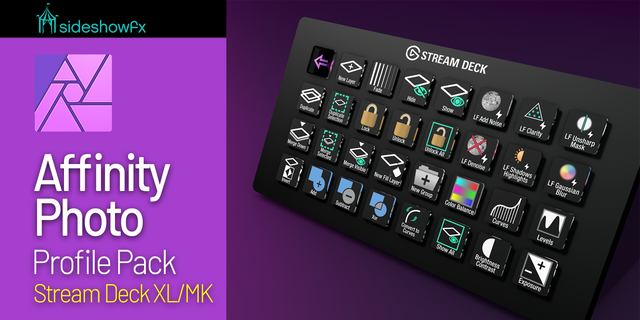
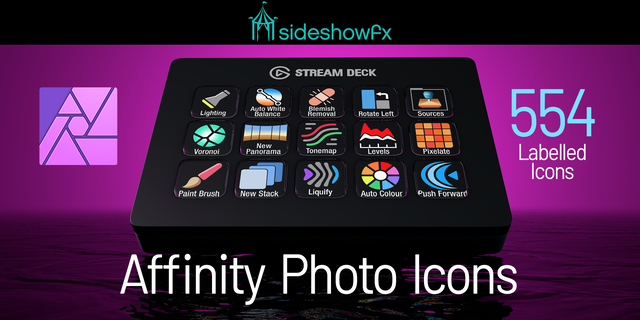
🎨 1,172 CUSTOM-DESIGNED ICONS
Every icon is designed from scratch to complement the look and feel of Affinity Photo. Includes labelled and unlabelled icon styles, giving you the freedom to personalize your Stream Deck. The icons install directly into Stream Deck software for easy access and customization.
⚙️ MAKE IT YOUR OWN
Start with our fully programmed profiles, then customize them to suit your workflow. Rearrange controls, personalize your layouts and build upon the included icon collection.
✓ WHAT YOU GET
✓ 227 unique rotary dial controls ✓ 389 programmed shortcut commands ✓ 7 interconnected Stream Deck + profiles ✓ Hands-on filter and adjustment control ✓ 1,172 custom-designed icons ✓ Labelled and unlabelled icon styles ✓ Mac and Windows compatibility ✓ Customizable profiles and layouts ✓ Free lifetime updates
⚠️ BEFORE YOU BUY
• Stream Deck + only • English QWERTY keyboard layout required for shortcut commands • Filter dial controls work with other keyboard layouts • Designed for the original Affinity Photo, NOT the new Affinity app released November 2025 • Mac and Windows supported
Stream Deck XL & MK version: https://marketplace.elgato.com/product/affinity-photo-pro-profiles-11e82224-322c-4c70-a02e-123fd0752ad5
PDF Guide: https://www.dropbox.com/t/dSK9DAq8gwDrhK2F
SIDESHOWFX — PREMIUM STREAM DECK WORKFLOWS. HANDCRAFTED & ENGINEERED SINCE 2019.
V1.2 - June 2026
Plugin updated
Labelled Icon pack fixed
Version 1.2
Jun 22, 2026
Details
Type
Creative Tools
Productivity
Device
Stream Deck +
OS
macOS
Windows
Compatibility
Stream Deck 6.4 or later
Size
177.98 MB
Version
1.2
Support
Icons
Yes
Dial support
Yes
Additional links
You might also like