Creative Tools
Affinity Studio Shortcut Profile
by Adx.cool
Overview
The complete Affinity Studio keyboard shortcut pack for Stream Deck.
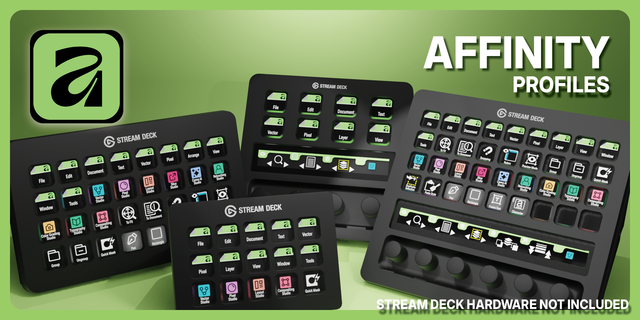
146 shortcuts across 12 categories — organized, scored by importance, and ready to install on Stream Deck Classic / MK.2, XL. Stop memorizing key combos. One tap, one action.
What's included:
• View (19): Zoom In, Zoom Out, Fit Window, Fit Width, Fit Selection, and 14 more • Vector (17): Move Tool, Color Picker, Fill Tool, Node Tool, Pen Tool, and 12 more • Pixel (17): Move Tool, Color Picker, Fill Tool, Node Tool, Pen Tool, and 12 more • Transform (17): Group, Ungroup, Move Forward, Move Backward, To Front, and 12 more • Color (15): Swap Fill/Stroke, Swap Colors, Default Colors, Fill Foreground, Fill Background, and 10 more • Layout (12): Move Tool, Node Tool, Pen Tool, Color Picker, Text Tool, and 7 more • Edit (11): Cut, Copy, Paste, Copy Merged, Paste Style, and 6 more • Document (11): New Document, Open, Save, Save As, Insert, and 6 more • Personas (10): Vector Persona, Pixel Persona, Layout Persona, Slice Persona, Canva AI Persona, and 5 more • Selection (8): Select All, Deselect, Select All Layers, Next Layer, Prev Layer, and 3 more • Adjustments (8): Levels, Curves, Brightness/Contrast, HSL, Invert, and 3 more • Help (1): Open Docs
Features: • 145 Affinity Studio shortcuts across 11 categories — designed for the unified Designer/Photo/Publisher app • 10 Persona switchers (Vector, Pixel, Layout, Develop, Panorama, Slice, Retouch, Calibration, Typography, Canva AI) — pinned to home page • 17 Vector tools (Pen, Node, Knife, Shape Builder, Width, Brush, Pencil…) • 17 Pixel tools (Clone, Heal, Erase, Marquee, Lasso, Brush, Tone…) • 12 Layout tools (Image Frame, page navigation, master pages, convert to frame) • 10 blend mode shortcuts (Multiply, Screen, Overlay, Soft Light, Hard Light, Color, Luminosity…) • 19 View shortcuts (zoom presets, Pixel Preview, Outline View, Rulers, Grid, Fullscreen) • Smart Profile auto-switch — deck flips to this profile the moment Affinity Studio takes focus on macOS or Windows • One-tap Help → opens the Affinity learn hub (affinity.studio/learn) in your browser
Install: double-click any .streamDeckProfile to import. The App binding is pre-filled to Affinity Studio — auto-activates on focus. If it didn't pre-fill, set it manually under Stream Deck → Preferences → Profiles → App.
Also included: the 438-icon Affinity Studio icon pack (146 icons in 3 finishes), as a .streamDeckIconPack you can install with a double-click. Every key in this profile, available to drop on any action you like.
Try it first: press the keys of this profile in your browser, no install — https://streamdeck.adx.cool/try/affinity-studio/
Learn more about Affinity Studio: https://www.affinity.studio
v2 - 2026-09-08 An icon pass. Same 146 shortcuts, same keys - 49 of them were wearing the wrong glyph.
Seventy-nine keys shared a glyph with another key. Some were plain mistakes: Multiply and Close both drew an X, Screen and Brightness both drew a sun, Group and Ungroup were identical. Those now differ.
The rest were the same tool in different Personas - Move, Picker, Fill, Node, Pen, Shapes, Text, Pan, Zoom and Brush each exist in Vector, Pixel and Layout. They keep the tool they always had; the Pixel and Layout versions now carry a small Persona badge in the corner, so you can tell at a glance which Persona a key belongs to without reading the caption. Sixteen glyphs were drawn for this.
The included icon pack ships as version 2, so it will install over the previous one.
Version 2
Sep 8, 2026
Details
Type
Creative Tools
Device
Stream Deck MK
Stream Deck XL
Stream Deck + XL
OS
macOS
Windows
Compatibility
Stream Deck 6.4 or later
Size
12.01 MB
Version
2
Language
English
Support
Icons
Yes
Additional links
You might also like
-thumbnail-optimized-7341342e-ddc0-4615-95be-dd3ec824fe35.png)
-thumbnail-optimized-ad3282ae-af69-4e41-8608-a59637f66bd1.png)