Business
After Effects Fastlane - Stream Deck +XL
by FlowKits
Overview
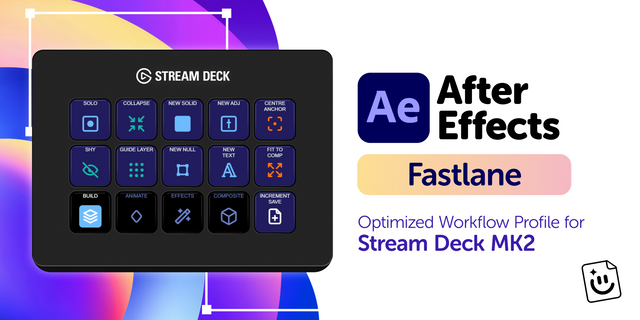
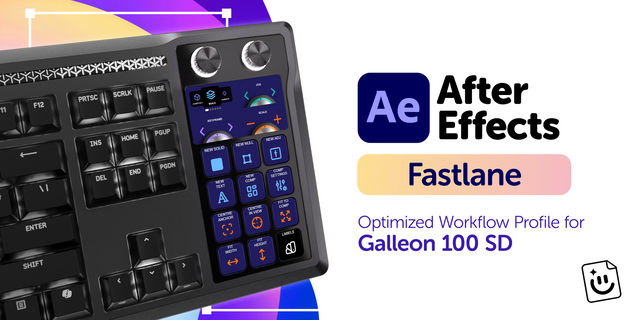
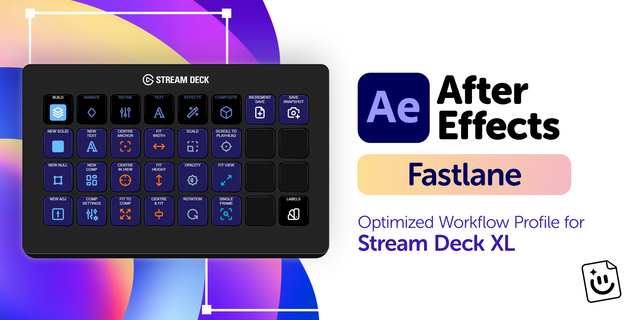
🎬 After Effects for Stream Deck + XL: six workflow pages, six smart dials, and a nav row that never moves.
Motion work is a loop of nudge, scrub, check, nudge again. Fastlane puts that loop on the deck so you keep your hands where the work is ⚡
--
✅ Six dials, and they change with the page. Jog, Keyframe, Comp Zoom, Timeline Zoom, Scale, and Opacity by default. Land on Text and three of them become Font Size, Tracking, and Leading. Land on Composite and you get Blend Mode and Rotation. Press any dial to switch it to x10 steps.
✅ The top row is always the same. Six page buttons lit in that page's color, plus Incremental Save and the snapshot pair, in the same spot no matter where you are. Everything below it is yours to work in.
✅ Reaches commands After Effects ships with no shortcut at all. Solo, Shy, Separate Dimensions, all five mask modes, the text animators, and the eight label colors. The included FlowKits keyboard preset binds them, and each one gets a key.
Windows only, for After Effects 24.0 through 26.2. There's no Mac build in this one.
--
⚡ Why You'll Love It
Most profiles are a shortcut list glued to a grid. This one is organized by the phase you're in: build the comp, animate it, refine the curves, set type, add effects and masks, then camera, blend modes, and render. You always know which page you want, because it's the thing you're doing.
The + XL has room for a page to breathe, so related keys sit together in blocks and stay the same color across every page. Easy Ease is purple on Animate and purple on Refine. You learn the language once.
--
🎛️ Six Dials That Follow the Page
⏱️ Jog: one frame per detent, press for ten at a time.
🔑 Keyframe: jump to the previous or next keyframe. Press to switch into nudging the selected keys.
🔍 Comp Zoom and Timeline Zoom on their own dials, so you never trade one for the other.
📐 Scale and Opacity at 1% a detent, or 10% after a press.
🔤 On the Text page: Font Size, Tracking, and Leading, with AE's own fast variants on the second mode.
🎨 On Composite: Blend Mode steps through the list one at a time, and Rotation takes over from Timeline Zoom.
--
📦 What's Inside
🗂️ 6 pages plus a Label Colors folder: Build, Animate, Refine, Text, Effects & View, Composite & Output.
🎭 All five mask modes on keys, plus Track Mask, invert, and feather.
🎬 Multi-action keys for the fiddly ones: Easy Ease All, Center & Fit, Reveal Graph Editor.
⌨️ FlowKits keyboard preset (.aeks) for After Effects 24.0, 24.3, 25.1, and 26.2.
🌍 QWERTY, QWERTZ, and AZERTY presets for Windows keyboards.
🏷️ Editable text labels in any language.
🖼️ The full key icon set, in case you want to remix a page.
--
🚀 Quick Install
Extract the .zip.
Load the FlowKits keyboard preset for your After Effects version and layout, then restart After Effects (it only reads presets at launch).
Double-click the .streamDeckProfile to import, turn Num Lock on, and go.
Full setup guide with screenshots at getflowkits.com/setup.
--
📥 What's Included
✅ After Effects Fastlane profile for Stream Deck + XL (Windows)
✅ FlowKits keyboard presets for Windows (QWERTY, QWERTZ, AZERTY)
✅ Complete key icon library
✅ Setup guide
--
🎯 Perfect For
Motion designers cutting client work to deadline. Editors who live in After Effects a few days a week and never quite memorized the shortcut sheet. Anyone tired of Ctrl-tabbing to the Character panel to change one number.
🎬 Six pages. Six dials. Less Thinking, More Creating.
--
Disclaimer
This Stream Deck profile is an independent creation, not affiliated with or endorsed by Adobe Inc. Adobe and After Effects are trademarks of Adobe Inc., used solely to identify compatibility.
Initial release of Fastlane - an After Effects Stream Deck +XL profile.
Version 1
Aug 21, 2026
Details
Type
Business
Creative Tools
Productivity
Device
Stream Deck + XL
OS
Windows
Compatibility
Stream Deck 7.1 or later
Size
3.12 MB
Version
1
Support
Icons
Yes
Dial support
Yes
Additional links
You might also like
-thumbnail-optimized-370736eb-6c6b-4fbf-abef-399d0026f9ea.png)
-thumbnail-optimized-df8b02d4-c582-411b-b4ca-9c10788b4809.png)