Development
Agent Deck for Claude Code
Overview
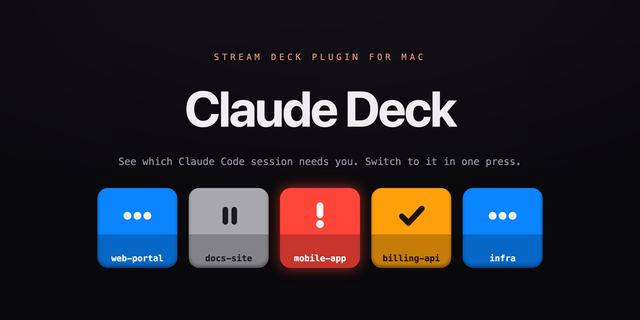
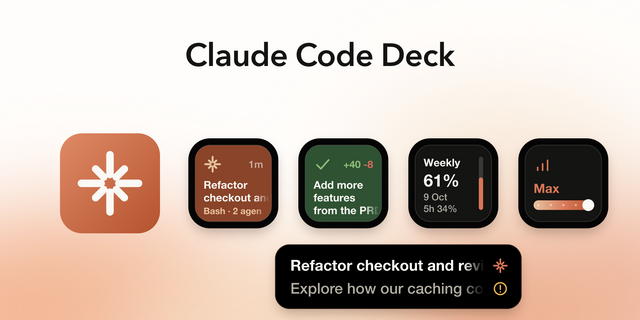
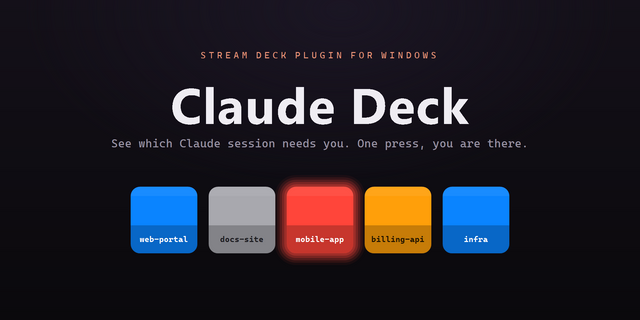
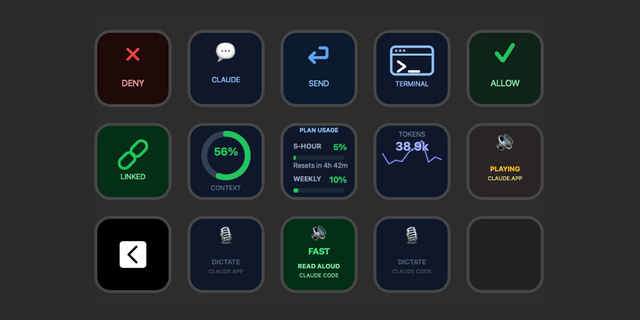
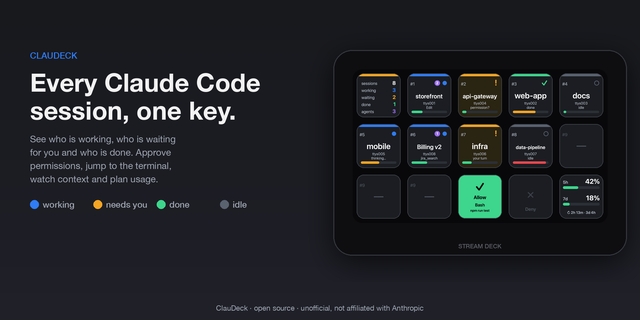
Agent Deck puts every Claude Code session on your Stream Deck. Each key shows what that session is doing: thinking, running a tool, testing in a browser, or waiting for your approval. So when you run Claude Code across several projects, you can see which one needs you and answer it with one press.
When you work in more than one project at a time, most of your attention goes on hunting for the window that stopped. Agent Deck moves that onto the keys, where a glance is enough.
ONE ROW PER PROJECT
A session claims a row when it starts and keeps it until it ends, so a row always means the same project. Nothing shuffles while you are looking away. End a session and the rows below it close the gap, so you never have a dead row in the middle of the deck.
A CHARACTER THAT TELLS YOU THE TRUTH
Pondering while Claude composes a reply. Running while a tool works. Eating popcorn while a browser test runs. Tapping a foot when it needs your permission. Burnt popcorn when a turn fails. Asleep when nothing is happening. It reads from across the room, so you can look away from the screen and still know where things stand.
Browser testing is detected by looking for the browser itself, not by guessing from the command, so it works whether the tests run through Playwright, Puppeteer, Cypress, an MCP server, or a script whose name gives nothing away.
ANSWER WITHOUT SWITCHING WINDOWS
Approve, deny or interrupt straight from the deck. Each key targets the session it names, so with several projects open Approve answers the one that is actually asking rather than whichever window happens to be in front. The key that needs you turns red and says which project it is. One press takes you to that editor window.
PERMISSION MODE AT A GLANCE
See whether a session is in ask, auto edit, plan or bypass, and change it without leaving the deck.
EVERYTHING ELSE YOU REACH FOR
Slash commands such as /compact and /code-review. Canned prompts you send with one press. Project launchers that open a folder and start Claude Code in its terminal. Web shortcuts that open in the right Chrome profile and reuse an existing tab instead of stacking duplicates.
SET UP IN ONE PRESS
Agent Deck ships with a three page layout, so there is nothing to build before you start. A Setup key checks every prerequisite and installs what is missing, including inside WSL if that is where you run Claude Code. It shows exactly what it will change, backs up anything it touches, and removes itself cleanly from the same panel.
WHAT IT CHANGES ON YOUR MACHINE
Session hooks are added to ~/.claude/settings.json, alongside a small forwarder script and a file holding the local port and access token. One editor keybinding is added so the plugin can focus the terminal. Existing hooks are preserved, everything is backed up first, and all of it is reversible.
IT RUNS ON YOUR MACHINE
There is no account, no server of ours and no analytics. The plugin listens on a local port gated on a token it generates on first run, and session state lives in memory only. Nothing is written to disk and nothing is sent anywhere.
REQUIREMENTS
Stream Deck 7.1 or later. Claude Code. macOS 12 or later, or Windows 10 or later. Claude Code can be running in VS Code, Cursor, Windsurf or VSCodium, or in a terminal such as Terminal, iTerm, Ghostty, Warp, WezTerm, kitty or Alacritty. On Windows, Claude Code inside WSL is supported and detected automatically. On macOS you will be asked to grant Accessibility so the plugin can type into your session and bring the right window forward.
Agent Deck is made by Barbanson Data Solutions and is not affiliated with, or endorsed by, Anthropic or Elgato. Claude and Claude Code are trademarks of Anthropic.
Fixes for decks other than the fifteen-key Stream Deck.
The three-page layout assumed a five by three keypad, so on a Stream Deck Plus or Mini it placed keys at positions the hardware does not have. The layout now reads your connected device and fits itself to it: a Plus gets one page with two project rows, a Mini gets two rows of three. The fifteen-key and XL layouts are unchanged.
Pressing "Create the three-page layout" more than once created a duplicate profile each time. It now tells you one already exists.
Stream Deck does not always notice a new profile when it restarts, and on some machines a full reboot is needed. The message now says so, instead of implying that quitting the app is enough.
The setup panel showed macOS wording on Windows: the wrong keyboard shortcut, the wrong forwarder filename, and a permission note that does not apply. It now shows the right text for the platform it is running on.
Version 1.0.1
Sep 23, 2026
Details
Type
Development
OS
Mac
Windows
Compatibility
Stream Deck 7.1 or later
Size
1.37 MB
Version
1.0.1
Language
English
Support
Dial support
No
Neo Infobar support
No
Profiles
Yes
Additional links
You might also like