Business
Ai Insight Lite
by Dloper
Overview
Ai Insight Lite
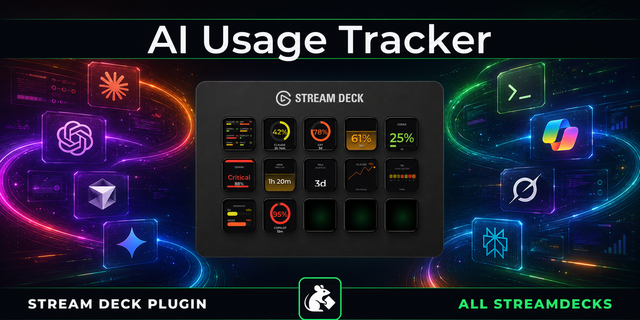
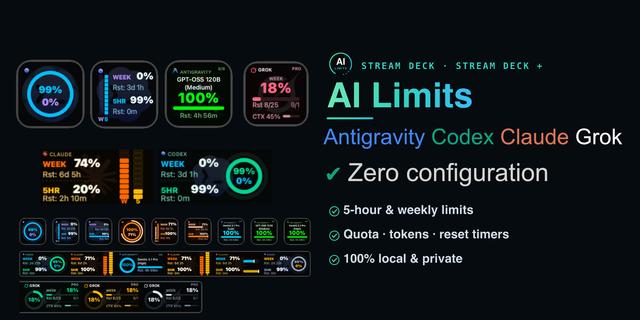
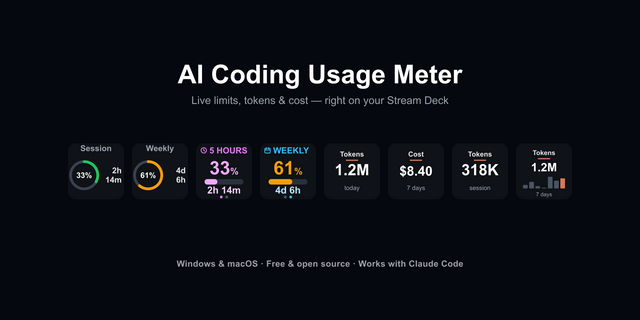
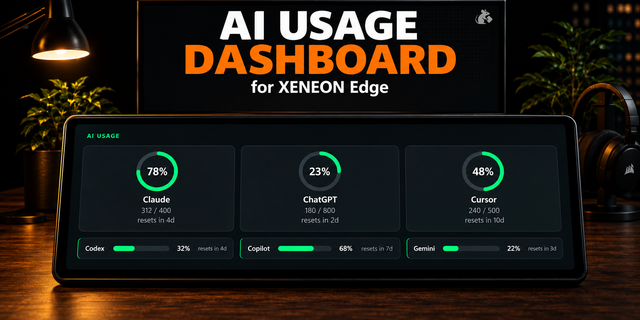
Monitor your AI stack right from your Stream Deck. A Dloper plugin for macOS and Windows.
ONE GLOBAL AI CHOICE
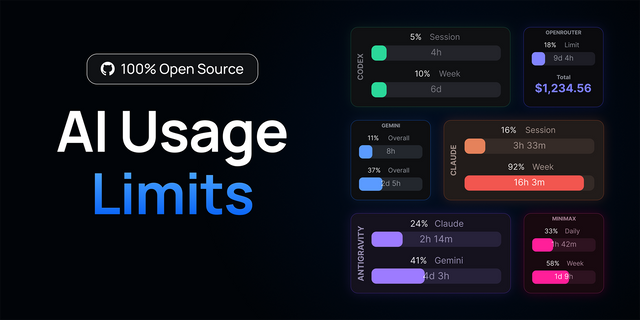
Ai Insight Lite tracks 1 of your AI providers at a time across all your keys. Choose from Claude, Gemini, ChatGPT, Cursor, CoPilot, Grok, Codex, Perplexity, Ollama or Antigravity globally for the entire plugin. Claude Code, Gemini CLI, Cursor, Grok Build and Codex have local activity connections; each key keeps its own source, display and refresh interval.
Need to track multiple AI providers independently on different keys at the same time? Upgrade to Ai Insight PRO:
https://dloper.com/apps/streamdeck/plugins/ai-insight#pro-download
CODEX ACCOUNT LIMITS
Read native quotas through a compatible installed, signed-in Codex executable. Choose Current, 5-hour, Weekly or Both views. Missing windows remain Unknown, with no invented full allowance or assumed Primary/Secondary period.
AUTOMATIC ANTIGRAVITY QUOTAS
Open Antigravity and sign in normally. The native source discovers local model quotas and real five-hour/weekly quota groups without a manual URL or API key. Current model settings and configured telemetry feeds are preserved.
OFFICIAL API REPORTS
Read today's UTC OpenAI and Claude organization API token totals with authorized organization Admin API keys, or Cursor team billed request totals with a team Admin API key. OpenAI/Claude reports cache for one minute; Cursor caches for one hour.
LOCAL OLLAMA
Continuously poll Ollama's loaded-model or VRAM allocation, refresh with a press or choose model unloading. Each Quick Prompt key can send its Saved prompt or read Clipboard input only when pressed; the result replaces the clipboard.
TASK STATUS IN COLOUR
Ai Status displays Working, Waiting, Requires Attention, Error and Completed. Local lifecycle hooks provide those states for Claude Code, Gemini CLI, Cursor, Grok Build and Codex; only provider, event and timestamp are stored locally.
COMPATIBLE TELEMETRY
Existing HTTP(S) feeds remain available for custom usage or task state. Explicit quota windows can use Current, 5-hour, Weekly or Both views with Used/Remaining percentages and reset countdowns.
Requires macOS 13 or later or Windows 10/11, Stream Deck 7.1 or later and Stream Deck keys, including the keys on Stream Deck +. Refresh intervals range from 5 to 300 seconds. Plugin installation requires no code or command-line tools.
English is the default language. Localization resources are prepared for Chinese, French, German, Japanese, Korean, Portuguese and Spanish, with English fallback.
Upgrade to Ai Insight PRO:
https://dloper.com/apps/streamdeck/plugins/ai-insight#pro-download
An independent Dloper product. Provider names and logos identify integrations; their use does not imply affiliation or endorsement.
Ai Insight Lite — Version 1.1.0.0
- Updated compatibility with the current ChatGPT macOS app so signed-in Codex account limits continue to load from its bundled Codex service.
- Refined ChatGPT Usage Tracker setup and its OpenAI Admin token guidance.
- Added the display-only Ai Infobar action for Stream Deck Neo.
- Shows Lite's selected AI provider, current usage, state, and reported reset or source detail on the 232 × 50 Infobar.
- Requires Stream Deck 7.6 or later.
Version 1.1
Sep 29, 2026
Details
Type
Business
Development
Finance
Monitoring
Utilities
OS
Mac
Windows
Compatibility
Stream Deck 7.6 or later
Size
405.97 KB
Version
1.1
Language
Chinese
English
French
German
Japanese
Korean
Spanish
Support
Profiles
No
Dial support
No
Neo Infobar support
Yes
Additional links
You might also like