Development
AI Limit Lens
by Olanlab
Overview
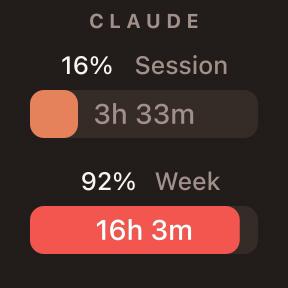
AI Limit Lens puts your OpenAI Codex and Anthropic Claude usage limits on a Stream Deck key. Every key shows the percentage of quota remaining, a live countdown to the next reset, and a color-coded status, so you always know how much AI budget is left before you start a long session.
Three actions are included:
• Codex Weekly Limit — the Codex weekly window on one key.
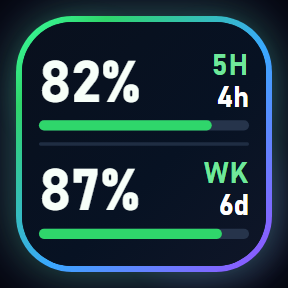
• Claude Limits — Claude's 5-hour and 7-day windows together.
• All AI Limits — Codex weekly plus both Claude windows on one key.
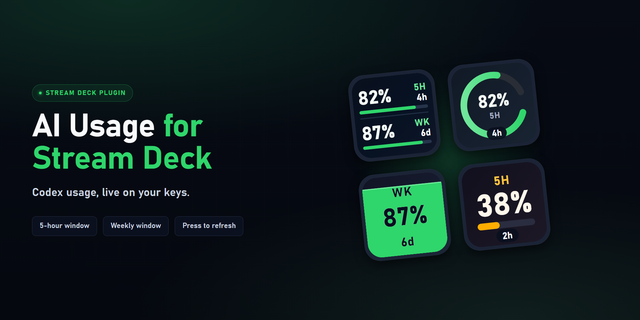
Ten visual styles are built in: ring, bar, battery, minimal, countdown, gauge, segments, liquid, split and retro. A short press cycles the styles you marked as favorites; press and hold, then release, to force an immediate refresh.
How it gets the data: there is no API key to create. Codex figures are read from the Codex CLI on your computer, and Claude figures use the login Claude Code already saved in your operating system's credential store. No prompt is ever sent, so checking your limits never consumes quota.
Per-key options: auto-refresh every 1, 5, 15 or 30 minutes, which styles the press gesture cycles, and an optional custom CLI path. An amber frame appears when data has gone stale, so an expired window is never shown as current.
Requirements: macOS 13+ or Windows 10+, Stream Deck 7.1+, and the Codex CLI and/or Claude Code installed and signed in on the same computer as the Stream Deck app.
AI Limit Lens v0.6.0
Monitor your Codex and Claude usage limits from your Stream Deck.
• Codex Weekly Limit — track the Codex weekly window on a key.
• Claude Limits — track Claude's 5-hour and weekly windows.
• All AI Limits — show every window together on a single key.
• 10 visual styles: ring, bar, battery, minimal, countdown, gauge,
segments, liquid, split and retro.
• Every key shows remaining usage, time until reset, and a
color-coded status.
• Reset time switches automatically between hours and days.
• Provider logos on every key for faster identification.
• Press once to cycle through your favorite visual styles.
• Press and hold, then release, to refresh usage data immediately.
• Auto-refresh every 1, 5, 15 or 30 minutes, set per key.
• An amber frame marks data that has gone stale.
Requires the Codex CLI and/or Claude Code installed and signed in on
the same computer as the Stream Deck app.
Version 0.6
Jul 28, 2026
Details
Type
Development
Monitoring
Productivity
Utilities
OS
Mac
Windows
Compatibility
Stream Deck 7.1 or later
Size
324.54 KB
Version
0.6
Language
English
Support
Profiles
No
Dial support
No
You might also like