Productivity
AI Productivity Workflows
Overview
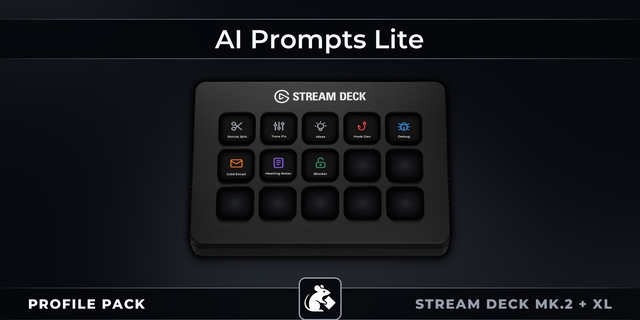
Stop rewriting the same AI instructions or hunting through old chats. Ring & Deck puts coding, writing, research and everyday controls into focused workflow profiles. Choose an action, review the pasted prompt in your preferred AI app and send it yourself. The profiles contain no AI model or API client and store no API keys. Your AI app manages credentials and any usage charges. Open source, editable, and free. Windows alpha; native-device acceptance is still incomplete.
Includes Code Workflow, AI Workflow and Browser Workflow with full-color action icons for Windows and the 15-key Stream Deck only. Alpha.3 fixes blank Stream Deck pictograms. Requires Stream Deck software and your chosen AI app for prompts. Text actions paste without Enter and can replace clipboard contents; shortcuts act immediately on the focused app. Other layouts and macOS are untested.
Public validation documents virtual 15-key imports and visible Home icons. Deeper action and physical-key results are not yet documented there. Gallery images are generated layout previews, not native screenshots. Project code and prompts use MIT; current Fluent artwork uses MIT; legacy Lucide ISC notices remain preserved.
Source: https://github.com/alkhunizan/RingAndDeck
Validation and limitations: https://github.com/alkhunizan/RingAndDeck/blob/main/docs/VALIDATION.md
Alpha.3 adds full-color action pictograms and fixes blank Stream Deck icons by replacing nested SVG elements with equivalent transform groups. It includes Code Workflow, AI Workflow and Browser Workflow for Windows and the 15-key Stream Deck. Existing prompts, shortcuts and navigation are preserved. The public validation record documents imports and Home-icon rendering in a virtual 15-key deck; deeper action and physical-key results are not yet documented there. Back up existing profiles, import the candidates separately, and review pasted prompts before sending. No AI model, API client or API keys are included.
Version 0.1
Sep 30, 2026
Details
Type
Productivity
Device
Stream Deck MK
OS
Windows
Compatibility
Stream Deck 6.4 or later
Size
227.11 KB
Version
0.1
Language
English
Support
Icons
Yes
Additional links
You might also like