Development
AI Token Tracker
by Adx.cool
Overview
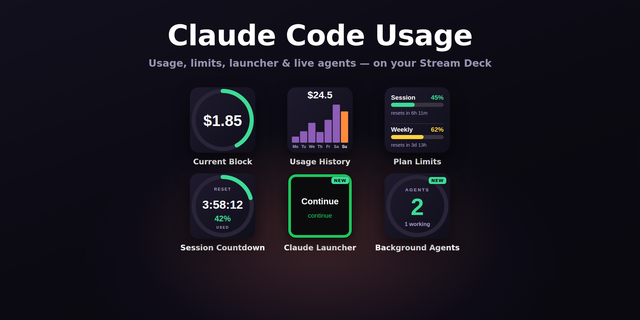
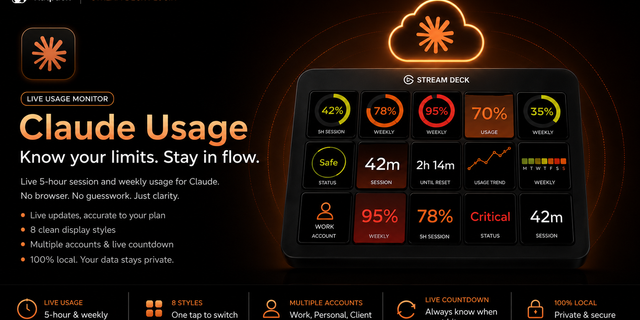
Track your AI token usage in real-time, right from your Elgato Stream Deck. V4 removes the setup: if you're signed into Claude Code on the same machine, AI Token Tracker reads that login and your Claude keys light up with nothing to paste. 16 actions covering Claude (5h, weekly, Sonnet, overview, cost, comparison, sparkline, heatmap, reset countdown), OpenAI, Mistral, plus Anthropic Status, Burn Rate, API Credit Balance — and two Stream Deck + dials (Universal Tracker + AITT Pulse).
What's included (16 actions):
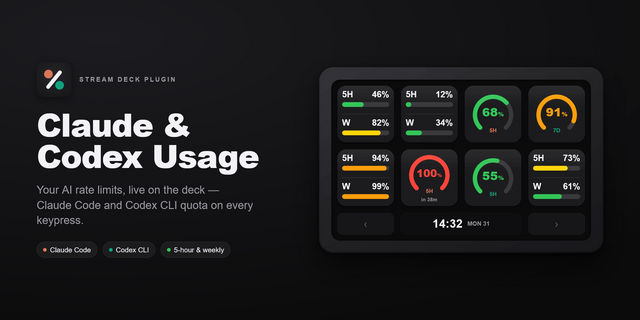
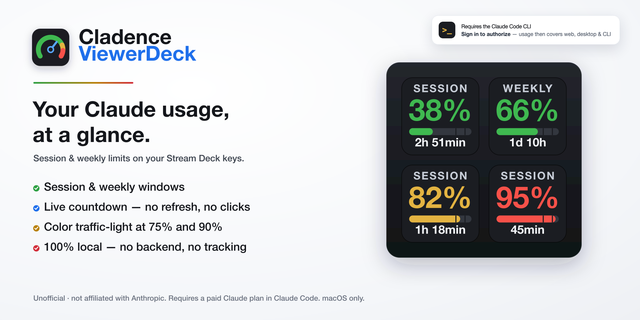
Claude.ai • Session Usage — rolling 5-hour window utilization • Weekly Usage — 7-day usage across all models • Sonnet Usage — Sonnet-specific 7-day usage • Usage Overview — all three metrics on a single key • Reset Countdown — live ticker to the next reset (per-metric) • Cost Estimate — plan-based monthly spend projection • Model Comparison — three usage bars side-by-side • Sparkline History — 24h usage as a mini line chart • Weekly Heatmap — 7-day intensity grid
Multi-LLM • OpenAI Usage — track API spend & monthly limits • Mistral Usage — Mistral API status
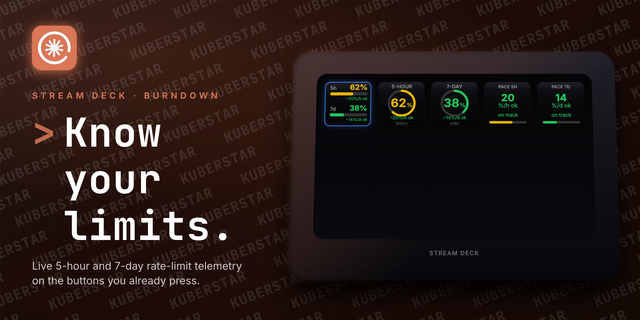
Health pulse • Anthropic Status — live indicator of Anthropic infrastructure health (status.anthropic.com). • Burn Rate — how fast you're burning your 5H/7D/Sonnet quota (%/h + ETA cap). Mock mode for instant preview. • API Credit Balance — remaining prepaid balance on your Anthropic API key (admin key required).
Credential source, per key (new in V4) • Claude Code — reads the login Claude Code already keeps on your machine. Nothing to paste, nothing to re-paste when it expires. • Session key — the classic route, still fully supported. Paste different keys into different actions to run work/personal quotas side by side on one deck. • Every Claude action shows which source it's using, and lets you switch. Nothing changes on its own.
Stream Deck + • Universal Tracker — rotate to switch 5H / 7D / Sonnet, press to refresh, tap touchstrip to toggle %/countdown. • AITT Pulse — rotate Burn / Status / Credit on a second dial alongside Universal Tracker, photoreal skeuomorphic knob.
Features
• 3 display styles per Claude action: Gauge, Minimal, Full • Dark and Light themes per key — mix and match across the deck • Smart colour alerts — green (safe) → blue (moderate) → amber (warning) → red (critical) • Live reset countdown that ticks every second between API polls • Per-key credential source — Claude Code for zero setup, or a session key per action for true multi-account on one deck • Press any key to force-refresh and bust the 55-second cache • Burn flame overlay (opt-in) — Session/Weekly/Sonnet keys show a flame when burn rate spikes • 55s in-memory cache · graceful 401 / 429 handling
Setup
Already signed into Claude Code? Drop a Claude action on your deck. That's the whole setup — the key finds your login on its own.
Not using Claude Code? The session-key route is unchanged:
Open claude.ai in your browser and log in
Open DevTools → Application → Cookies → claude.ai
Copy the sessionKey value (starts with sk-ant-...)
Pick "Session key" in the action's settings and paste it there
Upgrading from V3? Nothing moves. Keys that already have a session key keep using it until you choose otherwise.
OpenAI and Mistral actions take their own keys (sk- and standard API keys respectively) in their dedicated Property Inspectors. API Credit Balance takes a separate Anthropic admin key.
Everything stays on your machine. No account to create, no server of ours in the middle.
Disclaimer: AI Token Tracker is an unofficial tool, not affiliated with Anthropic. It reads usage through interfaces Anthropic does not publish for third parties and may change or restrict at any time. Use at your own risk.
4.0.0 — zero-setup Claude auth
Claude usage now reads the OAuth token Claude Code already stores on your machine. If you’re signed in to Claude Code, there is nothing to paste.
Every Claude key’s Property Inspector shows which source that key is using and lets you switch — all twelve of them (Session, Weekly, Sonnet, Overview, Cost Estimate, Model Comparison, Sparkline, Heatmap, Reset Countdown, Burn Rate, and both dials). Existing session keys keep working exactly as before — nothing changes unless you choose it.
On “Claude Code”, your session key stays visible and greyed out rather than hidden, labelled as the fallback it is: if Claude Code’s token goes stale, that key takes over, and it may belong to a different Claude account. Clear the field if you want the key to rely on Claude Code alone.
New key states on your usage and countdown keys (Session, Weekly, Sonnet, Overview, Model Comparison, Sparkline, Heatmap, Cost Estimate, Reset Countdown, and the dial trackers): RUN CLAUDE when the stored token needs Claude Code to refresh it, WAIT when Anthropic rate-limits the usage endpoint. Both used to show a generic error. Burn Rate keeps its existing visual for now and does not yet show these labels.
The Sonnet Usage key now labels itself with the model Anthropic actually reports, instead of assuming Sonnet.
Version 4
Aug 25, 2026
Details
Type
Development
Monitoring
Utilities
OS
Mac
Windows
Compatibility
Stream Deck 6.9 or later
Size
372.37 KB
Version
4
Language
English
Support
Profiles
No
Dial support
Yes
Additional links
You might also like