Monitoring
Aion: Claude & Codex Status & Usage
Overview
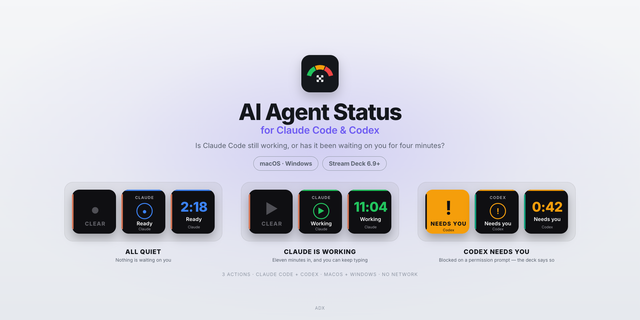
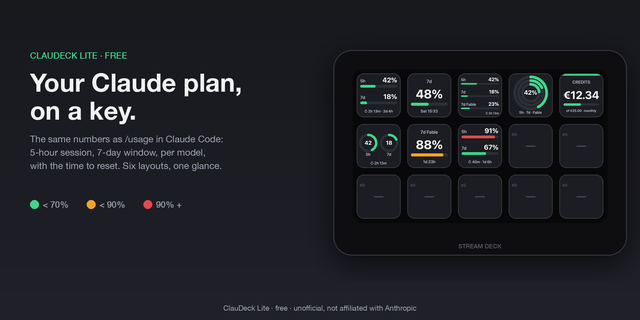
Aion shows what your AI coding agents are doing and how much of your usage quota is left, directly on your Stream Deck. A key glows blue while Claude or Codex is working and amber the moment it finishes and needs your input, so you can look away from the terminal without missing your turn.
Actions
Agent Status: a pulsing light that detects activity automatically from local agent logs. Blue while working, amber when it is your turn, dim when idle. Press the key to open your agent, or bring it to the front if it is already running.
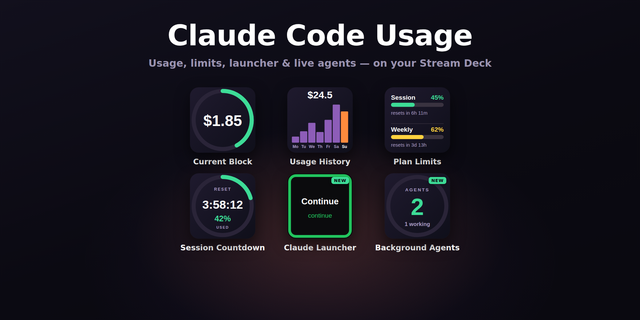
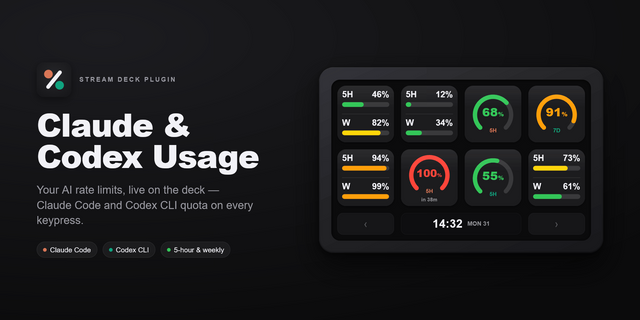
Usage (Key): your rolling 5-hour and 7-day limits as a ring, a vertical bar, or a horizontal bar. Show one window or both, display used or remaining, and pick a custom accent color.
Usage (Dial): the same limits on a Stream Deck + dial screen, 5-hour and 7-day side by side.
Setup Add an action to a key or dial and choose the provider in the property inspector. For usage, sign in to the official CLIs; Aion reads the token they already store locally, so there is nothing to paste. Widgets refresh every 2 to 3 minutes. If a widget shows a rate limit notice, simply wait a few minutes.
Requirements
macOS 12 or later, Stream Deck 7.1 or later
Claude Code installed and signed in, for Claude usage
Codex CLI installed and signed in with a ChatGPT account, for Codex usage
You only need the CLI for the provider you want to display
Not affiliated with Anthropic or OpenAI.
First release.
Aion shows what your AI coding agents are doing and how much of your usage quota is left, right on your Stream Deck.
Agent Status: a pulsing light that detects activity automatically from local agent logs. Blue while the agent is working, amber when it has finished and is waiting for you, dim when idle. Works with Claude and Codex, in the desktop apps and in the CLIs. Press the key to open your agent, or bring it to the front if it is already running.
Usage (Key): your rolling 5-hour and 7-day limits as a ring, a vertical bar, or a horizontal bar. One window or both, used or remaining, with a custom accent color.
Usage (Dial): the same limits on a Stream Deck + dial screen, 5-hour and 7-day side by side.
Clear status messages instead of a generic error: the widget tells you whether you need to sign in to the CLI, whether the provider is rate limiting and you simply need to wait, or whether there is no connection.
Private by design: Aion reads the login token the official CLI already stores locally, sends it only to the provider's own usage endpoint, and never stores or logs it. No setup, no tokens to paste.
Not affiliated with Anthropic or OpenAI.
Version 0.1
Jul 29, 2026
Details
Type
Monitoring
OS
Mac
Compatibility
Stream Deck 7.1 or later
Size
107.23 KB
Version
0.1
Language
English
Support
Profiles
No
Dial support
Yes
You might also like