Business
Altium Designer Live Deck
Overview
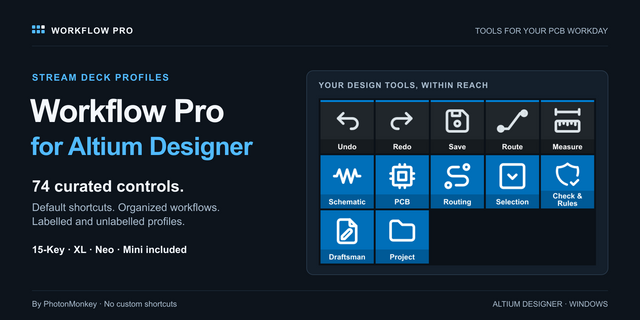
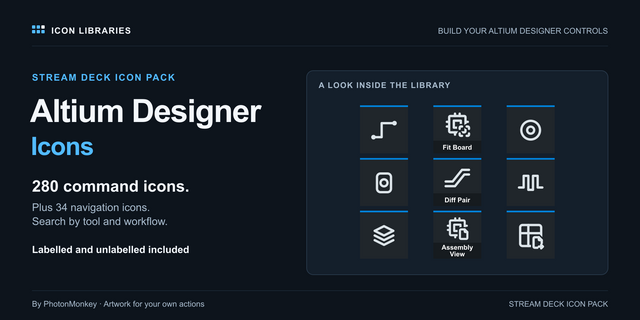
Drive Altium Designer 26 from your Stream Deck through Altium's own scripting bus, not blind hotkeys. 311 commands on real keys across 23 categories for the PCB editor, the schematic editor, the 3D viewer, CAM, simulation, libraries and the project, fired with Altium in the background in about a quarter of a second. Eight Stream Deck + dials with live readouts, a numpad with a live value console on the Stream Deck + XL, and six bundled profiles, one per Stream Deck model.
SETUP, ONCE
Altium Designer 26 for Windows must be installed. Press the Launch Altium key or start Altium yourself; the first command you press installs a small script under your user folder and starts it inside Altium. Nothing to configure. Pause Bridge stops that script from a key whenever you run your own project scripts; Restart Bridge brings it back.
HOW THE KEYS WORK
Drop a category action onto any key and pick the command from the grid of key faces in its settings; the key wears that command's artwork. The deck sends the command straight to Altium's command bus (PCB:Zoom, Sch:PlaceWire, CAMTASTIC:ZoomAll and 291 more), so it lands while another window has focus. 294 of the 311 commands ride the bus; 217 also carry Altium's default hotkey as a fallback you can remap. Measured on a live board: 123 to 258 milliseconds per command. PCB and schematic keys refuse politely when the wrong editor is in front instead of firing blind.
23 CATEGORIES
Project and Outputs, Panels and Workspace, ten PCB categories from View and Zoom to Route, 3D Camera and Design and Rules, six schematic categories from View and Grid to Wires and Place, then 3D and Multi-Board, CAM and Gerber, Simulation and Library.
STREAM DECK + DIALS
Eight dials, all seated on the Stream Deck + across its Board and Navigate pages: zoom, layer, signal layer, snap grid, document tab, undo scrub, schematic zoom, and rotate while placing. Six read Altium back onto the touch strip as you turn: view width, layer name, snap grid, document name. Press a dial for its partner action. The Stream Deck + XL carries six dials on every page.
NUMPAD AND VALUE CONSOLE
The Stream Deck + XL opens on a numeric pad: type a track width, a via size or a grid straight into whatever field Altium has focused, with a flash on every press. The touch strip becomes a value console that echoes your digits and flashes the entry when it commits.
LIVE STATE ON A KEY
The Live State action turns a key into a readout that updates by itself: focused document, project, current PCB layer, snap grid, view width, selection count, active editor, or bridge status. Switch on Follow Altium in its inspector and focusing a PCB, a schematic or a library editor jumps the deck to that editor's page, and the Home page backs it out to the hub.
EASY LINK, BUILT IN
Hold the Easy Link key about a second while Altium is in front and the deck binds that window to this plugin's profile, which switches in whenever Altium takes focus and hands back your previous profile when you leave. A short press never relinks. It sits on the top left key of every bundled profile.
READY-MADE LAYOUTS
Six bundled profiles install on the first key you place. The Stream Deck and the Stream Deck XL open on a category hub: tap a category, land on its page with every command pre-wired, Home brings you back. The Stream Deck XL and the Stream Deck + XL keep the numpad on every page. The Stream Deck + gets the two dial pages; the Mini and the Neo get the essentials.
PER-KEY SOUNDS
Every key can play a press sound: 30 in the box, or your own recordings from our free Sound Sampler.
Altium Designer Live Deck 1.0.1.0: easier key setup, Easy Link updates and reliability fixes.
Pick by face: a category key's settings now show its commands as a grid of the key art, so you choose by what the key will show.
Fixed: a custom hotkey captured with an arrow key or a numpad operator (+, -, *, / or .) never fired. Capture now stores those keys in a form the plugin can send; capture any such hotkey set before this update again.
Easy Link: the linked key now shows the app's icon above its name when one can be read, and its settings show each link's face. A failed link plays a shorter chime. Easy Link is now a key action only and can no longer sit on a dial; if you put it on one, move it to a key. The bundled profiles always had it on a key.
Easy Link on more than one deck: the Stream Deck app installs one new profile at a time, so linking several decks at once could leave all but one on its old profile. Each extra deck now comes up about 12 seconds after the one before.
Fixed: a key pressed while the keystroke helper restarted after a slow start could fail with the alert mark. A refused profile switch from Open Category or Back no longer stops the plugin. Helper processes now start in your temp folder, so they cannot hold the plugin's folder open during an update. The Open Category settings now name Home and the decks it works on.
Requires Altium Designer 26 on Windows (measured on 26.10.1.6) and Stream Deck app 6.9 or newer.
Version 1.0.1
Oct 14, 2026
Details
Type
Business
Development
Monitoring
Productivity
Utilities
OS
Windows
Compatibility
Stream Deck 6.9 or later
Size
4.35 MB
Version
1.0.1
Language
English
Support
Neo Infobar support
No
Profiles
Yes
Dial support
Yes
Additional links
You might also like