Gaming
AMP Server Control
by TeaTime
Overview
AMP Server Control puts the game servers you run in CubeCoders AMP on your Stream Deck: live status on every key, and the controls you actually use while a server is running, each one guarded so nothing happens by accident.
Live instance tiles
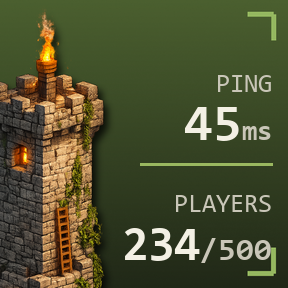
An Instance key shows the game, the instance name, its state, CPU and RAM use and how many players are online, refreshed every few seconds from a single call to your controller. The colour bar and status dot follow the AMP state, so Starting, Running, Stopping, Sleeping, Failed and a stopped instance all look different at a glance.
On a Stream Deck + the same key works as a dial: rotate to switch between CPU, RAM and players, push or tap to open the instance in AMP.
Detail pages
Press an instance for a generated page dedicated to it:
uptime, and player names where the game reports them
CPU, RAM and disk figures, the connect address and port, AMP version and target
CPU, RAM and player graphs from the last 30 minutes of the plugin's own polling
hold-to-confirm Start, Stop, Restart, Kill, Sleep, Update and Backup keys
Back returns you to wherever you came from.
Controller overview and instance list
The Controller Overview key shows servers running out of total, players online across the controller and how many servers have failed. Press it for a page listing every instance the AMP user can see, across all targets, with paging when servers outnumber keys. Pick one to open its detail page.
Safe controls
Instance Command keys start, stop, restart, toggle, kill, sleep, update or back up a server, or start, stop and restart the AMP instance process itself. Choose how each key confirms:
Hold the key for two seconds
Press twice within three seconds
Instant, for keys you trust
Keys grey out when a command does not apply to the server's current state, show a working indicator while AMP acts, then show done or AMP's own error text on the key. Inside a Multi Action the command runs at its step without waiting for confirmation.
Console command
Send any console line to a server with one press: a restart warning to players, a world save, a whitelist change. Optional confirmation, and the result appears on the key.
Works everywhere
Generated page layouts are included for Stream Deck, Stream Deck Mini, Stream Deck XL, Stream Deck + and Stream Deck Neo, installed as read-only profiles the first time you use them. Up to three connections, each either an ADS controller with all of its targets or a single standalone instance panel.
Sign-in and safety
Sign in with a dedicated AMP user. The plugin keeps AMP's remember-me token so a two-factor code is only needed once, logs in to individual instances the same way the AMP web interface does, and backs off automatically if AMP refuses a login, so it never trips AMP's login limiter.
Requirements
CubeCoders AMP 2.4 or newer, reachable from the computer running Stream Deck
An AMP user with access to the instances you want on the deck, plus the rights for the actions you use: start, stop, restart, update, console and backups
Player counts and names depend on what the game module reports to AMP
AMP Server Control is an independent project and is not affiliated with or endorsed by CubeCoders.
Fixed font and visibility issue.
Version 1.1.10
Sep 29, 2026
Details
Type
Gaming
Monitoring
Utilities
OS
Mac
Windows
Compatibility
Stream Deck 7.1 or later
Size
166.99 KB
Version
1.1.10
Language
English
Support
Neo Infobar support
No
Profiles
Yes
Dial support
Yes
Additional links
You might also like