Monitoring
Antigravity Counter
by format
Overview
Overview
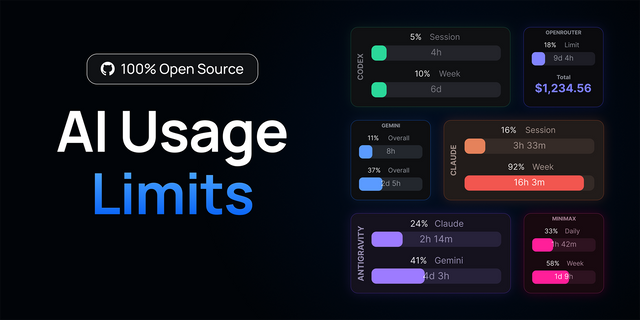
Antigravity Counter is a dedicated Stream Deck plugin designed for developers and AI power users. It allows you to monitor your AI usage quotas (Antigravity Gemini, Gemini 4 Argon, Claude, GPT, and OpenAI Codex) in real-time directly from your Stream Deck, without needing to open a browser or check dashboards manually.
Features & What's Included
6 Distinct Actions
Antigravity Weekly: Monitors your Antigravity (Gemini) weekly quota and live countdown to reset.
Antigravity 5-Hour: Monitors your Antigravity (Gemini) 5-hour rolling usage quota.
Gemini 4 Argon: Monitors your dedicated Gemini 4 Argon weekly limit and live countdown to reset.
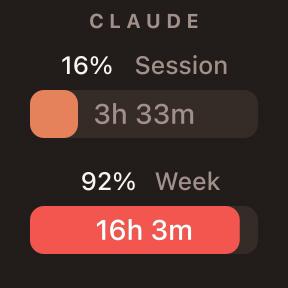
Claude & GPT: Simultaneously monitors both Weekly and 5-Hour quotas for Claude and GPT models on a single button.
Codex Usage Weekly: Monitors your OpenAI Codex weekly quota and countdown to reset.
Codex Usage 5-Hour: Monitors your OpenAI Codex 5-hour rolling usage limit.
2 Customizable UI Themes
Switch themes anytime per button in the Property Inspector:
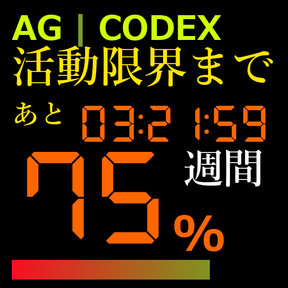
Type A (Tactical Style):
High-visibility sci-fi HUD display inspired by tactical monitoring terminals.
Features real-time countdown timer, 7-segment digital font (DSEG7), and responsive gradient gauge bars.
6 Selectable Tactical Color Palettes: Choose from NORMAL (MODEL-Magi), Blue (MODEL-00), Red (MODEL-02), Purple (MODEL-01), White (MODEL-04), or Black (MODEL-03).
The Claude & GPT action features dynamic multi-channel sync waveforms that shift and deform in real-time based on your remaining quota, rendered in matching theme colors.
Type B (Classic Style):
Clean, rounded modern card layout showing remaining percentage, progress gauge, and exact reset time.
Supports 6 selectable theme colors (Pink, Blue, Green, Orange, Yellow, White).
The Claude & GPT action uses an intuitive 2-tier stacked progress gauge.
Visual Alert System
Automatically switches percentage readouts to a distinctive high-alert orange-red color (#FF3B01) whenever your remaining quota drops below 20%, giving you an instant heads-up before hitting limits.
How It Works
Antigravity Counter connects locally to background processes running on your machine:
Automatically discovers the active Antigravity language server process and authentication tokens via local IPC.
Reads OpenAI Codex rate limits locally through the official codex app-server interface without accessing sensitive tokens.
No external cloud API keys, third-party network requests, or manual web logins required.
Dynamically renders high-resolution 144×144 images directly to Stream Deck keys with smooth updates.
Requirements
OS: Windows 10 or later
Software: Elgato Stream Deck app (v6.9+ / SDK v3)
Prerequisite: Antigravity (Language Server) or OpenAI Codex CLI installed on your machine
Bug Fixes & Performance Improvements
Processing load has been reduced.
Improved weekly countdown readability by displaying remaining times of 48 hours or more in day format (e.g., 2d:12:34).
Version 1.2.1
Nov 24, 2026
Details
Type
Monitoring
OS
Windows
Compatibility
Stream Deck 6.9 or later
Size
15.25 MB
Version
1.2.1
Language
English
Japanese
Support
Neo Infobar support
No
Profiles
No
Dial support
No
You might also like