Business
Apple Mail Shortcut Profile + Icons Pack
by Adx.cool
Overview
The complete Mail keyboard shortcut pack for Stream Deck.
105 shortcuts across 13 categories — organized, scored by importance, and ready to install on Stream Deck Classic / MK.2, XL. Stop memorizing key combos. One tap, one action.
What's included:
• Message (14): New Message, Reply, Reply All, Forward, Redirect, and 9 more • Triage (11): Delete, Archive, Move to Junk, Mark as Read, Flag, and 6 more • Format (10): Bold, Italic, Underline, Bigger, Smaller, and 5 more • View (10): Sidebar, Toolbar, Favorites Bar, Mailbox List, Full Screen, and 5 more • Go to Mailbox (9): Mailbox 1, Mailbox 2, Mailbox 3, Mailbox 4, Mailbox 5, and 4 more • Move to Mailbox (9): Move to 1, Move to 2, Move to 3, Move to 4, Move to 5, and 4 more • Edit (9): Undo, Redo, Cut, Copy, Paste, and 4 more • Navigate (7): Prev Mailbox, Next Mailbox, Prev Unread, Next Unread, Open Quickly, and 2 more • Find (7): Find, Find Next, Find Prev, Mailbox Search, Use Selection, and 2 more • Layout (7): Align Left, Center, Align Right, Indent +, Indent -, and 2 more • Window (6): New Viewer, New Tab, Message Viewer, Activity, Minimize, and 1 more • Mail (5): Preferences, Hide Mail, Hide Others, Quit, Mail Help • Help (1): Mail User Guide
Features: • 42 shortcuts curated from the 105 key equivalents in Mail's own menu bar on macOS 15 — not from a blog post, and not all 105: this profile ships the ones worth a dedicated key • Seven categories — Compose, Mailbox, Find, Format, View, Mail and Help — grouped for one-tap access on a deck, not a literal copy of Mail's menu bar • New Message and Delete pinned to the home page for one-tap access • Smart Profile auto-switch — the layout appears the moment Mail takes focus • 41 of 42 keys are plain keystrokes read from Mail's own menu bar; the one exception is a Help link to Apple's own Mail User Guide
Install: double-click any .streamDeckProfile to import. The App binding is pre-filled to Mail — auto-activates on focus. If it didn't pre-fill, set it manually under Stream Deck → Preferences → Profiles → App.
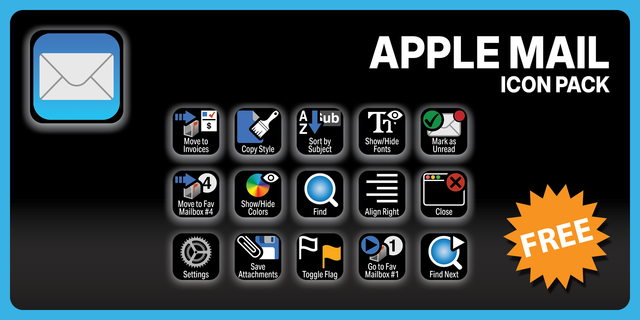
Also included: the 315-icon Mail icon pack (105 icons in 3 finishes), as a .streamDeckIconPack you can install with a double-click. Every key in this profile, available to drop on any action you like.
Try it first: press the keys of this profile in your browser, no install — https://streamdeck.adx.cool/try/apple-mail/
Learn more about Mail: https://support.apple.com/guide/mail/
v1.0 - Initial release. 105 keys across 13 folders, read straight out of Mail's own menu bar rather than from documentation: the shortcuts are what the shipped Mail 16.0 binary binds.
The nine favourite mailboxes get a folder, and so does moving a message into them - eighteen keys that turn triage into one tap per destination. Reply, reply-all, forward, redirect and send are one key each. Quote level, indentation and alignment come out of their submenus.
Includes the 105-icon Mail icon pack (315 icons in 3 finishes) as a .streamDeckIconPack. macOS only: Stream Deck Classic/MK.2 and XL.
Version 1
Oct 13, 2026
Details
Type
Business
Productivity
Social
Device
Stream Deck MK
Stream Deck XL
OS
macOS
Compatibility
Stream Deck 6.4 or later
Size
5.35 MB
Version
1
Support
Icons
Yes
Additional links
You might also like