Business
Arise Webex Controller
Overview
Control your Cisco Webex meeting with Arise Webex Controller, tactile Cisco Webex meeting controls for your Elgato Stream Deck.
Webex has no Stream Deck support of its own, and no local interface to build it on. Webex only offers cloud and administration APIs. That is why nothing like this existed until now.
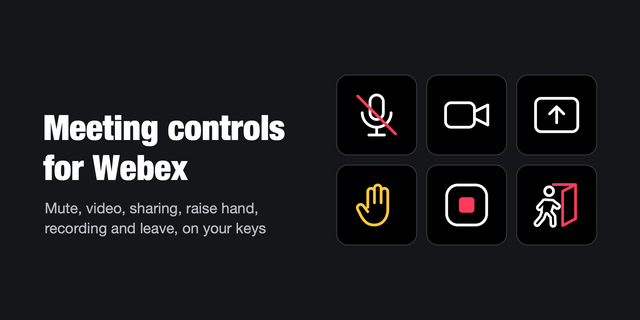
This plugin adds dedicated keys for the daily controls during live meetings, so you can stay in the conversation instead of hunting through the Webex window. Each key shows the live status, so you never have to guess whether your camera or mic is on.
Actions
• Toggle Mute
• Toggle Camera
• Raise or Lower Hand
• Share Screen (the same key ends a running share)
• Toggle Chat
• Leave Meeting
Stream Deck + dials
Mute and Camera also work on a dial. Above the mute dial: time left for scheduled meetings (or elapsed time for instant ones) with a progress bar. Above the camera dial: "● REC" while recording, "‖ REC" when paused, "Sharing" while you share your screen.
Key colours
• Bright green: on (mic live, camera on, hand up, sharing, chat open)
• Dark green: off, ready to switch on
• Amber: Webex is running, no meeting yet
• Grey: Webex is closed, or the control is not available in the current view
Works in the full meeting window, the minimised bar and while sharing. Controls that Webex does not offer in the current view turn grey.
As host, leaving ends the meeting for everyone, so Webex asks first. The key leaves that prompt to you unless you enable automatic confirmation in its settings.
The plugin is designed for your meetings on Windows. It works with the Webex desktop app that is already running on your machine.
Nothing else to install. No companion app, no background service, no sign-in, no API tokens. Everything about your meetings stays solely on your computer.
Any Webex update can change the app and affect individual keys. When it does, the affected key turns grey rather than doing something wrong. The plugin is built to fail safe and never to claim an active state it cannot verify.
Requirements: Windows 10 or 11, the Cisco Webex desktop app set to English or German, Stream Deck 7.0 or newer.
Not affiliated with Cisco. "Webex" and "Cisco" are trademarks of their respective owners.
First release.
• Keys for Mute, Camera, Raise Hand, Share Screen, Chat and Leave Meeting, with live status on every key
• Stream Deck + dials for Mute and Camera: time left or elapsed time with a progress bar, recording and sharing status
• Works in the full meeting window, the minimised bar and while sharing
• Webex desktop app for Windows, English or German
Version 1
Sep 30, 2026
Details
Type
Business
Productivity
Utilities
OS
Windows
Compatibility
Stream Deck 7 or later
Size
147.05 KB
Version
1
Language
English
Support
Profiles
No
Neo Infobar support
No
Dial support
Yes
Additional links
You might also like




-thumbnail-optimized-73da3f0d-2953-4ce6-88d4-b6f45f7e9626.png)