Audio
Audio Profile Manager Pro
by Charles Tait
Overview
Audio Profile Manager Pro
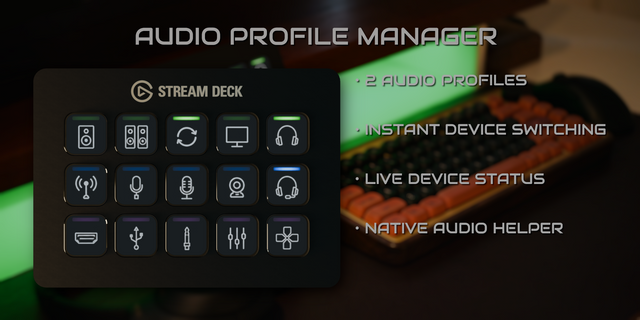
Take complete control of Windows audio directly from your Stream Deck.
Audio Profile Manager Pro makes switching between speakers, headphones, microphones and complete audio setups fast, visual and reliable.
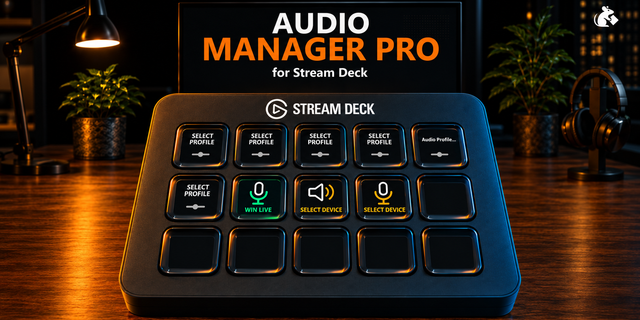
Create up to 8 audio profiles, each containing your preferred output and microphone, then activate, toggle or cycle between complete audio setups with a button press. Or add dedicated buttons for individual devices when you want direct control.
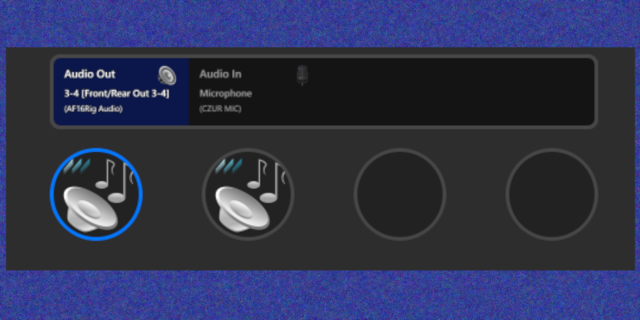
Audio Profile Manager Pro is state-aware. Its buttons don't simply remember what you last pressed — they stay synchronized with the actual Windows audio state. Change your output or microphone elsewhere and your Stream Deck updates automatically, so the LED indicators always show what's really active.
Features
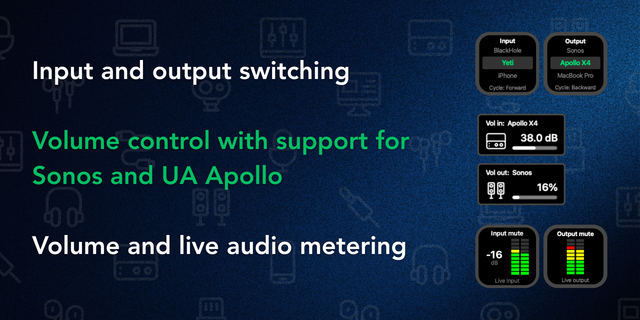
• Create and manage up to 8 complete audio profiles • Activate a specific profile directly • Toggle between two selected profiles • Cycle through an ordered selection of profiles • Step to the Next or Previous profile • Restore the active profile when another application or Windows changes your audio setup • Switch speakers, headphones and other output devices directly • Select microphones and control mute from Stream Deck • Dedicated Toggle Mute, Mute and Unmute actions for predictable automation • Live, state-aware LED indicators • Automatically responds to audio changes made outside Stream Deck • Included library of clean device and profile graphics • Customisable LED colours • Advanced audio routing for separate Windows communications devices • Multi Action support for building audio control into larger Stream Deck workflows • Native Windows audio helper included — no additional audio utility required
Make it your Stream Deck
Pro lets you import your own PNG button graphics while keeping Audio Profile Manager's dynamic LED system.
Choose the artwork that suits your setup and APM combines it with its live LED indicators automatically. Your custom buttons still show which devices and profiles are actually active — giving you the freedom to personalise your Stream Deck without losing state-aware visual feedback.
Your icons. APM's live LEDs.
Audio Profile Manager Pro runs locally on your Windows PC using its own bundled native audio helper. There's no separate audio-switching application to install and no account required.
Whether you want dedicated controls for every audio device, multiple setups for gaming, work and communications, or audio changes built into larger Multi Actions, Audio Profile Manager Pro puts your Windows audio setup directly under your fingertips.
This feels like the right balance to me: same product identity as Free, but clearly the complete edition.
I also deliberately made Restore Active Profile understandable rather than calling it simply “restore” — it's quite a useful automation feature, but its name alone doesn't tell a prospective buyer why they'd want it. And custom icons get their own section rather than disappearing into a bullet, because I agree that's potentially one of the strongest reasons for a Stream Deck enthusiast to choose Pro.
Release notes
Initial release of Audio Profile Manager Pro for Windows.
Create and manage up to 8 audio profiles.
Activate, toggle, cycle, step through, and restore profiles.
Directly switch output devices and microphones.
Dedicated microphone Toggle Mute, Mute, and Unmute actions.
Live, state-aware LED indicators synchronized with Windows audio.
Advanced communications routing.
Custom PNG button graphics with dynamic APM LED overlays.
Included library of device and profile graphics.
Multi Action support for deterministic audio workflows.
Bundled native Windows audio helper — no additional audio-switching software required.
Version 0.8
Aug 17, 2026
Details
Type
Audio
OS
Windows
Compatibility
Stream Deck 7.1 or later
Size
823.85 KB
Version
0.8
Language
English
Support
Profiles
No
Dial support
No
You might also like