Audio
Audio Switch
by ChagasMarket
Overview
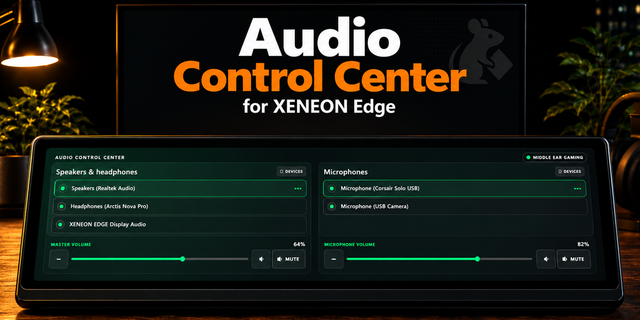
Switch your Windows sound output and microphone with one tap on your XENEON EDGE. Audio Switch shows your speakers, headphones, headsets and microphones as big icons: tap one to make it the Windows default, and drag the bar below to set its volume or tap the button to mute it.
One-tap default device switching for outputs and inputs
Volume slider and mute for the active device, synced live with Windows
Size S: swipe between Output and Input; size M: both at once
Choose up to 5 outputs and 5 inputs and their order in the widget settings
Short, readable device names
English and Portuguese
Requires the free ChagasMarket Bridge companion app for Windows (download link on this page). iCUE widgets cannot change Windows audio settings on their own; the app runs in the system tray, only accepts local connections from the widget (127.0.0.1) and never sends data over the internet.
Using iCUE 5.52 or newer? Allow the widget once: iCUE gear ⚙️ > Software Settings > Widget Access > open each ChagasMarket widget and turn on localhost:48731. Step by step: https://github.com/AndreCChagas/ChagasWidgetsXeneonEdge
First release of Audio Switch.
- Tap a speaker, headphone, headset or microphone to make it the Windows default
- Volume slider and mute for the active output and input, synced live with Windows
- Size S: swipe between Output and Input; size M: both at once
- Choose up to 5 outputs and 5 inputs and their order in the widget settings, or leave them empty to show all active devices
- Separate accent and background colors for the Output and Input pages
- English and Portuguese
Requires the free ChagasMarket Bridge companion app for Windows, version 1.1.0 or later (see the download link on this page).
```
Version 0.1.5
Sep 29, 2026
Details
Type
Audio
Gaming
Music
Smart Home
Streaming
Utilities
Video
Device
XENEON EDGE
OS
Windows
Size
41.57 KB
Version
0.1.5
Language
English
Support
Recommended Orientation
Horizontal
Dashboard Sizes
Medium
Small
Interactive
Yes
Additional links
You might also like