Artistic
AudioSwitcher+
by PuPuPu
Overview
# AudioSwitcher+
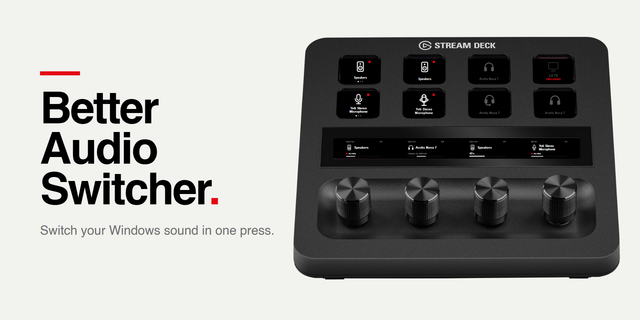
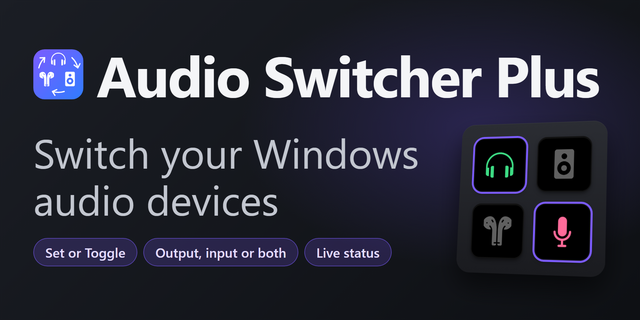
Stop digging through sound settings. AudioSwitcher+ puts your speakers, headphones, microphones and app volumes on Stream Deck: one press to switch, one glance to see what's active.
ONE PRESS, RIGHT DEVICE
Press a key to make any output or input the system default. The active device glows green, so you always know where your sound is going. Hold to mute.
MODES FOR EVERY SITUATION
Save an output + input pair as a Mode (Meeting, Streaming, Gaming) and switch both at once, or create one from your current defaults in one click. Mode Rotation cycles through your pairs on a single key and skips anything unplugged.
BUILT FOR STREAM DECK+
Turn a dial for volume, tap the touch strip to mute, push to make the device the default. Default Output Dial and Default Input Dial follow whatever is the system default right now. On Windows, input dials can show a live mic level meter, so you can see your mic is picking you up.
MIC CONTROL
Input Mute, Push to Talk and Push to Mute always follow your current default mic. A muted mic turns red, even if you muted it in another app.
GROUP MIXER (WINDOWS)
Put your apps into groups such as Chat, Music and Game, then control every group from one dial. Apps in a group keep their balance, and playing apps outside any group appear automatically. Groups are shared by all mixer dials.
ONE-PRESS AUDIO SCENES
Set Volume, Set Mute and Volume Preset apply exact values, including per-app volumes on Windows, so your "Go Live" Multi Action ends in the same state every time.
MAKE EVERY KEY YOURS
Choose from 30 icons, from twin speakers to headsets and audio interfaces, with separate colors for Selected and Standby.
• 16 actions, 8 languages detected automatically
• Windows can also switch the default communication device
• No recording, accounts or analytics. The optional level meter only measures your mic level; audio is discarded unread
Requires Stream Deck 7.1+ and Windows 10/11 x64 (.NET Framework 4.8) or macOS 13+ on Apple Silicon. Volume Preset, Group Mixer and the level meter are Windows only. Dials need Stream Deck+. Volume and mute depend on device support.
サウンド設定を開いて出力先を探す手間は、もう要りません。AudioSwitcher+なら、スピーカー・ヘッドホン・マイクの切り替えからアプリごとの音量まで、Stream Deckのワンプッシュで完了。いま何が有効かも、ひと目で分かります。
■ ワンプッシュで、使いたい機器へ
キーを押すだけで、その出力・入力デバイスがOSの既定に。選択中の機器は緑色に光ります。長押しでミュート。
■ シーンごとの「モード」
出力と入力の組を「会議」「配信」「ゲーム」などのモードとして保存し、まとめて切り替え。いまの既定デバイスからワンクリックで作成できます。「モードローテーション」は1つのキーで登録したモードを順に切り替え、未接続の組は飛ばします。
■ Stream Deck+のダイヤルに最適化
回して音量、タップでミュート、押し込んで既定デバイスに。「既定の出力/入力ダイヤル」は、その時点の既定デバイスに自動で追従します。Windowsでは入力ダイヤルにマイクの入力レベルを表示でき、声が拾われているかひと目で確認できます。
■ マイク操作
「入力ミュート」「プッシュトゥトーク」「プッシュトゥミュート」は常に既定のマイクに追従。ミュート中は赤く表示され、他のアプリでのミュートも反映します。
■ グループミキサー(Windows)
アプリを「チャット」「音楽」「ゲーム」などのグループにまとめ、ダイヤル1つで操作。グループ内の音量バランスは保たれ、グループ外の再生中のアプリも自動で表示します。グループ設定は全ダイヤル共通です。
■ ワンプッシュで音声シーン
「音量を指定」「ミュート状態を指定」「音量プリセット」は値を直接指定。Windowsではアプリ別の音量も設定でき、マルチアクションの配信開始キーで毎回同じ状態に整います。
■ キーを自分好みに
ツインスピーカーからヘッドセット、オーディオインターフェースまで30種類のアイコンと、「選択中」「待機中」の色を設定できます。
・16アクション、8言語に自動対応
・Windowsでは通話用の既定デバイスも切り替え可能
・録音・アカウント登録・利用状況の解析は一切なし(入力レベル表示はレベルを測るだけで、音声は読み捨てます)
対応環境:Stream Deck 7.1以降、Windows 10/11 x64(.NET Framework 4.8)またはmacOS 13以降のApple Silicon Mac。音量プリセット、グループミキサー、入力レベル表示はWindows専用。ダイヤル操作にはStream Deck+が必要です。音量・ミュート操作は機器の対応状況によります。
AudioSwitcher+ 0.5.1.0 (changes since 0.4.4.1)
NEW ACTIONS
• Group Mixer (Stream Deck+, Windows): group your apps and set each group's volume from one dial. Hold to mute a group.
• Volume Preset (Windows): set output and per-app volumes with one key.
• Push to Talk / Push to Mute: the mic is live, or silent, only while you hold the key.
KEY ICONS AND COLORS
• Choose from 30 icons for Output, Input and Mode keys, with separate colors for Selected and Standby. Mode Rotation can set them per mode.
IMPROVEMENTS
• Cleaner settings screens, with warnings for disconnected devices and errors.
• Set Volume has a slider.
• Windows-only actions are hidden on Mac.
FIXES
• Clearing a number field no longer saves 0% or a default.
• Errors no longer always appear in Japanese.
Existing keys and settings are kept.
AudioSwitcher+ 0.5.1.0(0.4.4.1からの変更)
■ 新しいアクション
・グループミキサー(Stream Deck+・Windows):アプリをグループにまとめ、ダイヤル1つで音量を調整。長押しでグループをミュート。
・音量プリセット(Windows):出力音量とアプリ別の音量をキー1つでまとめて設定。
・プッシュトゥトーク/プッシュトゥミュート:押している間だけマイクをオン/オフ。
■ キーのアイコンと色
・出力・入力・モードのキーで、アイコンを30種類から選択。色も「選択中」「待機中」で指定できます。モードローテーションはモードごとに設定可能。
■ 改善
・設定画面を整理し、未接続のデバイスやエラーを警告表示します。
・「音量を指定」にスライダーを追加しました。
・Windows専用のアクションはMacの一覧に表示しません。
■ 修正
・数値欄を空にすると0%などで保存される問題を修正しました。
・エラーが常に日本語で表示される問題を修正しました。
既存のキーと設定はそのまま引き継がれます。
Version 0.5.1
Nov 9, 2026
Details
Type
Artistic
Audio
Development
Gaming
Music
Streaming
Utilities
Video
OS
Mac
Windows
Compatibility
Stream Deck 7.1 or later
Size
710.58 KB
Version
0.5.1
Language
Chinese
English
French
German
Japanese
Korean
Spanish
Support
Profiles
No
Neo Infobar support
No
Dial support
Yes
You might also like