Productivity
Auto Queue for Claude Code
by PackRat 🐀
Overview
Keep Claude working without going back to your keyboard.
Auto Queue for Claude Code lets you line up follow-up work from Stream Deck while Claude is already busy. It is intentionally different from an immediate Send button: your queued prompt waits locally, then becomes Claude's next request in the same chat after the current turn finishes.
How it works:
1. Open Setup and click Connect Claude Code once.
2. Send one normal message in the Claude chat you want to use. That real message lets PackRat identify the active chat.
3. While Claude is working, press a Queue Prompt key. The prompt is saved locally and does not interrupt Claude or type into VS Code.
4. Let Claude finish normally. Auto Queue supplies the saved prompt as the next request in that same chat. Additional queued prompts continue one at a time at later turn boundaries.
If Auto says it is waiting for a chat, simply send one normal Claude message first.
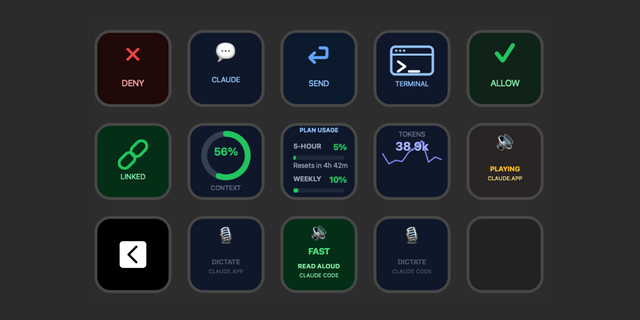
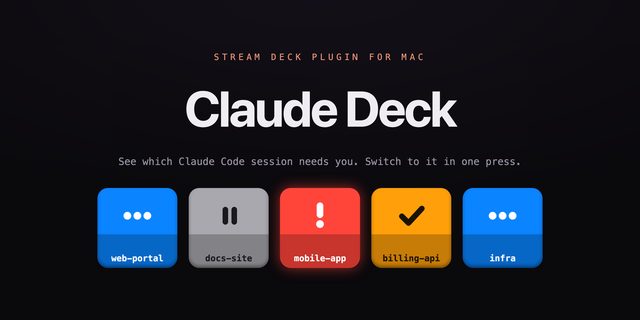
See when Claude is working, finished, waiting for you, or hit an error. See the next queued request and pending count, and remove, rotate, or clear the queue from Stream Deck. Auto follows the Claude chat that most recently sent a real user message, with optional per-key chat binding.
Ready-made profiles are included for Stream Deck, Stream Deck Mini, Stream Deck XL, Stream Deck +, and Stream Deck Neo. Every Queue Prompt key can be renamed and edited.
Queued prompts stay on this computer. PackRat does not read or modify Claude credentials and does not upload your prompts. Existing Claude settings and other hooks are preserved.
Claude Code 2.1.163 or newer is required. Windows 10 or newer. Works with the official Claude Code VS Code extension and common Windows CLI installations.
Part of the PackRat ecosystem.
• Queue follow-up Claude Code work from Stream Deck without interrupting the current turn.
• One-time Connect setup with a clear first-message activation step for Auto chat detection.
• Live working, finished, attention and error states.
• Active-chat Auto targeting with optional explicit chat binding.
• Local persistent queue with remove, rotate and clear controls.
• Ready-made profiles for Stream Deck, Mini, XL, Plus and Neo.
Version 0.1
Sep 7, 2026
Details
Type
Productivity
OS
Windows
Compatibility
Stream Deck 6.9 or later
Size
61.02 KB
Version
0.1
Language
English
Support
Dial support
No
Profiles
Yes
You might also like