Gaming
AUX Interactive Systems Suite
by PilotErsatz
Overview
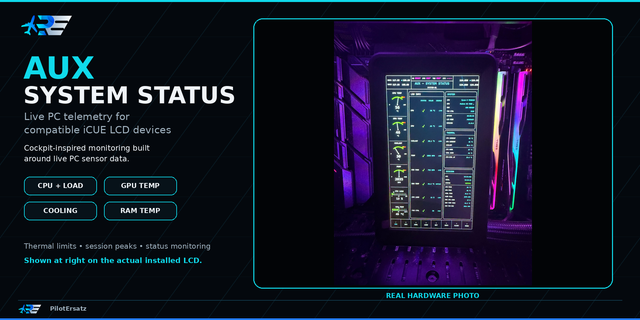
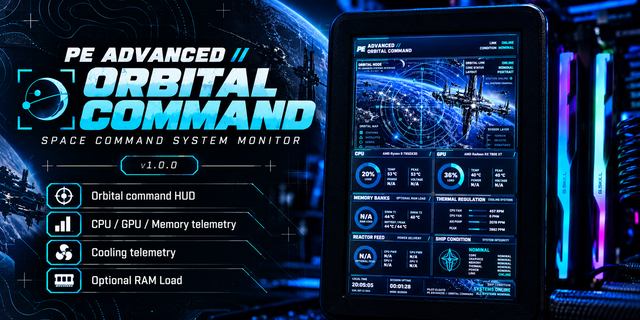
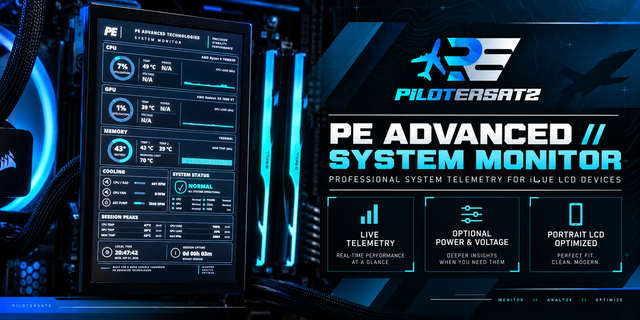
AUX Interactive Systems Suite brings live PC telemetry to your CORSAIR iCUE LCD with an aviation-inspired interface and one-tap control from Stream Deck.
Designed as a coordinated two-part system, AUX Interactive pairs an iCUE widget with a companion Stream Deck plugin so you can move between dedicated telemetry pages instantly without leaving your setup.
Monitor your system through five purpose-built views:
Home — complete system overview at a glance
CPU — processor temperature, load, session peaks, and thermal limits
Cooling — coolant temperature, pump speed, radiator fans, and thermal status
Load — real-time CPU and GPU utilization
Memory — DIMM temperatures and thermal health
The companion Stream Deck controls provide quick access to each page, Home navigation, and simple back navigation, turning your LCD into an interactive system-monitoring display.
Built for enthusiasts who want useful telemetry without sacrificing immersion, AUX Interactive combines real-time monitoring, clear system status information, session peak tracking, and a cockpit-inspired presentation designed to stay readable at a glance.
Important: AUX Interactive Systems Suite requires both components for full interactive functionality. Install the iCUE Widget from this Marketplace listing, then install the AUX Interactive Stream Deck Companion Plugin from the Related Download provided on this product page.
Monitor. Control. Optimize. Your way.
Version 1.1.0 — XENEON & Compatibility Update
Added automatic orientation detection for supported LCD layouts
Added responsive landscape and portrait layouts for CORSAIR XENEON EDGE
Added support for larger XENEON widget sizes, including expanded dashboard layouts
Preserved the original 5-inch portrait layout as the baseline experience
Added adaptive layouts for compact, medium, large, and extra-large widget areas
Improved CPU/GPU sensor validation and configuration handling
Required CPU and GPU temperature assignments now produce a clear CONFIGURE state until set
Added clearer DATA LINK handling for invalid or unavailable required sensors
Optional telemetry remains safely unassigned as N/A without triggering false faults
Improved status reporting for optional power, voltage, cooling, and feed fields
Preserved zero-RPM fan-stop logic to avoid false cooling warnings
Improved layout scaling across different aspect ratios and display orientations
Updated internal compatibility logic for both pump_lcd and dashboard_lcd environments
General stability and presentation refinements
System Monitor now adapts automatically to both portrait and landscape displays, including CORSAIR XENEON EDGE, while preserving the proven 5-inch LCD experience.
Version 1.1
Sep 28, 2026
Details
Type
Gaming
Monitoring
Utilities
Device
AIO LCD Screen
iCUE LINK XC7 ELITE LCD
iCUE LINK XD5 ELITE LCD
VANGUARD 96
VANGUARD PRO 96
XENEON EDGE
OS
Windows
Size
463.2 KB
Version
1.1
Language
English
Support
Dashboard Sizes
Large
Recommended Orientation
Vertical
Interactive
Yes
Additional links
You might also like