Creative Tools
Bambu Studio for Stream Deck Neo & Stream Deck +
Overview
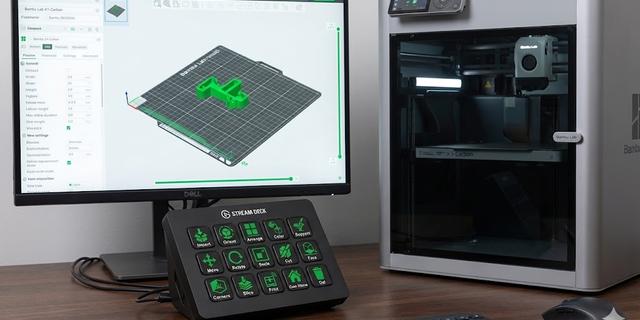
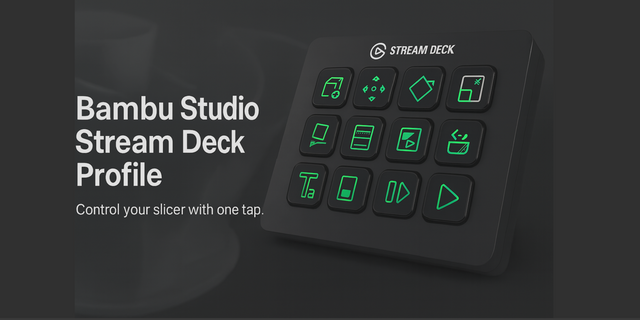
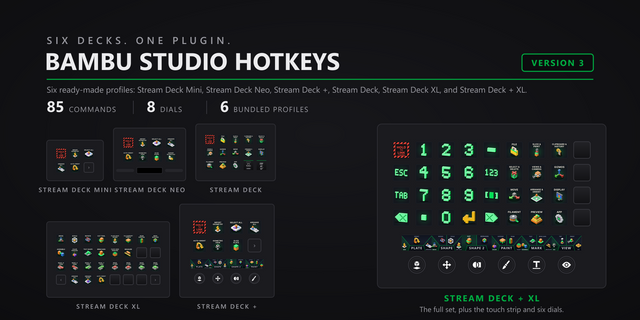
This profile condenses the entire Bambu Studio experience into a tidy 4x2 grid. By utilizing a smart "Object Mod" folder, we have kept your primary dashboard clutter-free, giving you instant access to the most critical "Start-to-Finish" actions while tucking the editing tools just one tap away.
Row 1: The Production Line Designed for linear workflow execution—from file load to printer start.
Import: One tap to open the file browser and load your STLs or 3MFs.
Slice Plate: Triggers the slicing engine to generate G-code (Ctrl+R).
Print: The "Go" button. Opens the final "Send to Printer" dialog (Ctrl+Shift+G).
Support Paint: Toggles manual support painting mode for precise overhang control.
Row 2: Refinement & Modification
Object Mod (Folder): A dedicated sub-menu housing your transformation tools. Opens a secondary layer containing Move, Rotate, Scale, Cut, Orient, and Arrange.
Color Paint: Activates the coloring tool for multi-material assignments.
Corners: Instantly access support blockers/enforcers to reinforce specific build plate adhesion points.
Delete: Quickly remove selected models or unwanted modifiers.
Technical Details
Layout: Compact 4x2 Grid (8 Keys) + 1 Sub-Folder.
Smart Navigation: Features a "Back" button within the Object Mod folder for seamless menu navigation.
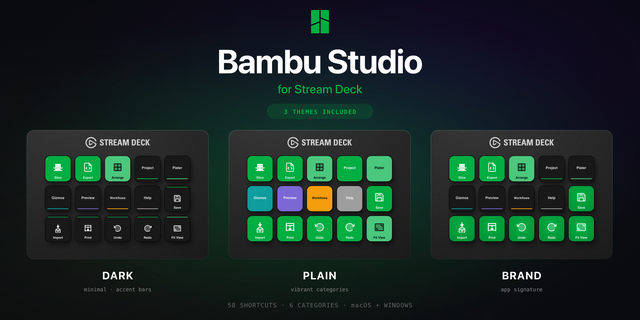
Visuals: Custom "Bambu Dark" icons with Green/Yellow accents for high visibility.
Compatibility: Works on Stream Deck + and Stream Deck Neo will work on other models (except Mini)
First version Bambu Studio Hotkey Profile for StreamDeck Neo and Stream Deck +
Version 1
Jan 7, 2026
Details
Type
Creative Tools
Productivity
Utilities
Device
Virtual Stream Deck
OS
Windows
Compatibility
Stream Deck 7.1 or later
Size
1.23 MB
Version
1
Support
Icons
Yes
AI Content
Yes
You might also like