Creative Tools
Bambu Studio Shortcut Profile
by Adx.cool
Overview
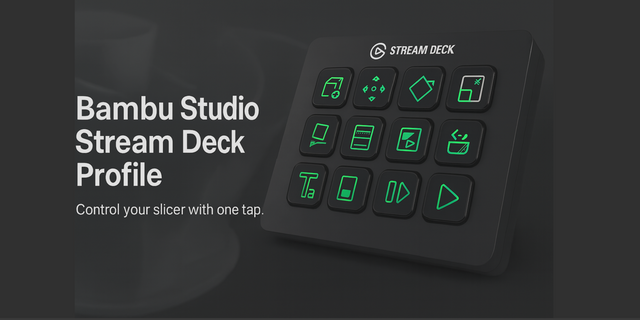
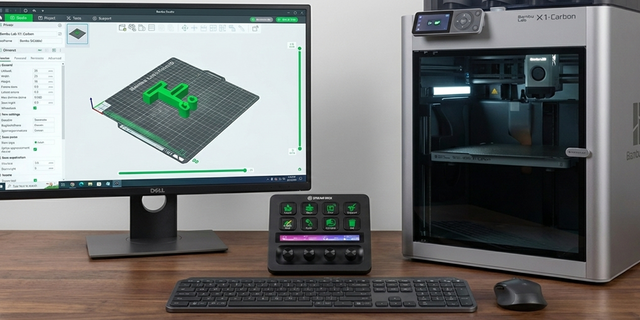
The complete Bambu Studio keyboard shortcut pack for Stream Deck.
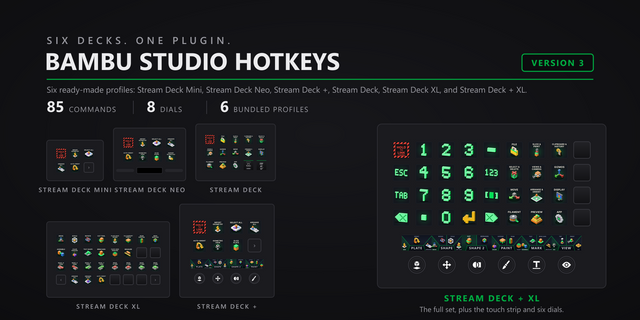
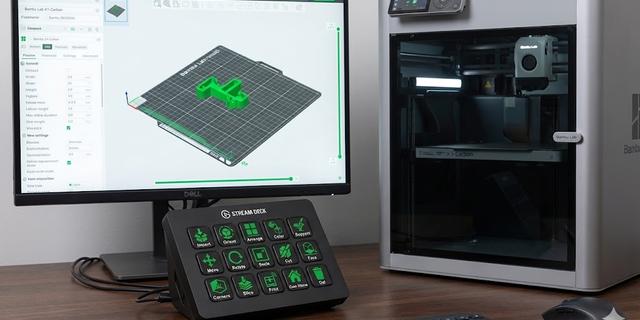
58 shortcuts across 6 categories — organized, scored by importance, and ready to install on Stream Deck Neo, Classic / MK.2, XL. Stop memorizing key combos. One tap, one action.
What's included:
• Plater (22) • Project (20) • Gizmos (7) • Preview (5) • Workflows (3) • Help (1)
Features: • Read from Bambu Studio's own source, not from a blog post • Both platforms, with the per-OS branches resolved from the code • The eight camera views on their own keys, isometric included • Nudge by 10 mm and drive the layer slider without the keyboard • A distinct icon on all 58 keys
Install: double-click any .streamDeckProfile to import. The App binding is pre-filled to Bambu Studio — auto-activates on focus. If it didn't pre-fill, set it manually under Stream Deck → Preferences → Profiles → App.
Learn more about Bambu Studio: https://bambulab.com/en/download/studio
Setup (required for some keys)
Folders match Bambu Studio own shortcut pages, and that matters. The same key does different things depending on which surface has focus: L is SLA support points on the plater and the one-layer toggle in preview. Use the folder that matches where you are.
The arrow keys appear in two folders on purpose. On the plater they move the selection by 10 mm; in preview they drive the layer and move sliders. Bambu binds no alternative for either, so both readings ship, each in its own folder.
Two keys are unusual and they are not typos. Redo is Ctrl+Shift+Z, not Ctrl+Y — though Bambu accepts Ctrl+Y as well, which leaves that key free for something else. And the 3Dconnexion dialog is Ctrl+Shift+M on Windows but Cmd+M on macOS, where Cmd+M normally minimises the window. Both are read straight from the source.
Smart Profile is set up for bambu-studio.exe and /Applications/BambuStudio.app. If your install lives elsewhere, repoint it from the Stream Deck app’s Application dropdown.
Mouse and held-modifier shortcuts are not included. Bambu binds rotate, pan and zoom to the mouse, and a held Shift with an arrow for 1 mm steps and 5x slider speed. A Stream Deck key taps and releases and has no wheel, so those are unsendable rather than missing.
Two more are left out on purpose. Filament select 1-9 is a keyboard range in the source rather than nine bindings, and the shortcuts-list key is a shifted question mark whose physical position changes with the keyboard layout.
First release. 58 bindings across six folders: Project, Plater, Gizmos, Preview, Workflows and Help.
This one was not transcribed. Bambu Studio is open source and publishes its shortcut dialog in src/slic3r/GUI/KBShortcutsDialog.cpp, so the keymap was extracted from that file directly — the same regime as the PrusaSlicer, OrcaSlicer and Elegoo Slicer profiles.
Three traps were handled in the extraction. Modifiers are not in the string literals: the source writes ctrl + N, where ctrl resolves per platform. Named keys are wrapped for translation — Arrow Up is written L("Arrow Up"), not "Arrow Up" — which is how the nudge and slider keys hide from a careless read. And Bambu writes its platform branches with #ifndef as often as #ifdef, which is why Switch Tab Page is Windows-only here and Delete is Backspace on macOS.
Smart Profile targets bambu-studio.exe and /Applications/BambuStudio.app, both read from the build files rather than guessed.
Version 1
Aug 21, 2026
Details
Type
Creative Tools
Device
Stream Deck MK
Stream Deck Neo
Stream Deck XL
OS
macOS
Windows
Compatibility
Stream Deck 6.4 or later
Size
5.25 MB
Version
1
Language
English
Support
Icons
Yes
You might also like