Creative Tools
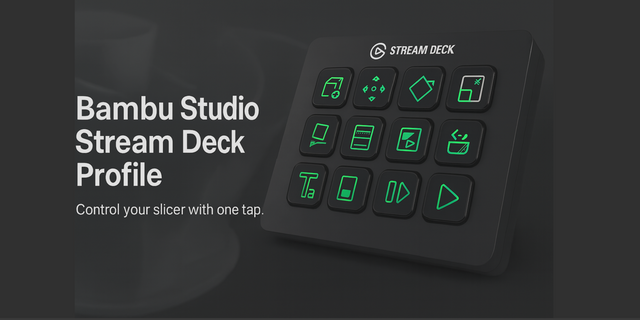
Bambu Studio Profile
Overview
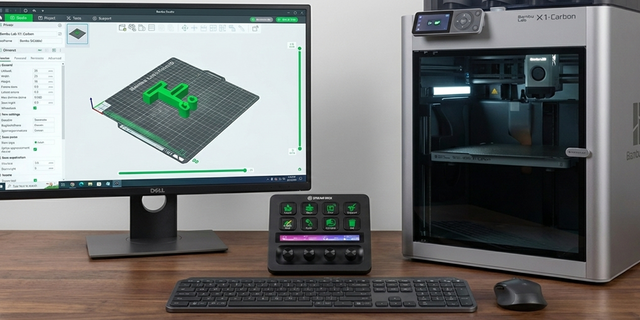
This profile eliminates the need to hunt through tiny toolbar icons by mapping the entire Bambu Studio workflow to a logical 3-row grid. Every key triggers a specific, high-frequency action to take you from STL to "Print Started" in seconds.
Row 1: Setup & Painting
Import: Opens the file browser to instantly load STLs or 3MFs.
Auto-Orient: Calculates the optimal print angle to minimize overhangs and support usage.
Auto-Arrange: Instantly organizes all loaded parts on the build plate for maximum space efficiency.
Color Paint: Activates the "Color Painting" tool for multi-color print assignments.
Support Paint: Toggles the "Support Painting" mode to manually add or remove support material.
Row 2: Object Manipulation
Move / Rotate / Scale: Dedicated keys to instantly switch between the three core transform gizmos (M, R, S).
Cut Tool: Launches the "Cut" interface to split large models or create connectors.
Lay on Face: Activates the face selection tool to snap a specific side of your model perfectly flat to the bed.
Row 3: Slicing & Execution
Manual Corners: Quickly access support blockers/enforcers for precise corner adhesion handling.
Slice Plate: The "Calculate" button. Triggers the slicing engine to generate G-code.
Print Plate: The final step. Opens the "Send to Printer" dialog to start your job.
Cam Home: Resets the 3D viewport camera to the default center view.
Delete: Instantly removes the selected object or modifier.
Technical Details
Workflow: Left-to-Right, Top-to-Bottom.
Integration: Works via direct keyboard shortcut mapping (No complex API plugins required).
Compatibility: Designed for Bambu Studio Desktop App (Windows/Mac).
Hardware: Mapped for Stream Deck MK.2 (15-key) and Stream Deck XL.
First Release of the BambuStudio Hotkey Profile for StreamDeck MK2 and StreamDeck XL
Version 1
Jan 7, 2026
Details
Type
Creative Tools
Productivity
Utilities
Device
Stream Deck MK
OS
Windows
Compatibility
Stream Deck 7.1 or later
Size
1.28 MB
Version
1
Support
AI Content
Yes
Icons
Yes
You might also like