Gaming
BeamNG.drive Game Control Suite
Overview
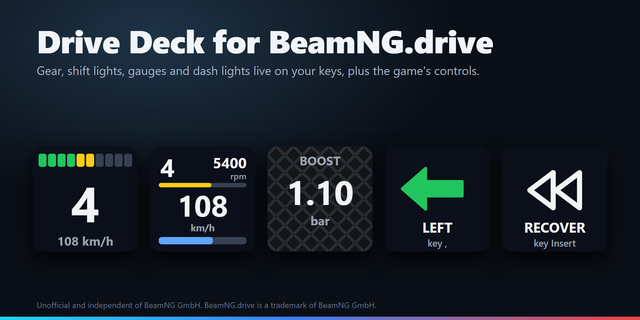
Control BeamNG.drive from Stream Deck with 12 actions for Steam launch, vehicle shortcuts, simulation speed and an optional live dashboard. Assign your own in-game keys, capture combinations on your keyboard and save changes automatically. Orange and charcoal icons match the game’s visual style.
Launch the game with Play through Steam. Repair or recover, restart with optional hold confirmation, pause, change camera, toggle headlights and parking brake, change gearbox mode, switch vehicle or assign a custom control. Shortcuts require the game to be in the foreground and must match Options > Controls. Behaviour depends on the vehicle and game mode; continuous rewind is not included.
On Stream Deck with dials, turn to change simulation speed and push to toggle slow motion. The optional read-only OutGauge dashboard shows speed, RPM and gear, with km/h or mph. Enable OutGauge in the game using 127.0.0.1 and the matching port. No mod is needed.
Requires Windows x64, Stream Deck 7.1+, Steam and BeamNG.drive. Simulation-speed controls require dials. Interface and setup guide: English, Spanish, German, French, Italian, Portuguese, Japanese, Korean, Simplified Chinese and Traditional Chinese. Telemetry stays local. Independent Laboratorio SD product; not affiliated with or endorsed by BeamNG or Valve.
First release: 12 actions with a Steam Play launcher, configurable vehicle shortcuts, hold-to-confirm restart, simulation-speed dials and an optional local OutGauge dashboard. Includes automatic settings save, physical-key capture, setup guide and interface translations in ten languages.
Version 1
Oct 6, 2026
Details
Type
Gaming
OS
Windows
Compatibility
Stream Deck 7.1 or later
Size
253.65 KB
Version
1
Language
Chinese
English
French
German
Japanese
Korean
Spanish
Support
Neo Infobar support
No
Profiles
No
Dial support
Yes
Additional links
You might also like