Monitoring
BetterWeather
Overview
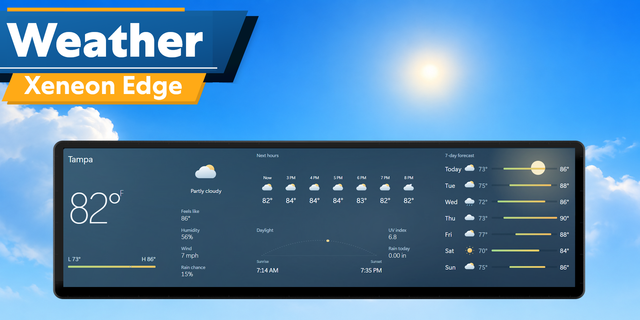
Get National Weather Service weather data directly on your Corsair Xeneon Edge. This widget scales from a quick glance at the current conditions to a more in depth forecast view, giving you everything from immediate/forecast conditions to historical climate trends. By inserting your latitude and longitude coordinates, the widget automatically gathers the nearest station to gather data from.
Core Weather Data
Current Conditions: This includes current and "feels like" temperatures, dew point, barometric pressure, visibility, and today's forecasted high and low temperature. It also tracks wind and gust speeds, sunrise/sunset times, and displays a current weather icon with a brief text description.
Current Alerts: Shows alerts issued by the National Weather Service, using a yellow triangle for non-warnings, and a red triangle for warnings.
8-Hour Forecast: Each block shows the projected temperature, dew point, wind speed and direction, rain chances, and an hourly weather icon.
5-Day Forecast: Each block shows the date, day of the week, expected high and low temperatures, precipitation chances, and a primary weather icon for each day.
Dynamic Weather
Weather effects show on the widget, changing as the current weather changes.
Weather effects include sunny, night, cloudy, rain, storm, snow, wintry mix, and fog.
Able to toggle dynamic weather on or off.
Able to toggle the sun and moon effect.
Extra-Large Panel Options
If you want to have the widget maximized, changing the widget to the "Extra Large" size unlocks a customizable side panel. You can toggle between many different specialized views:
Time & History View: Displays a digital clock and date. It also pulls today's 30-year historical average high and low so you can see if the current weather is actually normal. Below that, a 14-day chart graphs out the hourly, minimum, and maximum temperatures over the last two weeks to show recent trends.
Live Radar & Outlook View: This view pulls a live, localized National Weather Service radar loop onto the screen. It also displays Climate Prediction Center (CPC) outlook maps.
Sidebar Options: Last 14 Day Temperatures, Radar, 6-10 Day Temperature Outlook, 8-14 Day Temperature Outlook, Week 3-4 Temperature Outlook, Monthly Temperature Outlook, Seasonal Temperature Outlook, Days 8-14 U.S. Hazards Outlook, Risk of Hazardous Temperatures, Risk of Heavy Precipitation, Risk of Heavy Snow, 6-10 Day Precipitation Outlook, 8-14 Day Precipitation Outlook, Week 3-4 Precipitation Outlook, Monthly Precipitation Outlook, Seasonal Precipitation Outlook, U.S. Monthly Drought Outlook, and U.S. Seasonal Drought Outlook.
Appearance & Customization
Color Controls: Personalize the widget by changing the primary text color and the accent color. The accent color automatically applies to the weather icons, the daily temperature bar, and section separator.
Chart Adjustments: On the 14-day temperature graph, you can independently set the colors for the maximum, minimum, and hourly trend lines. To maintain a cohesive layout, the graph's X and Y borders are bound to your custom accent color, and the X and Y coordinate values are bound to your text color.
Disclaimers
This widget can only be used for locations within the United States.
Some weather data from the National Weather Service may not come back at times. This may make the widget display "..." if data is first loaded (ex: Re-loading the widget). Data will show the next time it is sent to the widget (usually a couple minutes if there is no outage).
Weather data is sourced from the National Weather Service and is provided 'as is' without warranties of any kind.
Please feel free to contact me if you find a bug with the widget.
Fixed an issue where Alaska and Hawaii were not shown as locations.
Fixed an issue where the description would not reset to the normal font size when switching locations.
Fixed an issue where the sun and moon dynamic weather toggles would not work.
Fixed an issue where the moon dynamic weather effect would not work.
Fixed an issue in situations where the hourly forecast is used, nothing would show.
Version 1.1.2
Sep 28, 2026
Details
Type
Monitoring
Utilities
Device
XENEON EDGE
OS
Windows
Size
171.33 KB
Version
1.1.2
Language
English
Support
Dashboard Sizes
Extra large
Large
Medium
Small
Recommended Orientation
Horizontal
Interactive
No
You might also like