Audio
BIO-GRID Audio Module
Overview
Audio mixing, microphone control, playback-device switching, and now-playing media controls for XENEON EDGE.
BIO-GRID Audio Module is part of the BIO-GRID series from Opulent Hardware—a collection of coordinated XENEON EDGE widgets designed to bring advanced controls and a cohesive interface to your Xeneon Edge.
Pair Audio Module with other BIO-GRID widgets, including BIO-GRID Command Array, to create a visually unified control surface for audio, shortcuts, system functions, and complex workflows. Each BIO-GRID widget works independently, so Command Array and other modules are not required to use Audio Module.
BIO-GRID Audio Module combines per-application volume control, microphone management, playback-device switching, app organization, and now-playing media controls in one cohesive interface.
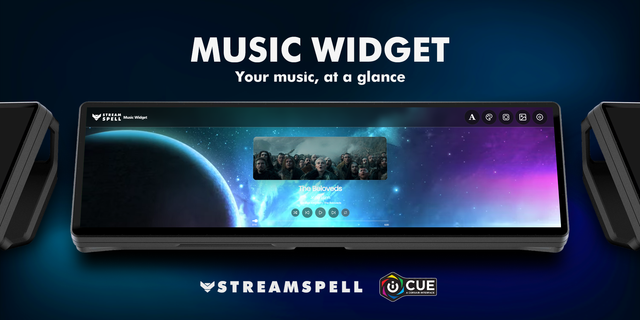
Pin and reorder the applications you use most, adjust master or individual application volume without leaving your current task, switch between speakers and headphones, and manage your default microphone. The MEDIA view adds album artwork, track information, live progress, play/pause, previous/next, and supported press-and-hold seeking.
The interface adapts across every horizontal XENEON EDGE widget size. Extensive personalization options let you coordinate Audio Module with other BIO-GRID widgets or create your own look using custom text, accent, canvas, and card colors; background media; transparency; brightness; glass blur; and album-art blur.
Key features
Master and per-application Windows volume control
Speaker, headphone, and headset switching from the widget
Default microphone switching, gain, mute, live input level, and privacy activity
Album artwork, title, artist, album, source, and live track progress
Play/pause and previous/next media controls
Tap to skip; hold Previous or Next to seek when supported by the media application
Required companion software
BIO-GRID Audio Module requires the separately installed Opulent Hardware Module Runtime for Windows audio mixing, microphone control, device switching, album artwork, track progress, and supported seeking.
The Runtime uses Windows audio and media APIs and exposes a local-only service at 127.0.0.1:17652. It does not listen on your local network, require an account, connect to a cloud service, record audio, or transmit audio or personal data off your PC.
The widget requests access only to this local loopback address. Basic now-playing metadata and transport controls can fall back to iCUE’s bundled Media provider.
Quick Setup
Install BIO-GRID Audio Module from the iCUE Marketplace.
Download and launch the Opulent Hardware Module Runtime companion app.
Find the Opulent Hardware icon in the Windows notification area.
Right-click the icon and enable Start with Windows for seamless automatic startup.
In iCUE, add BIO-GRID Audio Module to a horizontal XENEON EDGE widget slot.
Troubleshooting
If BIO-GRID Audio Module cannot connect, confirm that the Opulent Hardware Module companion is installed and running. Then open iCUE Settings → Widget Access → BIO-GRID Audio Module and ensure URL access to localhost:17652 is enabled.
Related keywords
Audio, volume mixer, microphone, media controls, now playing, Spotify, Apple Music, Windows audio, XENEON EDGE, BIO-GRID, BIO-GRID Command Array, Opulent Hardware, touch controls, desktop control
Privacy summary
No account is required. Neither the widget nor the Runtime uses a cloud connection. Audio remains on your PC, and the local Runtime accepts requests only from the same computer through 127.0.0.1:17652.
Improved album and video artwork reliability during natural track changes, playlist autoplay, and delayed Windows media updates. Artwork now remains visible during brief transition gaps, with replacement images preloaded and temporary failures retried instead of leaving the MEDIA panel blank. Opulent Hardware Module Runtime 1.0.2 is recommended for the complete fix.
Version 1.1.1
Oct 22, 2026
Details
Type
Audio
Gaming
Monitoring
Music
Productivity
Streaming
Utilities
Device
XENEON EDGE
OS
Windows
Size
147.41 KB
Version
1.1.1
Language
English
Support
Dashboard Sizes
Extra large
Large
Medium
Small
Recommended Orientation
Horizontal
Interactive
Yes
Additional links
You might also like