Gaming
BIO-GRID Command Array
Overview
A cyberpunk telemetry dashboard with a functional 5x3 Stream Deck command grid, built exclusively for XENEON EDGE XL landscape.
BIO-GRID Command Array by Opulent Hardware combines live hardware telemetry, Stream Deck controls, personal media, and an ornate Reactive Core interface designed exclusively for the XENEON EDGE Extra Large landscape layout.
*** 10/8 URGENT FINDING. WE ARE AWARE THAT NEW A NEW iCUE VERSION PREVENTS v1.1.5 STREAM DECK INTEGRATION IN WIDGETS. *** 10/9 HOTFIX FOR ABOVE IMPLEMENTED in v1.1.8. Thanks Elgato and Corsair teams.
New in v1.1.8
Added support for the 1688 × 696 Large landscape slot with selectable Sensor Bias and Stream Deck Bias layouts. Enjoy an expanded telemetry dashboard or a command-focused 5 × 3 Stream Deck surface—both featuring the complete Reactive Core visual treatment. The original Extra Large layout remains fully supported.
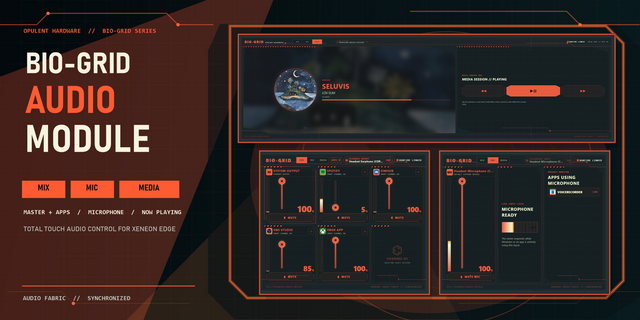
Large support also lays the groundwork for additional BIO-GRID series widgets designed for side-by-side use, including the shown BIO-GRID Volume Mixer at Medium size. This modular approach will let you combine specialized BIO-GRID displays into a unified control system.
Getting Started
Install BIO-GRID Command Array by dragging the widget into the iCUE installation area or selecting it through the file explorer.
Install and open the Elgato Stream Deck desktop app.
Add the widget to your XENEON EDGE using the Extra Large landscape layout at 2536 × 696.
On first BIO-GRID Command Array load, press RETRY LINK beneath the Command Array and approve the connection if prompted.
FEATURES
• Four customizable hardware-monitoring graphs • Configurable labels and sensor assignments • Central Reactive Core primary-sensor display • Functional 5 × 3 Stream Deck command array • FPS • Personality Bay for your own image, animated GIF, or video • Unified accent-color control for recoloring the complete interface
STREAM DECK REQUIREMENT
The Elgato Stream Deck desktop app must be installed and running to use the command array.
On the widget’s first load, press the RETRY LINK button located directly beneath the Command Array. Approve the connection if the Stream Deck app requests permission. A new BIO-GRID virtual device will then appear inside the Stream Deck app.
Assign actions to its 15 keys just as you would on a physical Stream Deck. Button icons will automatically appear on the XENEON EDGE, and the display’s touchscreen can be used to activate those actions.
COMPATIBILITY
• Windows • iCUE 5.47 or newer • Elgato Stream Deck desktop app required for command controls
BIO-GRID Command Array is purpose-built for the XENEON EDGE XL landscape canvas. Smaller and portrait layouts are intentionally unsupported.
Troubleshooting
If a sensor displays dashes or no data, reopen the widget settings and assign the affected sensor again. Confirm that the iCUE Sensors data provider is available.
If a graph trace is missing or flat, verify that its selected sensor is returning data. Some readings may remain flat while the associated hardware is idle.
If Stream Deck keys remain blank, confirm that the Elgato Stream Deck app is installed and running. In iCUE Settings → Widget Access, enable and approve app access for the widget. Return to BIO-GRID and press RETRY LINK beneath the Command Array, then assign actions to the BIO-GRID virtual device in Stream Deck.
GPU use. Cinematic mode is for when you want the ultimate vibe with glow and more animation but can sacrifice GPU utilization. Off by default
PRIVACY
The widget makes no network requests and does not collect or transmit personal data. Hardware telemetry, media information, FPS data, and Stream Deck communication remain within the local iCUE widget environment.
New in v1.1.8
Hotfix for issues with new iCUE and stream deck integration
Added support for the 1688 × 696 Large landscape slot with selectable Sensor Bias and Stream Deck Bias layouts. Enjoy an expanded telemetry dashboard or a command-focused 5 × 3 Stream Deck surface—both featuring the complete Reactive Core visual treatment. The original Extra Large layout remains fully supported.
Large support also lays the groundwork for additional BIO-GRID series widgets designed for side-by-side use, including the upcoming BIO-GRID Volume Mixer at Medium size. This modular approach will let you combine specialized BIO-GRID displays into a unified control system.
Version 1.1.8
Oct 9, 2026
Details
Type
Gaming
Monitoring
Productivity
Streaming
Utilities
Device
XENEON EDGE
OS
Windows
Size
437.68 KB
Version
1.1.8
Language
English
Support
Dashboard Sizes
Extra large
Large
Recommended Orientation
Horizontal
Interactive
Yes
Additional links
You might also like