Audio
Brightness Control
Overview
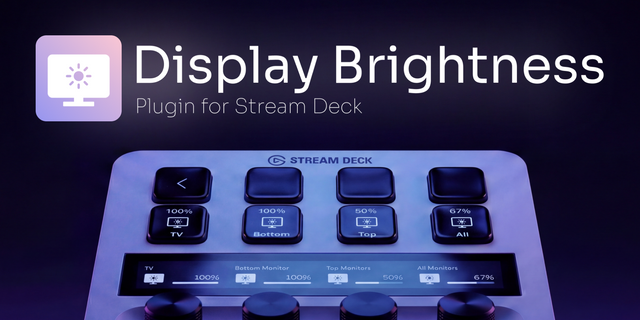
Brightness Control turns the Stream Deck+ dials into a hardware
brightness regulator for every Mac display — built-in MacBook,
Apple Studio Display, Pro Display XDR, and third-party DDC/CI
monitors.
Rotate to adjust in 2 % steps. Press to cycle through monitors —
a red border briefly flashes on the selected screen so you always
know which one you're controlling. Rename displays from the
Property Inspector ("Right", "Left", "Desk") and the custom names
show on the dial LCD instead of "Studio Display 1, 2, 3…".
Built on Apple's native DisplayServices framework — the same API
macOS uses for its own brightness slider. Reliable with Studio
Display and Pro Display XDR where most tools fail. For third-party
monitors, optional m1ddc fallback.
KEY FEATURES
• Rotate to adjust brightness (2 % per tick)
• Press to cycle monitors with red-flash confirmation
• Rename displays — custom names persist across reboots
• Identify button flashes a monitor while editing its name
• Per-dial custom text colours
• Auto-refresh stays in sync with System Settings changes
• Privacy-respecting: diagnostic logging is opt-in (off by default)
• Universal Binary (Apple Silicon + Intel)
REQUIREMENTS
macOS 12+, Stream Deck App 6.9+, Stream Deck+ hardware.
Optional: "brew install m1ddc" for non-Apple DDC/CI displays.
PRIVACY
100 % local. No telemetry, no network calls outside the Stream
Deck WebSocket. Diagnostic logging stays in
~/Library/Logs/ElgatoStreamDeck/ on your machine.
Open source: https://github.com/Corrugator/streamdeck-mac-brightnesser
Two big additions plus a smoother dial.
NEW — Brightness Preset buttons
Assign a fixed brightness to any regular Stream Deck key. One button
for 10 %, another for 100 % — press to jump straight to that level.
Target a specific monitor or "All displays" at once.
NEW — Per-dial monitor binding
Each dial can now be pinned to one specific monitor, so a multi-dial
setup controls several screens independently. Prefer the old behaviour?
Leave it on "Cycle through all displays" (the default).
Smoother brightness
Fast spins no longer lag — brightness writes are now asynchronous and
coalesced, so the dial stays responsive even on slower DDC/CI monitors.
More reliable
Dial bindings now survive sleep/wake and monitor reconnects, and always
act on the correct screen after the Mac comes back from sleep.
Requires macOS 12+, Stream Deck App 6.9+. Optional "brew install m1ddc"
for non-Apple DDC/CI displays.
Source & issues:
https://github.com/Corrugator/streamdeck-mac-brightnesser
Version 1.2
Jun 24, 2026
Details
Type
Audio
OS
Mac
Compatibility
Stream Deck 6.9 or later
Size
200.92 KB
Version
1.2
Language
English
Support
Profiles
No
Dial support
Yes
You might also like