Productivity
Browser Media Controls
by Qaem
Overview
Browser Media Controls brings your browser's media to your CORSAIR XENEON EDGE, with live artwork, live progress, and full touch control over every media tab you have open.
Control YouTube, YouTube Music, Twitch, Kick, Netflix, SoundCloud, Plex web, and many other media websites without leaving your current game, app, or workspace.
What It Does
Browser Media Controls connects to active browser media sessions through the required browser extension and the free BMC Helper app. The widget shows what is playing and gives you a complete set of controls right on your XENEON EDGE — play/pause, seek, volume, mute, next/previous, switch between media tabs, focus a tab, or close it.
Playback Controls
- Play and pause with a single tap.
- Next and previous track.
- Seek forward and backward with a configurable step, or drag the progress bar to scrub with a live time preview.
- Volume as a slider, as plus/minus buttons, or both, with a configurable step.
- Mute toggle.
- Focus button to jump straight to the playing tab, with an option to bring the browser window to the front.
- Close button to close the media tab without leaving the widget.
Media Tabs and Switching
- Every active media tab appears as a tab chip with its site icon, title, and a live playing indicator.
- Tap any tab to take control of it instantly.
- Switch button cycles through active media sessions.
- Tabs can sit at the top or bottom, use a solid or transparent style, or be hidden completely.
- Optionally focus the browser tab automatically whenever you switch media.
Multi-PC
Show and control a second PC's browser media on the same widget:
- The second PC only needs the browser extension. Nothing else to install.
- Choose whether the widget shows media from all PCs, only this PC, or only the second PC.
- Set which PC takes priority when both are playing.
- Media from the second PC is tagged with a PC2 badge, so you always know what you are controlling.
- Disabled by default, protected by a PIN, and never leaves your local network.
- Setup guide: getbmcontrols.com/multi-pc
Display and Appearance
- Album art, with an optional full cover-art view.
- Live progress bar, elapsed and total time, volume level, mute state, and playback state.
- Long titles can scroll, with slow, medium, or fast speed.
- Optional background panel behind the controls.
- Optional action pop-ups for volume, seek, and other actions.
- Live progress updates can be turned off for a static display.
- Custom colors for the playing accent, paused state, and background, plus adjustable transparency.
- Show or hide the Switch, Focus, and Close buttons to match the layout you want.
Filters
- Site lock: limit the widget to YouTube, YouTube Music, Twitch, Kick, Netflix, SoundCloud, or Plex web.
- Browser filter: show media from all browsers, or only Chrome, Edge, Brave, Firefox, Opera, or other Chromium browsers.
- Show media from: all PCs, this PC only, or the second PC only.
Requirements
- CORSAIR XENEON EDGE.
- Browser Media Controls browser extension is required.
- BMC Helper app is required: getbmcontrols.com/icue-widget
- Chrome, Edge, Brave, Opera, and other Chromium-based browsers use the Chrome extension.
- Firefox uses the Firefox add-on.
Browser Extensions
Chrome / Chromium:
https://chromewebstore.google.com/detail/cfahigpbeoiogheojkdmiebfcampoffa
Firefox:
https://addons.mozilla.org/en-US/firefox/addon/browser-media-controls/
Also Available
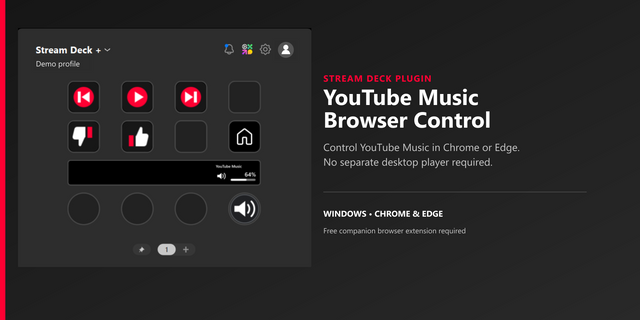
- Browser Media Controls for Stream Deck, for keys and dials.
- Browser Media Controls Windows app.
No more permission pop-ups: the widget now declares the addresses it loads artwork, site icons and players from, so iCUE stops asking to allow each URL. The helper now runs in Qaem Hub.
Version 1.2.2
Oct 23, 2026
Details
Type
Productivity
Utilities
Video
Device
XENEON EDGE
OS
Windows
Size
28.29 KB
Version
1.2.2
Language
English
Support
Interactive
Yes
Additional links
You might also like