Audio
Cakewalk Sonar Live Control
Overview
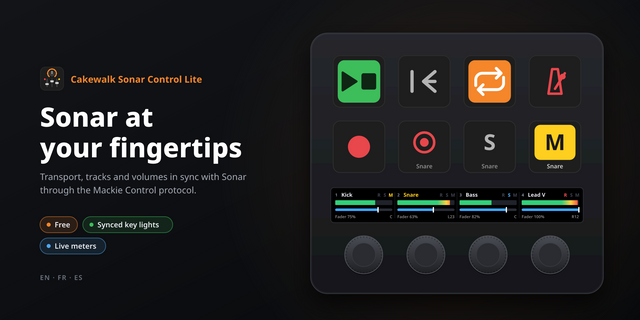
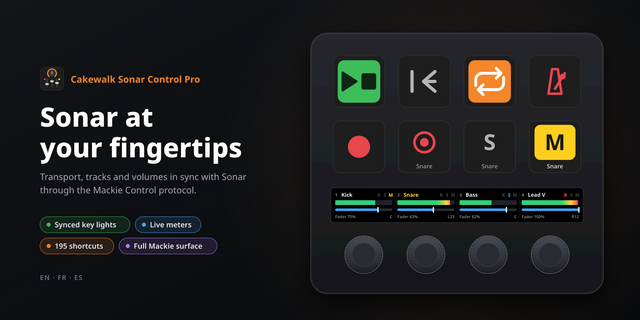
Bring Cakewalk Sonar transport, tracks and commands to your Stream Deck. Keys show live transport and track states, track names and cursor position, so you can see what is happening while you work.
Play, Play/Pause, pause, stop, record and loop. Hold a key to rewind or fast forward. Select, mute, solo and arm tracks. Move through banks of 1–8 tracks, let the bank step follow your layout, or control the track selected in Sonar.
Search the command list from your installed Sonar version. Run one command, alternate between two, or show and hide MultiDock with open/hidden feedback. Display position as measures, beats and ticks or elapsed time.
On Stream Deck +, turn a dial to adjust track volume or pan. The touch strip shows the track name and Sonar's value text. Press to reset volume to 0 dB or pan to center.
Choose key colours, text size and built-in icons, or add your own PNG images for inactive and active states.
Install the plugin, then add Cakewalk Sonar Live Control in Sonar Preferences > Control Surfaces. Leave both MIDI ports unassigned. Connection is automatic; no virtual MIDI driver or per-key MIDI mapping is needed.
Requires Windows 11 x64, Cakewalk Sonar and Stream Deck 6.9 or later, installed separately. Dials require an encoder-equipped device. English interface. FX/VST insertion, BPM and time-signature displays are outside this release.
Version 1.0.0
- Direct Cakewalk Sonar control through its Windows Control Surface SDK.
- Play, Play/Pause, pause, stop, record, loop and held rewind/fast forward.
- Live track selection, mute, solo and record-arm feedback.
- Automatic or fixed bank steps of 1–8 tracks, plus selected-track control.
- Position as measures, beats and ticks or elapsed time.
- Searchable Sonar commands, alternating command pairs and MultiDock visibility feedback.
- Volume and pan dials with Sonar value text and press-to-reset controls.
- Adjustable key colours, text sizes, built-in icons and custom PNGs for either state.
- Automatic per-user control-surface installation and connection after enabling it in Sonar.
Requires Windows 11 x64, Cakewalk Sonar and Stream Deck 6.9 or later. Dial actions require an encoder-equipped device. FX/VST insertion, BPM and time-signature displays are outside this release.
Version 1
Oct 12, 2026
Details
Type
Audio
Monitoring
Music
OS
Windows
Compatibility
Stream Deck 6.9 or later
Size
1.57 MB
Version
1
Language
English
Support
Profiles
No
Neo Infobar support
No
Dial support
Yes
You might also like