Business
Calendar Countdown
by Brian Semrau
Overview
Calendar Countdown puts your next appointment and your calendar on the CORSAIR XENEON EDGE. Subscribe to up to five iCalendar feeds, give each calendar a name and color, and keep your settings in iCUE.
FOUR VIEWS
• Small: Next event name and countdown. • Medium: Today’s calendar with a current-time indicator and compact countdown. • Large: Monday–Friday calendar with a countdown bar. • XL: Full Monday–Sunday calendar with a countdown bar.
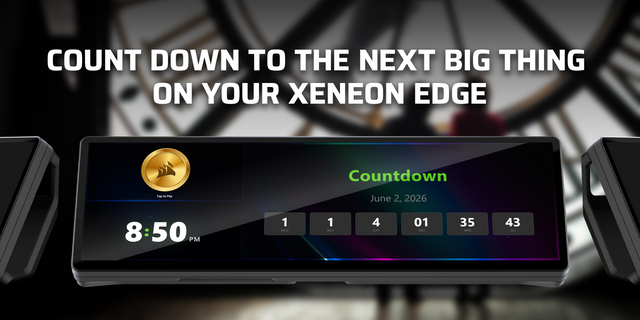
The countdown changes color as your event approaches: green above 10 minutes, yellow from 5–10 minutes, orange from 1–5 minutes, and solid red during the final minute. At the start, it flashes red until tapped to dismiss. A steady-red option is available.
Seconds appear only during the final 10 minutes. All-day events appear in calendar views without triggering countdown alerts. Adjust background transparency without fading the text and controls.
INSTALLATION
Install Calendar Countdown in iCUE and add it to your XENEON EDGE. Requires iCUE 5.47 or newer.
Grant the widget’s requested network permissions.
Open the widget’s Calendar settings card. Paste an HTTPS or webcal iCalendar subscription URL into a calendar slot, choose its name and color, and enable it. Repeat for up to five calendars.
Leave View set to “auto” for a layout that matches the widget size, or enter small, medium, large, or xl.
Tap Calendars to check sync status. Use “Refresh & check access” to retry a connection.
Use a calendar subscription/export link (not the provider’s normal calendar webpage or an embedded calendar link). Feeds refresh approximately every minute while the widget is running; provider publication delays may affect how quickly changes appear.
OPTIONAL WINDOWS HELPER
Some calendar providers block direct access from widgets through browser security restrictions (CORS). The optional helper makes those calendar requests locally on your PC. You still enter and manage your calendars in iCUE.
Download: https://infosecchicago.com/files/icue/CalendarCountdown.Helper.exe
Save the helper in a permanent folder and run it. It is a standalone Windows x64 application.
Click “Copy connection key.”
In iCUE’s Calendar Countdown settings card, paste it into “Helper connection key.”
Enable “Use helper if direct access fails,” then refresh the widget’s calendars.
Keep the helper running when needed. Closing its window hides it to the system tray; Exit stops it. “Start with Windows (minimized to tray)” is enabled by default and can be switched off in the helper. When upgrading, exit the previous helper before replacing it.
BACKUP AND RESTORE
To save your configuration automatically, click “Choose backup file…” in the helper and select a JSON file. Enter the helper connection key in iCUE and enable “Automatic backups.” Settings changes are then saved automatically. Backups require the helper even when your calendars work through direct access.
To restore, choose “Restore backup…” in the helper, select a saved configuration, and save the generated widget file. Import that file into iCUE and add a fresh Calendar Countdown tile.
Keep subscription links, backup files, restored widgets, and the helper connection key private. Backups contain readable subscription URLs. Calendar access is read-only, and provider compatibility depends on access to a valid iCalendar subscription feed.
Calendar Countdown 0.2.5 — Initial release
• Subscribe to up to five iCalendar feeds, with individual names, colors, and enable switches configured in iCUE. • Choose a countdown-only Small view, a Medium day view, a Large work week view, or an XL full week view. • See a live, color-coded countdown to the next timed event. At the event start, the alert flashes red until tapped to dismiss; a steady-red option is available. • Follow the current time in calendar views, open event details, refresh feeds, and adjust widget background transparency. • Use the optional Windows helper when browser restrictions block a feed. The helper also supports opt-in local settings backups and restore.
Requires a CORSAIR XENEON EDGE and iCUE 5.47 or later on Windows.
Version 0.2.5
Sep 28, 2026
Details
Type
Business
Productivity
Utilities
Device
XENEON EDGE
OS
Windows
Size
341.38 KB
Version
0.2.5
Language
English
Support
Dashboard Sizes
Extra large
Large
Medium
Small
Recommended Orientation
Horizontal
Interactive
Yes
Additional links
You might also like