Business
Calendarius
by @slavikus
Overview
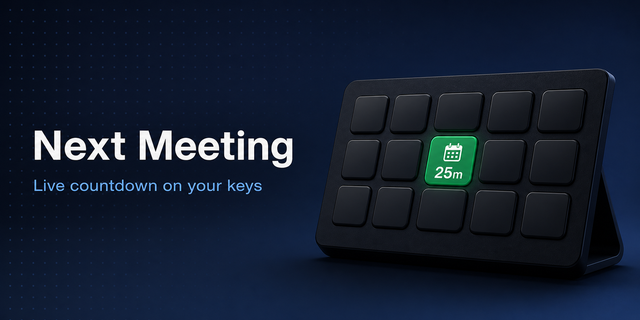
Quick peek at the upcoming meetings in your Calendar — now on Mac and Windows!
If you'd like to try the functionality before you buy, consider getting Calendarius Free (click on the Demo link).
== Native Calendars Support ==
On Mac, it fully supports all calendars you have in your macOS Calendar.app, as well as Google Calendar and Microsoft Outlook.
On Windows, it gives you access to all calendars you have on your Outlook account and Google Calendar.
You can add multiple accounts to fetch meetings from all of them!
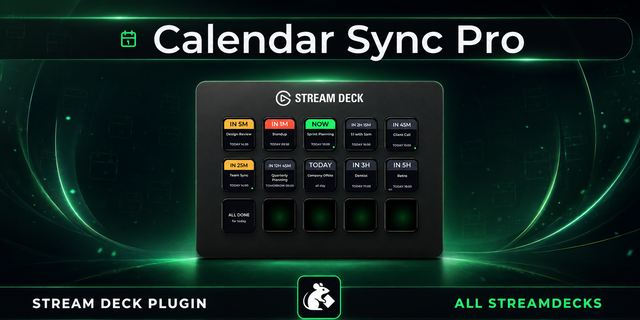
Pick any number of calendars to watch and this plugin will show you the next upcoming meeting
Scout through your agenda and see farther into the future by clicking the Stream Deck key to see the event scheduled after the currently displayed one.
Hold the key to open the current meeting on the website or relevant app (where available).
== Handy Options ==
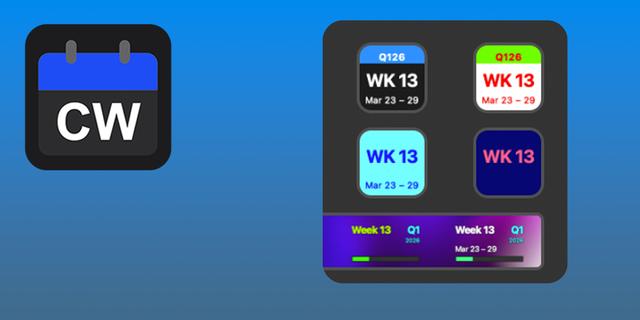
Choose one of four themes to best match your Stream Deck setup.
Display today's date (also with four different themes) as a separate action.
Display current calendar week as an alternate view for today's date and switch back and forth.
See the next meeting right in your Stream Deck Neo Infobar.
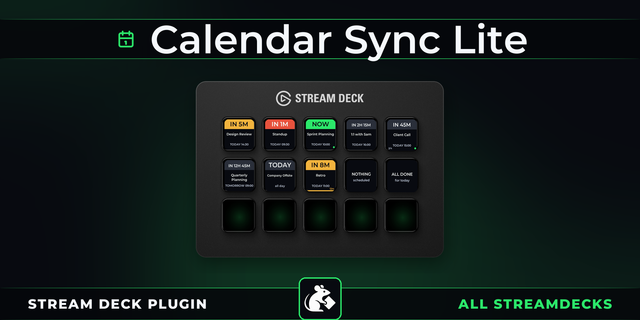
Show the upcoming meetings using relative time (not “10:13” but “in 2½ hrs”)
Support for 12-Hour time format (“10:13p” instead of “22:13”)
Color Highlight option. It allows you to color code the upcoming meetings based on how soon they would be happening: 🟥: Happening now 🟧: Within 20 minutes 🟨: Within an hour 🟦: Within 4 hours 🟩: More than 4 hours away
== More To Come ==
Planned features for the next updates:
Better use of Stream Deck + dial actions.
Please reach out if you'd like to request a feature or have a question. The development is community-driven!
Support for Stream Deck Neo Infobar to display the next meeting.
Fixed a couple of issues causing erroneous "Authorization required" messages in some circumstances.
Version 2.2.0.3
Sep 22, 2026
Details
Type
Business
OS
Mac
Windows
Compatibility
Stream Deck 7.6 or later
Size
49.85 MB
Version
2.2.0.3
Language
English
Support
Profiles
No
Dial support
Yes
Neo Infobar support
Yes
You might also like