Business
Camo Studio
by Camo
Overview
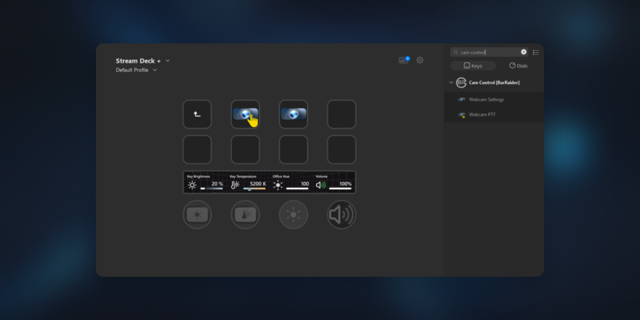
Control your streaming camera and broadcast from Stream Deck. Record, go live, switch scenes, take snapshots, toggle your video feed, and adjust audio. All without leaving your content.
Already have Camo? Your Stream Deck is already integrated; just connect it and go. New to Camo? Download Camo Studio, open it with your Stream Deck connected, and the plugin installs automatically.
Camo Studio is a live production app for creators, streamers, and professionals who present on camera. This plugin connects it to your Stream Deck so you can run your entire show from your desk. No mouse, no hotkeys, no switching windows mid-stream.
Stream Deck key actions include:
Recording & Capture
Toggle Recording: start and stop with one press
Take Snapshot: capture a still from your live output
Scenes
Switch Scene: jump to a specific scene
Next Scene / Previous Scene: cycle through your scene list
Scene Collections
Switch Collection: jump to a specific collection
Next Collection / Previous Collection: cycle through collections
Profiles & Output
Switch Profile: change your output profile for different setups
Toggle Feed: turn your camera feed on or off instantly
Toggle Streaming: start or stop your live stream
Mute/Unmute Audio: toggle audio with one press
Show/Hide Window: show or hide the Camo Studio window to keep your desktop clean
Layers
Add Text Layer: drop a text overlay into your scene
Add Image Layer: add an image overlay
Add Web Layer: add a browser source for alerts, chat widgets, or overlays
Add Rectangle Layer / Add Circle Layer: add shape overlays
Delete Layer: remove the selected layer
Move Layer Forward / Move Layer Backwards: reorder layers in your scene
6 dial actions for Stream Deck + (encoder):
Output Volume: rotate to adjust, press to mute
Input Volume: rotate to adjust, press to mute
Layer Opacity: rotate to adjust, press to toggle visibility
Layer Corner Radius: rotate to adjust, press to reset to zero
Layer X Position: rotate to move horizontally, press to centre
Layer Y Position: rotate to move vertically, press to centre
Every dial gives you two controls in one: fine adjustment on the rotate, and a quick action on the press.
Requires Camo Studio on macOS or Windows.
Download for free at camo.com.
Camo Studio arrives on Stream Deck: Recording & Capture, Scenes, Scene Collections, Profiles & Output, Layers and 6 dial actions for Stream Deck +
Version 1.2.10
Sep 24, 2026
Details
Type
Business
Gaming
Productivity
Social
Streaming
Video
OS
Mac
Windows
Compatibility
Stream Deck 6.9 or later
Size
397.06 KB
Version
1.2.10
Language
English
Support
Profiles
No
Neo Infobar support
No
Dial support
Yes
Additional links
You might also like