Creative Tools
Camtasia Pro Profiles
by SideshowFX
Overview
PUT CAMTASIA AT YOUR FINGERTIPS
ANIMATED EFFECT PREVIEWS • 100+ PROGRAMMED COMMANDS • INSTANT CREATIVE ACCESS
Built for Stream Deck XL & MK (15-key) • Mac & Windows • English QWERTY keyboard required for some commands
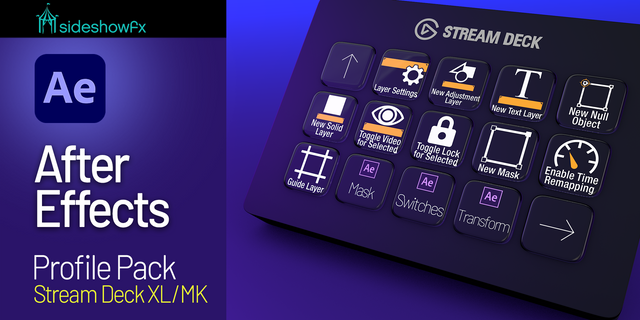
Transform your Stream Deck into a visual Camtasia editing control surface, combining over 100 preprogrammed commands with animated keys that preview Camtasia's creative tools. Access Camtasia's transitions, animations, behaviours, filters and effects directly from your Stream Deck, with animated key artwork designed to reflect the Camtasia interface.
See your creative options. Find what you need. Keep editing.
🎬 ANIMATED PREVIEWS AT YOUR FINGERTIPS
Why search through effects when you can see them on your Stream Deck? Our animated keys visually represent Camtasia's creative tools, helping you recognize transitions, animations and effects before selecting them. It's a more intuitive way to explore your creative options without constantly navigating through Camtasia's interface.
Your Stream Deck becomes a visual extension of your editing workspace.
✨ INSTANT ACCESS TO CAMTASIA'S CREATIVE TOOLS
Bring Camtasia's extensive creative features directly to your fingertips.
TRANSITIONS Quickly find and access transitions to move between scenes.
ANIMATIONS Keep Camtasia's animation tools within easy reach.
BEHAVIOURS Access creative behaviours to add movement and personality to your projects.
FILTERS & EFFECTS Find visual effects and filters without repeatedly searching through menus.
With animated previews that reflect the Camtasia interface, identifying the right creative tool becomes easier.
⚡ 100+ PREPROGRAMMED COMMANDS
Go beyond visual effects with over 100 programmed Camtasia commands. Our ready-to-use profiles help streamline your editing workflow, putting frequently used commands directly on your Stream Deck keys.
Less time remembering shortcuts. More time creating videos.
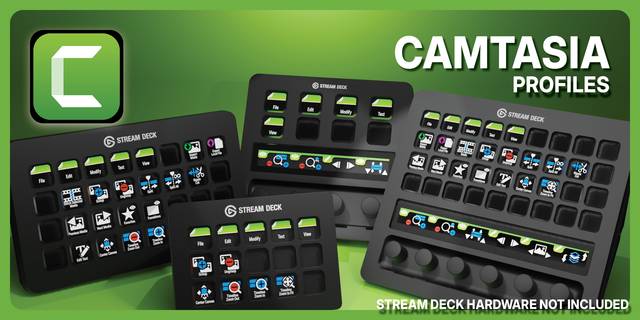
🎛️ BUILT FOR STREAM DECK XL & MK
Whether you prefer the spacious layout of Stream Deck XL or the compact 15-key MK, this pack provides preprogrammed profiles designed for your device. Organized controls help make your Camtasia workflow more accessible, while animated keys add a visual dimension to your creative process.
⚙️ READY TO USE. EASY TO CUSTOMIZE.
Start with the included profiles, then personalize your Stream Deck around the way YOU edit. Rearrange commands, customize your layouts and adapt the controls to your preferred Camtasia workflow.
✓ WHAT YOU GET
✓ Preprogrammed Stream Deck XL profiles ✓ Preprogrammed Stream Deck MK profiles ✓ 100+ programmed Camtasia commands ✓ Animated key previews inspired by the Camtasia interface ✓ Access to transitions, animations, behaviours, filters and effects ✓ Customizable Stream Deck layouts ✓ Mac and Windows compatibility ✓ PDF installation and reference guide ✓ Free updates for existing owners
⚠️ BEFORE YOU BUY
• Compatible with Stream Deck XL and MK (15-key) • Mac and Windows supported • English QWERTY keyboard layout required for some commands • This is a preprogrammed profile pack, not the Camtasia application • Camtasia must be installed separately
PDF GUIDE: https://www.sideshowfx.net/s/Camtasia-Stream-Deck-Preview.pdf
SIDESHOWFX — PREMIUM STREAM DECK WORKFLOWS. HANDCRAFTED & ENGINEERED SINCE 2019.
No release notes for this version
Version 1
Oct 16, 2023
Details
Type
Creative Tools
Productivity
Device
Stream Deck MK
Stream Deck XL
OS
macOS
Windows
Compatibility
Stream Deck 6.4 or later
Size
434.88 MB
Version
1
Support
Dial support
No
Icons
Yes
Additional links
You might also like