Creative Tools
Canva Desktop Profile
Overview
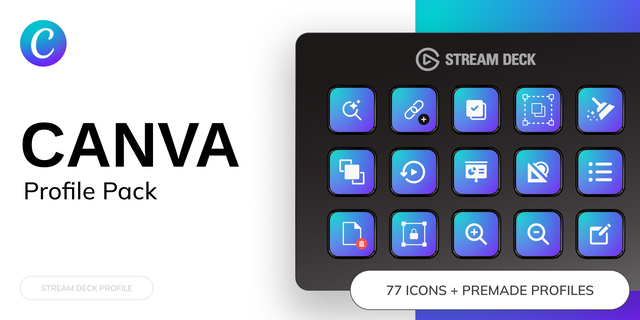
Accelerate Your Creativity Time is your most valuable asset. The Canva Profile is not just a random collection of buttons—it is a strategic workflow engine designed to keep you in the "flow state." We have identified the 14 highest-friction actions in Canva and mapped them for instant access, eliminating thousands of unnecessary mouse clicks per project.
Engineered for the Desktop Experience This profile is strictly optimized for the Canva Desktop App on Windows. By leveraging the native app's capabilities, we bypass common browser limitations, giving you a snappier, more reliable design experience.
Here are the Actions:
New Creation
Toggle Grid ON/OFF
Duplicate Elements
Insert Text Elements
Toggle UPPERCASE
Show/Hide Layer Menu
Spread Elements evenly
Lock/Unlock Toggle
Copy & Paste Style
Group / Un Group Elements
Start Presentation Mode
Open Magic Menu
Premium Visuals Your Stream Deck should look as professional as your work. This pack features a custom "Native Aesthetic" icon set, designed to blend seamlessly with your studio setup.
Visuals engineered via Nano Banana Pro for maximum clarity and style.
Compatibility & Requirements
Hardware: Optimized for Stream Deck MK.2 (15-key) and Stream Deck XL (32-key).
Software: Designed specifically for the Canva Desktop App (Windows).
Note on Browser Use: While many keys function in a web browser (Chrome/Edge), this profile is tuned for the Desktop App to avoid conflicts with browser-specific shortcuts.
first Release as a general purpose hot key profile for Canva Desktop on Windows
Version 1
Jan 7, 2026
Details
Type
Creative Tools
Productivity
Utilities
Device
Stream Deck MK
OS
Windows
Compatibility
Stream Deck 7.1 or later
Size
1.31 MB
Version
1
Support
AI Content
Yes
Icons
Yes
You might also like

-thumbnail-optimized-7c5a21a1-8057-4271-bbe0-8b7ffb3c27ad.png)