Productivity
Capture One Pro Profiles Stream Deck + XL
by SideshowFX
Overview
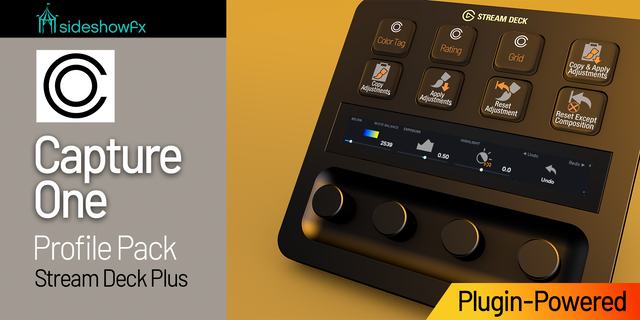
PUT CAPTURE ONE AT YOUR FINGERTIPS
630+ KEY COMMANDS • 80+ ROTARY CONTROLS • LIVE TWO-WAY FEEDBACK
Built exclusively for Stream Deck + XL • Mac only • macOS 12+ • English Capture One Pro and English macOS required
⚡ POWERED BY THE EXCLUSIVE SIDESHOWFX CAPTURE ONE PLUGIN
Go beyond keyboard shortcuts. Our proprietary plugin communicates directly with Capture One, giving you hands-on control of your adjustments with live values and real-time feedback. Turn a dial. Watch Capture One respond. See the actual value on your Stream Deck. This isn't simply a shortcut collection. It's a deeply integrated photo-editing control system.
🎛️ 68 LIVE ADJUSTMENT PARAMETERS
Take direct control of exposure, colour balance, levels, sharpening, noise reduction, black and white adjustments and more. Each parameter displays its current value, position within its range and dedicated artwork on the Stream Deck touch strip. Changes made in Capture One are reflected on your Stream Deck, keeping your controls in sync. No blind adjustments. No guessing where a slider sits.
🔄 PRESS TO SWITCH. TURN TO ADJUST.
Access multiple adjustments from a single rotary dial. Press an Exposure dial to cycle through Exposure, Contrast, Brightness and Saturation. Press a Colour Balance dial to switch between Master, Shadows, Midtones and Highlights, with Capture One's colour wheel following your selection. 14 adjustment groups put an extensive collection of controls within easy reach. Need greater precision? Press and turn for fine adjustments.
🎨 EXPLORE STYLES & PRESETS BY DIAL
Access Capture One's built-in presets and styles directly from your Stream Deck.
• 96 built-in presets across eight categories • Direct access to built-in styles • Rotary Style Dial for browsing and applying looks • Press the dial to remove the selected preset
Turn through a category and watch each preset appear on your image. Discover the right look without digging through menus.
📸 TETHERED CAMERA CONTROL
Bring compatible tethered camera settings directly to your Stream Deck + XL. Adjust ISO, shutter speed, aperture, exposure compensation, white balance, metering and more. The dials use the settings available on your connected camera, while live feedback shows the current camera values—even when they're changed on the camera itself.
⚡ 630+ KEYS. 80+ DIAL CONTROLS.
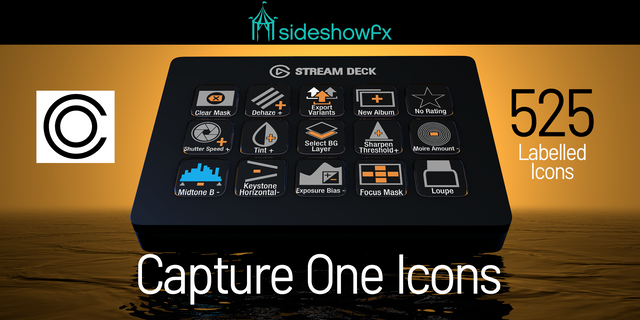
Get a comprehensive collection of preprogrammed commands, rotary controls and custom icons, organized around real Capture One workflows. The proprietary plugin handles supported adjustments directly, independently of your custom Capture One keyboard assignments. Tool keys use keyboard shortcuts.
✓ WHAT YOU GET
✓ 630+ preprogrammed key commands ✓ 80+ programmed rotary dial controls ✓ Exclusive SideshowFX Capture One plugin ✓ Live two-way adjustment feedback ✓ 68 adjustment parameters across 14 groups ✓ Fine adjustment using press-and-turn ✓ Built-in style and preset controls ✓ Compatible tethered camera controls ✓ Custom icons and organized profiles ✓ Customizable layouts and commands
⚠️ BEFORE YOU BUY
• Stream Deck + XL only — not the standard Stream Deck + • Mac only, macOS 12 or later • English Capture One Pro and English macOS required • English QWERTY keyboard required for Tool buttons only; other commands and rotary adjustments support any keyboard layout • macOS Automation permission is required for Stream Deck to control Capture One • Menu command keys additionally require Stream Deck Accessibility permission • Tethered camera controls depend on your camera's supported settings
PDF GUIDE: https://www.dropbox.com/t/1c6w6LLT966c9dY0
SIDESHOWFX — PREMIUM STREAM DECK WORKFLOWS. HANDCRAFTED & ENGINEERED SINCE 2019.
Initial release
Version 1
Sep 9, 2026
Details
Type
Productivity
Device
Stream Deck + XL
OS
macOS
Compatibility
Stream Deck 7.1 or later
Size
10.8 MB
Version
1
Support
Dial support
Yes
Additional links
You might also like