Audio
Cave Aurora Edge
by Tom's Cave
Overview
Cave Aurora Edge turns your CORSAIR XENEON EDGE into a calm control panel for the way you actually work: what you are doing, what you need to open, how your PC is doing and what is playing — on one 2560x720 touch screen you arrange yourself.
YOUR OWN SHORTCUTS
Up to eight shortcuts to any program, folder or website on your PC, four on screen at a time with arrows for the rest. Tap FIND A PROGRAM and pick it in a normal Windows file box, or paste a path or web address. Each tile shows the program's own icon and launches it with one tap. Tap REARRANGE and then two tiles to change their order.
PC CONTROLS
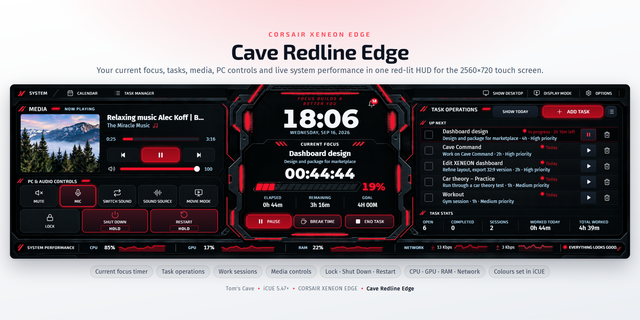
Lock in one tap, and Shut down or Restart by pressing and holding until the ring fills, so a stray touch cannot end your session. Task Manager is one tap too.
FOCUS AND TASKS
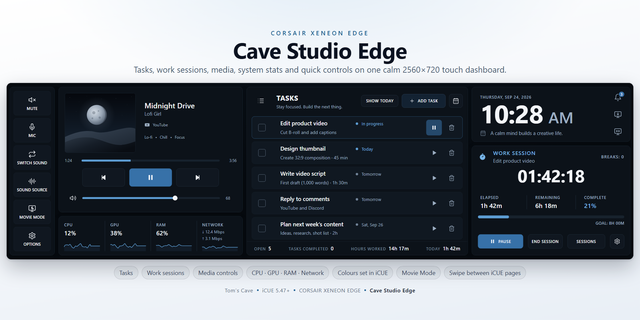
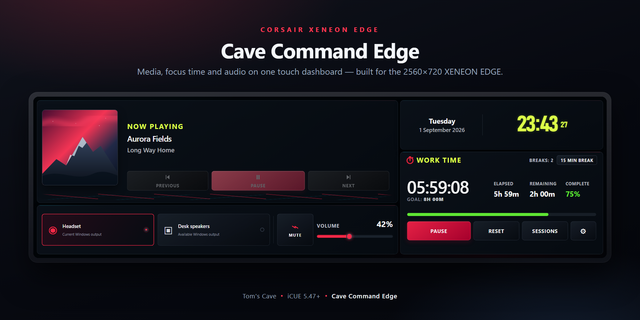
Add tasks with a due date, duration and priority. Start typing and past tasks are suggested. Press play to start its timer: the duration becomes your goal, and it flashes when time is up, then keeps counting. Pause, take timed breaks, and every session is saved with the time worked. A calendar shows which days have work, deleting asks first and offers Undo, and totals show tasks and hours worked.
A COUNTDOWN TIMER
Set a name and length under the clock. It sounds when it is up, with snooze and a box for any number of minutes. It is stored by its finishing time, so it survives restarts, sleep and iCUE reloads.
MEDIA AND SOUND
Title, artist and app, a progress bar you can drag, previous, play/pause, next, and a volume slider sized for a finger. If two apps are playing, switch which one the controls follow. Mute, mic mute, Switch Sound and a picker for any output on your PC.
SYSTEM
Live CPU, GPU, RAM and network speeds along the bottom with small history graphs. CPU and GPU work as soon as the widget is added, from iCUE's own sensors, on Intel or AMD processors and any graphics card. Every reading also has a source setting in iCUE if you would rather pick the sensor yourself. A reading with no source says so and points at the setting that fixes it.
ARRANGE IT YOURSELF
Tap LAYOUT and drag one panel onto another to swap them. Every panel keeps its own size wherever you put it, so the dashboard never ends up squeezed.
MAKE IT YOURS
Five backgrounds — Midnight Aurora, Ember Aurora, Total Eclipse, Violet Nebula, Graphite Slate — and any accent and text colour you like, all set in iCUE alongside your other widgets. Every change shows straight away and is checked for readability first. Background transparency fades the background, never the text. In the dashboard's own Options: 12 or 24-hour clock, Movie Mode brightness, alarm volume, and a reset that asks twice.
ALSO
Movie Mode dims the whole dashboard for film night. Show desktop, Windows notifications with a count, a button that switches your XENEON EDGE display mode, and swiping left or right to change iCUE screen.
SETUP (ABOUT 2 MINUTES)
Step 1: Add Cave Aurora Edge to your XENEON EDGE in iCUE.
Step 2: Install the free companion app from the link below. It starts with Windows, runs quietly, and powers the sound controls, media details, RAM and network, notifications, shortcuts and the PC controls. The clock, timer, tasks, work sessions, colours and the CPU and GPU readings all work without it.
Step 3: For swiping and the display-mode button, set Switch Display Mode, Previous Display Screen and Next Display Screen in iCUE Screen Setup.
REQUIREMENTS
Windows, iCUE 5.47 or later and a CORSAIR XENEON EDGE. The companion app talks only to your own PC (127.0.0.1). No account, no telemetry, no tracking.
GOOD TO KNOW
Browsers report all their tabs to Windows as one media source, so two tabs in the same browser count once.
Setup guide, support and the free companion app: https://github.com/Caveproduction-bot/cave-aurora-edge
First release of Cave Aurora Edge.
- Up to eight shortcuts to your own programs, folders and websites, with the program's own icon. Pick one in a Windows file box and it is added straight away.
- PC controls: Lock and Task Manager in one tap; Shut down and Restart need a press and hold, so a stray touch cannot end your session.
- Focus and tasks: due dates, durations, priorities, suggestions from past tasks, and work sessions that pick up where they left off.
- A countdown timer under the clock that survives restarts and sleep, with snooze.
- Media controls with a draggable progress bar and a volume slider sized for a finger, plus Switch Sound and Sound Source.
- Live CPU, GPU, RAM and network readings. CPU and GPU work straight away from iCUE's own sensors.
- Arrange it yourself: tap LAYOUT and drag one panel onto another to swap them.
- Five backgrounds and any accent and text colour, set in iCUE, checked for readability.
- Movie Mode, Show desktop, Windows notifications and swiping between iCUE screens.
- The free Cave Aurora Edge companion app (link on this page) adds the sound controls, media details, RAM and network readings, notifications, shortcuts and the PC controls.
Version 1
Sep 23, 2026
Details
Type
Audio
Monitoring
Music
Productivity
Device
XENEON EDGE
OS
Windows
Size
2.41 MB
Version
1
Language
English
Support
Dashboard Sizes
Extra large
Recommended Orientation
Horizontal
Interactive
Yes
Additional links
You might also like