Audio
Cave Redline Edge
by Tom's Cave
Overview
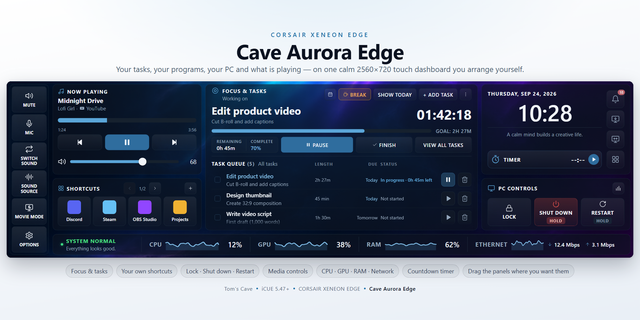
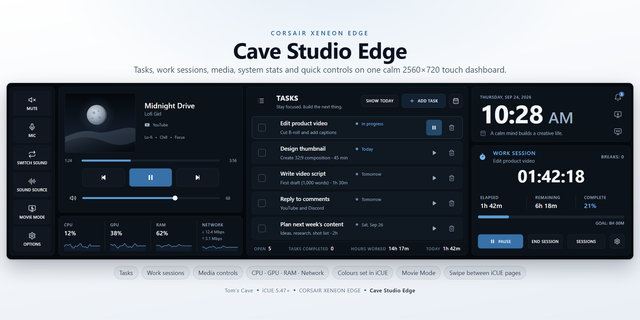
Cave Redline Edge turns your CORSAIR XENEON EDGE into a red-lit sci-fi command deck: your current focus, your tasks, what is playing, your PC and audio controls and live system performance, on one 2560x720 touch screen in a rendered HUD shell.
CURRENT FOCUS
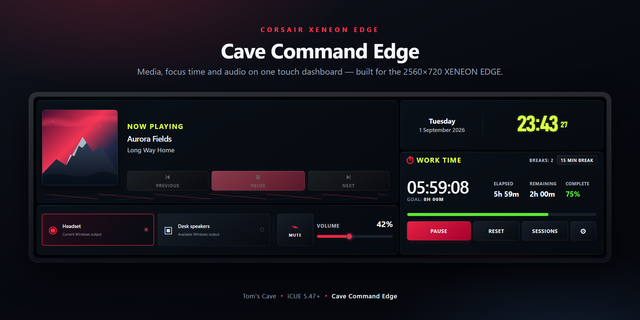
Press play on any task and it becomes your focus: a big timer, a segmented bar towards its goal, elapsed, remaining and goal time. Pause, take a Break Time, and End Task (or tick the task off) to save it. Press play on it again later and it picks up where it left off. Tap Goal to change the goal and break length, or Sessions for every session, with CONTINUE to pick one back up. A silent window offers a ten-minute break every hour, and says when it is over.
TASK OPERATIONS
Up Next lists your tasks with due date, duration and priority. Add Task suggests past tasks as you type. The calendar shows which days have work and filters the list to one day. Tap Completed to hide finished tasks from Up Next without losing them. Deleting asks first, takes the task's sessions with it, and offers Undo. Task stats show open and completed tasks, sessions and time worked, and open Work sessions at a tap.
MEDIA
Artwork, title, artist and app, a progress bar you can drag, transport and volume. With two apps playing, switch which one the controls follow.
PC & AUDIO CONTROLS
Mute, mic mute, Switch Sound, Sound Source, Movie Mode, Lock, and Shut Down and Restart. Shut Down and Restart only work with a deliberate press and hold while a bar fills, so a stray tap can never turn your PC off, and Windows can still cancel.
SYSTEM PERFORMANCE
Live CPU, GPU, RAM and network graphs along the bottom. CPU and GPU work as soon as the widget is added, from iCUE's own sensors, multi-GPU included. Each reading has a source setting in iCUE, starting on Automatic. A status line reads Everything looks good, warns when CPU, GPU or RAM runs high, and says which reading to set up if one is missing.
TOP BAR
Your current sound output (tap to change it), Show desktop, a button that switches your XENEON EDGE display mode, Windows Task Manager, Options, and swiping left or right to change iCUE pages with the shortcuts you set in iCUE Screen Setup. The bell above the clock opens and closes Windows notifications, with a count.
MAKE IT YOURS
Colours are set in iCUE, alongside every other widget. Pick any accent colour and the whole shell follows, its neon, buttons, progress bar and graphs. Two text colours: one for headings and readings, one for labels, captions and due dates. Set your own background too; every change shows straight away. A background colour paints the whole dashboard in that colour, deep or pale, and the accent keeps the colour you picked. Background transparency fades the background and panels, never the text. Every choice is checked for readability before it is applied. In Options: clock format, Movie Mode brightness, break length and reminders, Open iCUE, and Reset all data.
SETUP (ABOUT 2 MINUTES)
Step 1: Add Cave Redline Edge to your XENEON EDGE in iCUE, at the largest size.
Step 2: Install the free Cave Redline Edge Bridge from the link below. It starts with Windows and powers audio, media details, RAM and network readings, notifications, the screen controls and Lock, Shut Down and Restart. Tasks, the focus timer, the clock, colours and the CPU and GPU readings all work without it.
Step 3: For page swiping and the display-mode button, set Switch Display Mode, Previous Display Screen and Next Display Screen in iCUE Screen Setup.
REQUIREMENTS
Windows, iCUE 5.47 or later and a CORSAIR XENEON EDGE. The bridge talks only to your own PC (127.0.0.1). No account, no telemetry, no tracking.
GOOD TO KNOW
Browsers report all their tabs to Windows as one media source, so two tabs in the same browser count once.
Setup guide, support and the free bridge: https://github.com/Caveproduction-bot/cave-redline-edge
First release of Cave Redline Edge, a red-lit sci-fi command deck for the CORSAIR XENEON EDGE.
- Current focus: a big timer and segmented goal bar for the task you are working on, with Pause, Break Time and End Task.
- Task operations: Up Next, Add Task with suggestions, a calendar filter, a Completed switch that tidies finished tasks out of Up Next, and task stats.
- Work sessions: every session with the hours worked and how far it got, tasks still to do under SCHEDULED with START, finished work under COMPLETED, CONTINUE to pick a session back up, and an editor for a task's title, description, target and hours.
- Media controls, PC & audio controls, and Lock, Shut Down and Restart, with a press-and-hold on the last two so they can never fire by accident.
- System performance: CPU, GPU, RAM and network graphs with a status line that warns when the PC runs hot and says what to set up when a reading is missing.
- Your colours: pick any accent, text and background colour in iCUE, and the whole shell's neon follows.
- Free companion bridge for audio, media details, RAM and network, notifications and the power buttons.
Version 1
Sep 29, 2026
Details
Type
Audio
Monitoring
Music
Productivity
Device
XENEON EDGE
OS
Windows
Size
3.05 MB
Version
1
Language
English
Support
Dashboard Sizes
Extra large
Recommended Orientation
Horizontal
Interactive
Yes
Additional links
You might also like