Audio
Cave Wonder Edge
by Tom's Cave
Overview
Cave Wonder Edge puts a living planet on your CORSAIR XENEON EDGE. A ringed world turns slowly in deep space, with hundreds of rocks in orbit, shooting stars and the odd meteor shower, while the weekday, date and time sit over it in their own lettering. Everything else waits behind six buttons and rises out of the bottom edge in smoked-glass panels, so the scene stays the star until you need something.
THE PLANET
Live, not a video loop. Choose how fast it turns, from 1.5 to 10 minutes per turn, or keep it still, and how many rocks orbit it (Full, Lower or Lowest for lighter PCs). The planet keeps turning behind open panels.
MUSIC
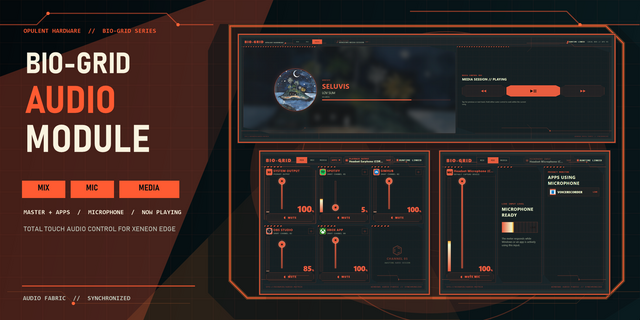
A visualizer under the clock moves with whatever your PC is playing, with the track, artist and player controls beneath it. The Music panel adds volume, mute, microphone mute and switching between your speakers and headphones.
TASKS AND FOCUS
Add tasks with a date, length and priority; past tasks are suggested as you type. Press play to start a focus session: it counts at the top left of the screen, with breaks and break reminders. History lists finished tasks and every session with the time worked, and CONTINUE picks one back up.
CALENDAR
A month view with the days that have tasks marked. Tap a day to see what is on.
SHORTCUTS
Up to 12 programs, folders or web pages, each with its own icon. Tap to open; rearrange or remove them right on the screen.
SYSTEM
CPU and GPU load and temperature from iCUE's own sensors, plus RAM and network speed. Lock, Task Manager, Restart and Shut Down are here too; Restart and Shut Down need a press-and-hold, so a stray tap never turns your PC off.
TIMER
Name a timer, set it, and it counts down at the top right. When time is up an alarm sounds, with postpone if you need a few more minutes.
MOVIE MODE
One tap dims the whole dashboard and stops the planet for film night. Tap anywhere to bring it back.
MAKE IT YOURS
Pick the accent colour in iCUE and every panel, button and highlight follows, alongside your other widgets. In Options: 12 or 24-hour clock, show or hide the date and weekday, a mic-on reminder, Movie Mode brightness, Open iCUE and Reset all data. Swipe left or right to change iCUE pages.
SETUP (ABOUT 2 MINUTES)
1. Add Cave Wonder Edge to your XENEON EDGE in iCUE.
2. Install the free Cave Wonder Edge Bridge from the link below. It starts with Windows and powers the visualizer, music and sound controls, shortcuts, RAM and network readings and the PC controls. The planet, clock, tasks, focus, calendar, timer, colours and CPU/GPU readings all work without it.
3. On iCUE 5.52 or later, allow Cave Wonder Edge to use localhost and Speaker under Widget Access when iCUE asks.
4. For swiping between pages, set Previous and Next Display Screen in iCUE Screen Setup.
REQUIREMENTS
Windows, iCUE 5.47 or later and a CORSAIR XENEON EDGE. The bridge talks only to your own PC. No account, no telemetry, no tracking.
Setup guide, support and the free bridge: https://github.com/Caveproduction-bot/cave-wonder-edge
First release of Cave Wonder Edge.
- A live ringed planet with orbiting rocks, shooting stars and meteor showers; choose its speed and how many rocks.
- The weekday, date and time over the planet, and a music visualizer with the playing track and player controls.
- Smoked-glass panels for Music, Shortcuts, Tasks, Calendar, System and Options.
- Tasks with focus sessions, breaks and a History of everything you finished.
- Up to 12 shortcuts with their own icons, live CPU, GPU, RAM and network readings, and press-and-hold Restart and Shut Down.
- A named timer with an alarm, Movie Mode, and your accent colour from iCUE.
- The free Cave Wonder Edge Bridge (link on this page) powers the visualizer, sound, shortcuts and PC controls.
Version 1
Oct 13, 2026
Details
Type
Audio
Monitoring
Music
Productivity
Device
XENEON EDGE
OS
Windows
Size
1.85 MB
Version
1
Language
English
Support
Dashboard Sizes
Extra large
Recommended Orientation
Horizontal
Interactive
Yes
Additional links
You might also like