Gaming
CDE CAD
by CDE Inc
Overview
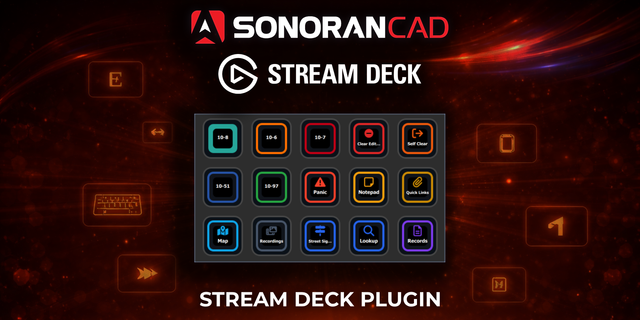
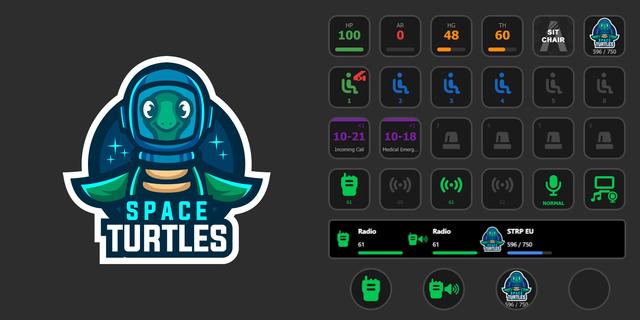
Run your CDE CAD unit and your in-game radio from a Stream Deck. Change status, watch pending calls, attach to a call, hit panic, and work the radio on physical keys without leaving the game.
CDE CAD is a police CAD and MDT for FiveM roleplay communities. I built this plugin because alt-tabbing out of the game to press 10-8 gets old fast. With it, the things you do every shift sit on dedicated keys, and you can see what's happening in your community without opening the CAD window.
Sign in once with a personal API key. Every CDE CAD key on your deck shares that connection, so there's no separate login per button.
CAD actions
* Set Status - One press changes your unit status. Pick from eight presets (10-8 Available, 10-7 Unavailable, 10-41 On Duty, 10-6 Busy, 10-97 Enroute, 10-23 On Scene, 10-42 Off Duty, 10-11 Traffic Stop) or type your own code and label. Put several on your deck for one key per status.
* Status Cycle - One key that steps through your usual statuses, 10-8, 10-7 and 10-6 by default, or your own list. It always shows the status you're actually in, even when dispatch changes it for you.
* Panic Button - Sends a panic alert to every dispatcher and officer in your community. It asks for a second press by default so it never goes off by accident. Turn that off if you want a true one-press panic.
* Active Calls - Shows how many calls are pending in your community and keeps itself up to date. Press it to refresh straight away.
* On My Way - Attaches you to the newest pending call in one press, so dispatch knows you're responding.
CDE Radio actions
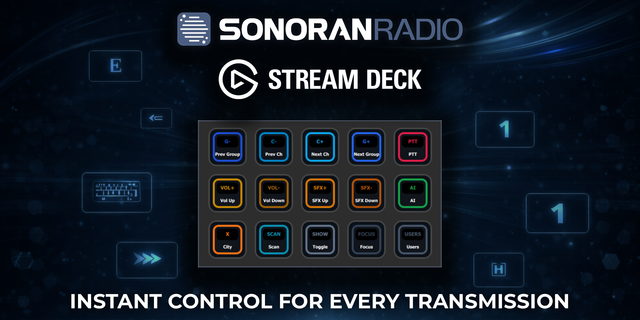
These drive the CDE radio in game (cde-radio 1.26 or later). The key shows your current channel and volume, and Channel, Zone and Volume also work on Stream Deck + dials.
* Radio: Channel - Channel up or down, or straight to one channel. On a dial, turn to change channel and press for the dispatch channel.
* Radio: Zone - Zone up or down, or straight to one zone.
* Radio: Volume - Volume up or down. On a dial, turn to set it and press to mute.
* Radio: Talk - Hold to talk, the same as the talk key in game. The key turns green with the call sign of whoever is on the air, and red while you transmit.
* Radio: Scan - Scan on and off. Press it while scan is stopped on a busy channel to drop that channel from the list.
* Radio: Dispatch Channel - Jump to the dispatch channel and back to where you were.
* Radio: Replay - Plays the last transmission again. Press again within a few seconds for the one before.
* Radio: Emergency - Hold for a moment to raise a radio emergency on your channel.
The radio needs no setup and no API key. The radio in game finds the plugin on your own PC as soon as you join the server.
Setting it up
1. Drag any CDE CAD action onto a key.
2. In the settings panel, enter your CAD address (cdecad.com unless your community runs its own) and your API key, then press Connect.
3. Pick your community from the list.
Every other CDE CAD key picks up the same sign-in, so they work right away.
What you need
* Stream Deck 6.9 or later on Windows 10+ or macOS 10.15+
* A CDE CAD account. Make an API key under Account Settings > API Keys.
* For the radio actions, the CDE radio on your FiveM server
Changing your CDE CAD password, or signing out of every device, revokes your API keys. If your keys stop responding after that, make a new key and connect again.
Privacy
The Stream Deck app stores your API key and settings on your computer. The CAD keys talk only to the CAD server you entered, over HTTPS. The radio keys talk only to the game on your own PC (localhost). Nothing goes to anyone else.
Screenshots, setup and FAQs: https://cdecad.com/features/stream-deck
More about CDE CAD at https://cdecad.com
Radio keys for CDE Radio, the in-game FiveM radio
* Talk - Hold to talk. Lights green with the call sign of whoever is talking, red while you are.
* Channel - Up, down, or one channel. On a dial, turn to change; press for dispatch.
* Zone - Up, down, or one zone. On a dial, turn to change.
* Volume - Up or down, 0 to 8. On a dial, turn to set; press to mute.
* Scan - On and off. Pressed on a busy channel, drops it from the list.
* Dispatch Channel - Jump to dispatch and back.
* Replay - Play the last transmission again; press again for the one before.
* Emergency - Hold to raise a radio emergency on your channel.
* Keys show the current channel, zone or volume, and NO RADIO when the game is not running.
Setup
* Needs cde-radio 1.84.3 or later on your FiveM server. No sign-in: the radio in game finds the plugin.
* The CAD keys from 1.1 work as before.
Notes
* Requires Stream Deck 6.5 or later (Windows 10 / macOS 10.15 and up).
* The radio keys use a local connection on your computer (127.0.0.1:21420) that only the FiveM radio can open. Nothing goes over the internet.
https://cdecad.com/
Version 1.2
Oct 16, 2026
Details
Type
Gaming
Utilities
OS
Mac
Windows
Compatibility
Stream Deck 6.9 or later
Size
126.58 KB
Version
1.2
Language
English
Support
Neo Infobar support
No
Profiles
No
Dial support
Yes
Additional links
You might also like