Monitoring
Charged
by oing Design
Overview
See the battery of every Bluetooth device on your Stream Deck, connect with a press, and get a quiet reminder before anything runs flat. Works perfectly on Virtual Stream Deck.
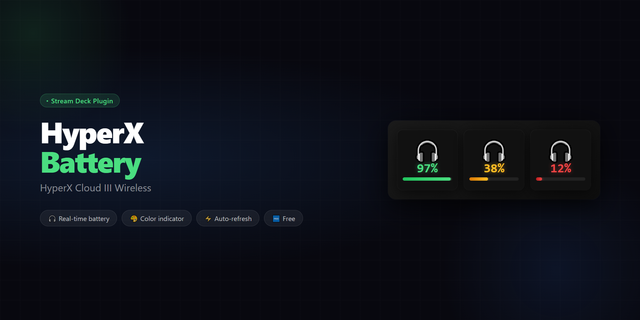
Charged puts the Bluetooth battery level of your headphones, controllers, mice, keyboards, and phones on your Stream Deck, so you charge them before they die. Each key shows one device with its own icon that fills up as the battery charges.
Battery levels are buried deep in Windows settings, so you forget them until a headset dies mid-call or a controller dies mid-game. Charged brings them back into sight in a clean, minimal design.
Features
- Battery as level squares, a percentage, or icon only
- Amber key when the battery drops below the level you choose
- Only show when low: the key stays dark until a device needs charging
- A slow glow while a device is charging
- One press to connect or disconnect headphones and speakers
- Logitech G mice, keyboards and headsets through G HUB
- PlayStation DualShock 4 and DualSense controllers, Logitech MX mice and keyboards, and phones
- Themes, custom colors, and a choice of icons
- Use your own SVG, PNG, JPG, or GIF icons; plain backgrounds are removed automatically
- Bluetooth On/Off key included
- Private: no account, no internet connection, no tracking
Works with devices paired by Bluetooth in Windows (built-in or a USB adapter), and Logitech G devices while G HUB is running. Devices on their own USB receiver, like headset dongles, aren't supported. Battery details depend on what each device reports.
Requires Windows 10 or 11 and Stream Deck 7.1 or later. Not affiliated with Sony, Logitech, Apple or Microsoft; all trademarks belong to their owners.
Thanks to @Petitkiwi (Discord) for testing G HUB support on real hardware and for the feedback that made it faster.
New: Logitech G HUB devices. Wireless Logitech G mice, keyboards and headsets that G HUB shows a battery for appear in the Device list, marked "(G HUB)", with their battery level and charging state. G HUB has to be running.
G HUB keys show the battery only: a press shows "Via G HUB", because G HUB manages their wireless connection. When G HUB isn't running they show "No G HUB", and recover by themselves when it starts.
Privacy: G HUB devices follow the same rules as Bluetooth devices. Profiles keep only a random reference; this computer keeps a one-way hash of the device's ID; names never appear on keys or in logs.
A device at 100% that G HUB reports as fully charged shows as full, without the charging glow.
Uses G HUB's local interface, which Logitech doesn't document; a G HUB update could change it.
Version 1.1
Nov 5, 2026
Details
Type
Monitoring
Productivity
Smart Home
Streaming
Utilities
OS
Windows
Compatibility
Stream Deck 7.1 or later
Size
121.99 KB
Version
1.1
Language
English
Support
Profiles
No
Neo Infobar support
No
Dial support
No
You might also like