Streaming
Chat Goal Counter Lite
by panda studio
Overview
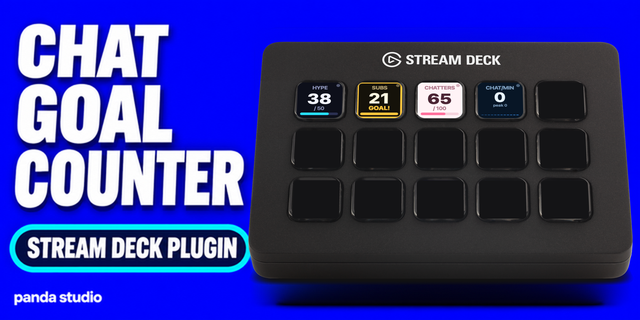
Chat Goal Counter Lite is the free edition of Chat Goal Counter: a live chat counter with a progress bar on your Stream Deck key. What it does not do: viewers do not see the counter unless you show it on stream yourself. It reads Twitch chat directly; YouTube and other sites only through the OneComme app on the same Mac. It counts only while the key is shown on your Stream Deck (not while it is on another page, folder or profile) and never counts past chat.
Lite has 1 color theme (Neon) and 1 keyword per key. The full Chat Goal Counter adds several keywords per key, unique-chatter counting, an automatic next goal and 8 color themes.
WHAT IT DOES
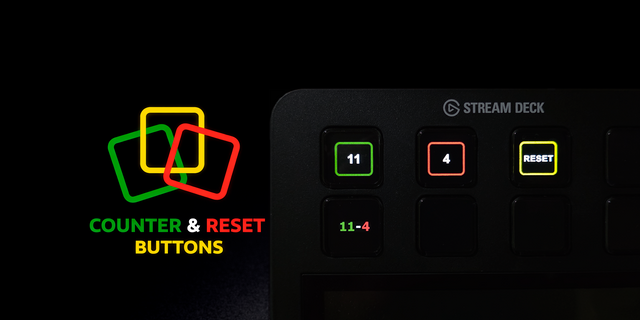
• Chat Goal: count every chat message, or messages with one keyword such as !hype. Shows current / goal with a progress bar. Press = +1, hold = reset. Wrong count? Fix it in the key settings: -1 / +1, Set count to, or Reset count.
• Chat Pace: chat messages per minute with a 60-second bar graph and the session peak.
SETUP
• Type your Twitch channel name in the key settings. Public chat is read anonymously: no login, no API key, nothing is posted.
• OneComme (a Japanese comment viewer) on the same Mac can also feed comments.
• A small dot on the key shows whether chat is connected.
LITE LIMITS
• One color theme (Neon), one keyword per key
• No unique-chatter counting and no automatic next goal
REQUIREMENTS
• macOS 12 or later, Stream Deck 7.1 or later. Windows is not supported yet.
Not affiliated with or endorsed by Twitch or OneComme.
1.1.0: You can now fix the count in the key settings (-1 / +1, Set count to). The same Twitch line read directly and through OneComme counts once.
Version 1.1
Oct 14, 2026
Details
Type
Streaming
OS
Mac
Compatibility
Stream Deck 7.1 or later
Size
179.46 KB
Version
1.1
Language
English
Support
Profiles
No
Dial support
No
Neo Infobar support
No
Additional links
You might also like