Business
ChatGPT & Codex
by Elgato
Overview
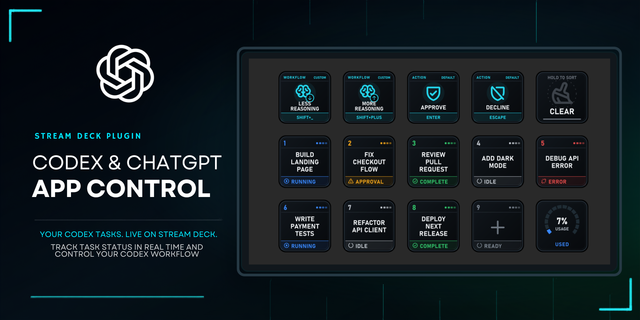
Keep ChatGPT and Codex within reach while you work. Stream Deck gives you a dedicated surface for following active chats, sending input, steering ongoing tasks, and adjusting how Codex works without repeatedly jumping back into the desktop app.
See when a chat is working, waiting for input, or ready for you. Move between conversations, dictate a new request, send a prepared prompt, run a skill, or steer work already in progress. When a task needs a different approach, change the model, reasoning effort, or speed directly from Stream Deck.
Usage and activity can stay visible even when ChatGPT isn't front and center, making Stream Deck a companion for longer Codex sessions as well as quick everyday prompts.
Key actions:
Activity: Browse chats, see their current status and latest activity, and open the one you want to work with
New Chat: Start a new chat in the ChatGPT desktop app
Dictate: Dictate a prompt from Stream Deck
Send Prompt: Send a configured prompt to the selected chat
Steer: Give additional direction while the selected chat is working
Run Skill: Run a configured skill in the selected chat
Stop: Stop active work in the selected chat
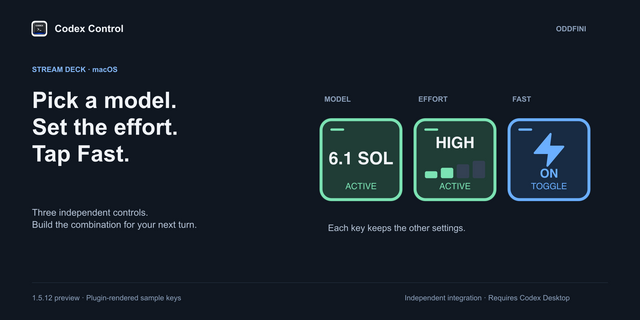
Model: Choose which model a chat uses
Effort: Adjust reasoning effort
Speed: Switch between Standard and Fast when available
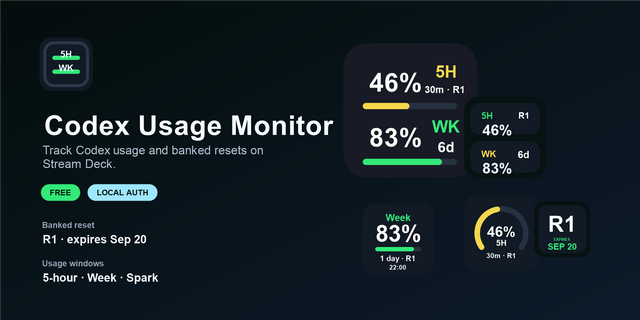
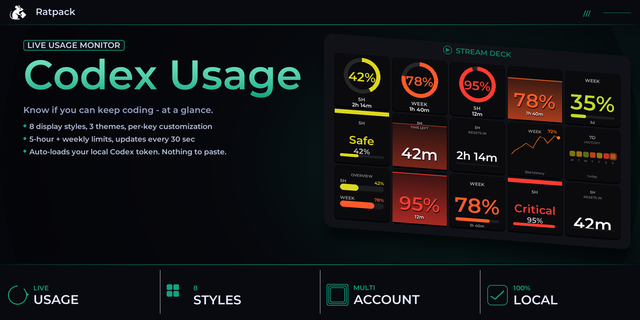
Usage: View usage, remaining limits, and reset information
Toggle Panel: Quickly show or hide ChatGPT panels such as Review, Terminal, Browser, Files, or Side chat
Dial actions:
Activity: Browse chats and open the one you want to focus on
Run Skill: Browse your available skills and run one in the selected chat
Power: Move between model and reasoning configurations from a single dial
Usage: View usage, remaining limits, and reset information
Infobar actions:
Activity: Follow chat status and recent activity on Stream Deck Neo
Usage: View usage, remaining limits, and reset information
The plugin works directly with the ChatGPT desktop app, so there's no API key or separate service to configure.
Requires the ChatGPT desktop app for Windows or macOS and Stream Deck 7.6 or later.
ChatGPT and Codex are trademarks of OpenAI. This plugin is independently developed by Elgato and is not affiliated with, endorsed by, or sponsored by OpenAI.
Stop has a new optional setting, “Show the chat, then press again.” The first press shows which chat will stop, and a second press stops it. Turn it on in the action settings.
Chats you start from the Codex CLI now show up in Activity right away.
Your Stream Deck follows the chat you open in ChatGPT more reliably on Windows and macOS, even when two chats have the same title.
Model, Effort and Speed open the selected chat if it isn’t open yet, then apply your change.
When the selected chat isn’t open, Model, Effort and Speed show its last known setting, dimmed.
Effort only offers the levels that the ChatGPT app can apply to that chat.
Speed no longer gets stuck on chats that have been idle for a while.
The Power dial no longer slows ChatGPT down on large, idle chats.
Steer, Resume and Plan Mode work again with the latest ChatGPT desktop app.
Run Skill can run every skill you have installed.
On Windows, the bottom panel key works again. The Terminal key now closes the terminal if it’s already open.
Keys say “Open a chat” when no chat is selected, and on Windows, New Chat and Toggle Panel show as unavailable while ChatGPT is closed.
When ChatGPT stops reporting your weekly usage, Usage keeps your last reading, dimmed.
Version 1.0.1.14
Oct 30, 2026
Details
Type
Business
Development
Monitoring
Productivity
Utilities
OS
Mac
Windows
Compatibility
Stream Deck 7.6 or later
Size
2.27 MB
Version
1.0.1.14
Language
English
Support
Profiles
Yes
Dial support
Yes
Neo Infobar support
Yes
You might also like