Audio
CiderDeck
Overview
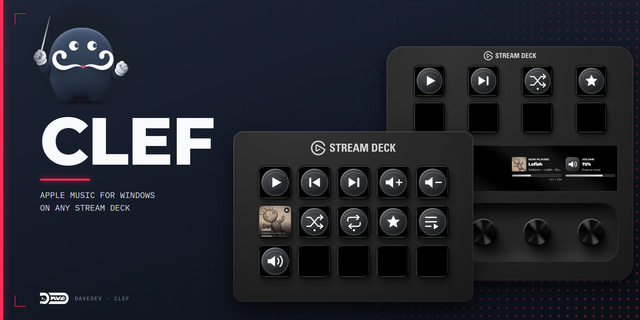
Unlock seamless Apple Music (Cider) control directly from your Elgato Stream Deck!
CiderDeck is the official plugin from the Cider team, built to integrate your Cider app (v4.0.0+) perfectly with your Stream Deck. Stop switching apps and stay focused on your stream, game, or work!
With CiderDeck, you can:
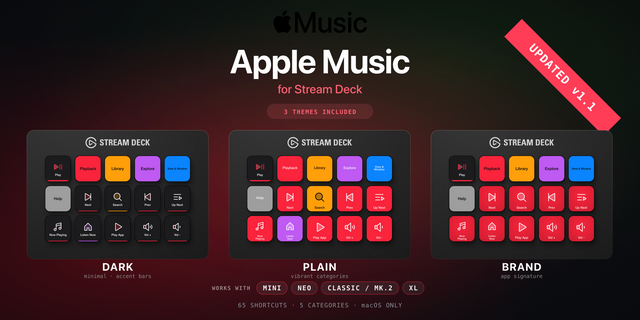
🎵 Instantly control playback: Play, pause, skip tracks, and manage shuffle/repeat without touching your mouse or keyboard.
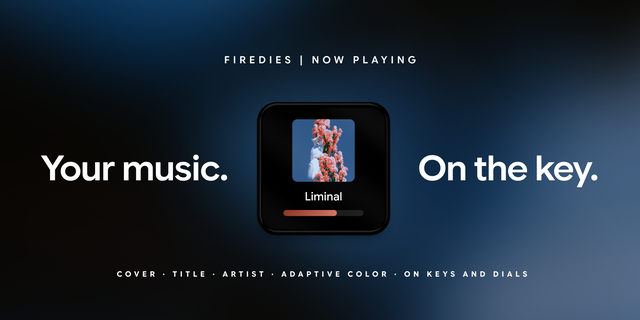
🖼️ See what's playing: Display album art and song titles right on your Stream Deck keys.
🔊 Adjust volume on the fly: Fine-tune your music levels effortlessly.
❤️ Curate easily: Like/dislike songs or add them straight to your library with a button press.
Why CiderDeck?
Official & Reliable: Developed by Cider Collective for the best experience.
Boost Your Focus: Keep your workflow smooth and uninterrupted.
Made for You: Perfect for Cider power users with a Stream Deck.
Get the ultimate control over your music.
CiderDeck is now compatible with Cider 4.0+!
Playback
Put the album cover on a key, or use the Album Art Grid to spread one cover across a 2x2 (or any sized) block.
Audio
Toggle Atmos, Crossfade, and Automix, and cycle the Listening Mode between Off, Gaming, and Unwind.
Queue
Clear the queue with a two-press confirm, flip the Smart Queue optimizer, and scroll the up-next queue as a coverflow on the Stream Deck + touchscreen.
Pins
Pin a playlist, album, or station to a key and start it in one press, shuffled if you like. Pick it from a searchable library window instead of pasting an id.
Stream Deck +
The playback dial puts the whole player on one encoder:
Rotate to seek or change volume, press to switch which.
A strip of status icons under the title for favorite, library, shuffle, and repeat.
Tap the screen edges to skip, the middle to play/pause.
Hold the screen or the dial for an action wheel where every entry shows its live state, and repeat cycles in place.
Version 4
Jun 24, 2026
Details
Type
Audio
OS
Mac
Windows
Compatibility
Stream Deck 6.9 or later
Size
931.28 KB
Version
4
Language
English
Support
Profiles
No
Dial support
Yes
Additional links
You might also like