Creative Tools
Cinema 4D Shortcut Profile
by Adx.cool
Overview
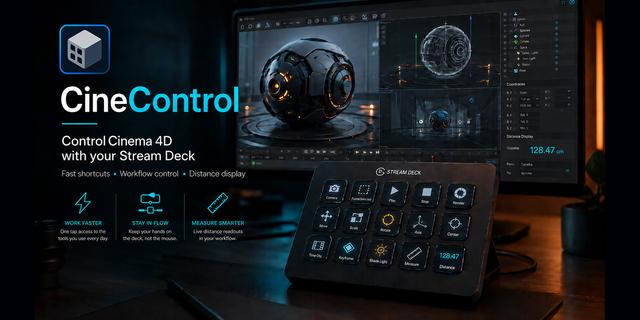
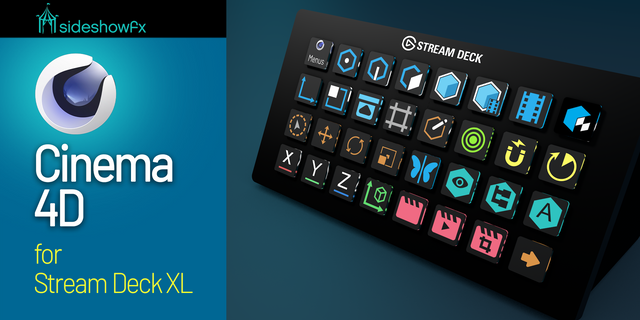
The complete Cinema 4D keyboard shortcut pack for Stream Deck.
75 shortcuts across 12 categories — organized, scored by importance, and ready to install on Stream Deck Classic / MK.2, XL. Stop memorizing key combos. One tap, one action.
What's included:
• Modeling (8) • Selection (8) • Tools (7) • File & Scene (7) • View & Camera (7) • Display (7) • Mesh Ops (6) • Animation (6) • Managers (6) • Render (5) • Modes & Snapping (5) • Help (3)
Features: • 29 of Cinema 4D's two-key chords, each on a single key • Four chord folders — Modeling, Selection, Mesh Ops and Display • Every binding checked against Maxon's own shortcut reference • A distinct icon on every one of the 75 keys • Auto-switches when Cinema 4D takes focus
Install: double-click any .streamDeckProfile to import. The App binding is pre-filled to Cinema 4D — auto-activates on focus. If it didn't pre-fill, set it manually under Stream Deck → Preferences → Profiles → App.
Learn more about Cinema 4D: https://www.maxon.net/cinema-4d
Setup (required for some keys)
macOS: grant Stream Deck the Accessibility permission. Keys that appear to do nothing on a Mac are almost always this, not a profile bug. System Settings → Privacy & Security → Accessibility.
Chord keys send two keystrokes in sequence. They rely on Cinema 4D’s default shortcut scheme — if you have remapped M, U, N or K, those four folders will not match.
Default shortcut scheme only. A customised Command Manager layout is not covered.
Built for Cinema 4D 2026. Earlier releases moved a number of these bindings.
v1.0 — 2026-08-04
First release. 75 keys across 12 folders for Cinema 4D 2026.
The headline is the chord folders. Cinema 4D's shortcut system is built on two-key sequences — press M then S for Bevel, U then L for Loop Selection — and 29 of them sit here on single keys, grouped into four folders by family: Modeling (M and K), Selection (U), Mesh Ops (U) and Display (N).
The other eight folders cover tools, modes and snapping, views, animation, render, the managers, and file operations, plus three documentation links.
Every binding was checked against Maxon's own shortcut reference rather than a cheatsheet, and every one of the 75 keys carries its own icon — including hand-drawn glyphs for the modelling operations no icon set covers.
Smart Profile switches to Cinema 4D automatically when the app takes focus.
Stream Deck + dials are planned for v2.
Requires Cinema 4D's default shortcut scheme. If you have remapped M, U, N or K, the four chord folders will not match.
Version 1
Aug 10, 2026
Details
Type
Creative Tools
Device
Stream Deck MK
Stream Deck XL
OS
macOS
Windows
Compatibility
Stream Deck 6.4 or later
Size
6.48 MB
Version
1
Language
English
Support
Icons
Yes
Additional links
You might also like