Productivity
Claude AI Prompt Templates
by Mci
Overview
Get better answers from Claude — with one button press.
Claude, the AI assistant by Anthropic, gives you much better results when your questions follow a clear structure. But building that structure every time is tedious and time-consuming.
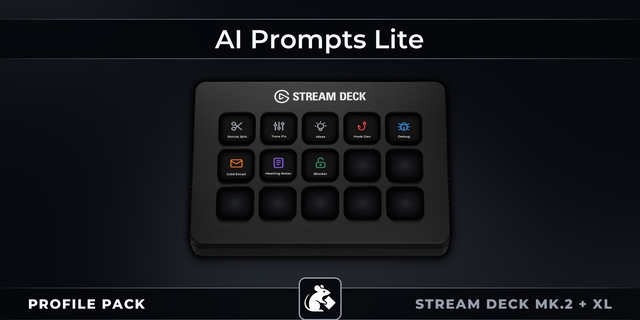
This free profile gives you 10 ready-to-use prompt templates based on Anthropic's official prompting best practices. Just press a button, paste it into your Claude chat, fill in the blanks, and get noticeably better responses.
No technical knowledge required. No setup. No learning curve.
WHAT'S INCLUDED
Each button copies a structured prompt template to your clipboard. Just fill in the parts marked with [ ] brackets:
Role — Tell Claude to act as a specific expert (doctor, lawyer, engineer, etc.) Context — Give Claude the background information it needs to help you Criteria — Describe what a great answer looks like so Claude knows your expectations Examples — Show Claude the style or format you want it to follow Steps — Have Claude walk through a problem step by step before answering CoT — Activate deeper chain-of-thought reasoning for complex decisions Search — Ask Claude to research a topic using current web sources Format — Control how Claude structures its response (bullet points, tables, paragraphs, etc.) Code — Request code with specific language, standards, and documentation
Iterate — Refine Claude's previous answer by telling it exactly what to keep and what to change
WHY THIS WORKS
Claude performs best when prompts are clearly structured. These templates use the XML formatting method that Anthropic recommends in their official documentation. You don't need to understand XML or prompt engineering — the templates handle the structure. You just fill in your own words.
HOW TO USE
1 - Select your Claude Chat (claude.ai or the Claude app) 2 - Press any button from the Profile 3 - The template is copied into your Claude chat 4 - Replace the [ ] sections with your own details 5 - Type your question 6 - Send it and enjoy better results
You don't need every template for every question: For simple questions, just Role + Context is often enough. For research, try Role + Search + Format. For complex decisions, combine Role + CoT + Criteria. Mix and match to fit your needs.
Includes custom icons.
Works with all Stream Deck devices.
Compatible with macOS and Windows.
TROUBLESHOOTING
This profile requires Stream Deck app version 7.2.0 or later. If the profile doesn't load or buttons appear missing, please update your Stream Deck app to the latest version. Note: some older versions (e.g. 7.0.x) may fail to update automatically — in that case, download the latest installer directly from https://www.elgato.com/downloads .
Initial Release.
Version 1
Feb 19, 2026
Details
Type
Productivity
Device
Stream Deck MK
OS
macOS
Windows
Size
589.68 KB
Version
1
Language
English
Support
AI Content
Yes
Icons
Yes
You might also like