Business
Claude Code Usage
Overview
Claude Code Usage
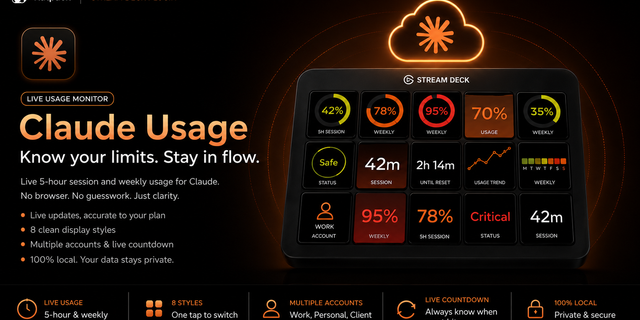
Claude Code Usage turns your Stream Deck into a live control surface for Claude Code — not just a usage monitor. See your spend, plan limits and session countdown at a glance, then launch a session, resume a recent one or watch your background agents without leaving your editor. New in v1.13: pick the session to resume right on the key.
Zero-config — it just works
No API key. No config files. No copy-pasting IDs. The plugin reads your existing Claude Code login and auto-detects your sessions across Windows and every WSL distribution. Drop it on a key and it's live.
Seven actions
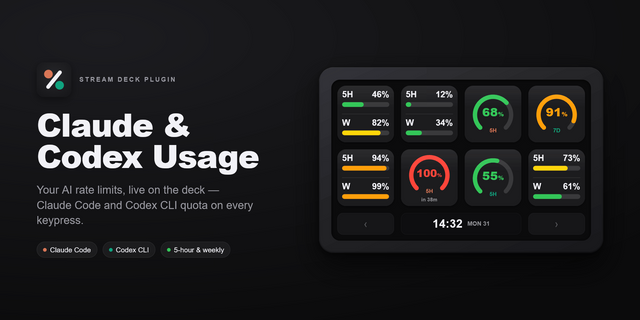
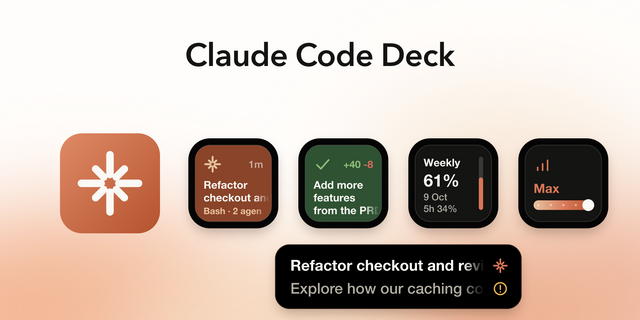
Current Block — Live cost, tokens or percent utilization of your active 5-hour billing window. A progress ring fills as you spend; tap to cycle cost ($1.85) → tokens (380k) → percent (78%).
Usage Breakdown — One number per key, readable from across the room: your cache hit rate, any of the four token classes, which model is eating your budget (by name, with its cost share), or a burn-rate forecast — how long the budget lasts, or "OK" when your window resets first. Want several at once? Add several keys.
Usage History — Daily, weekly or monthly bar charts of your spend. Spot the busy days, see trends across months. Tap to switch period.
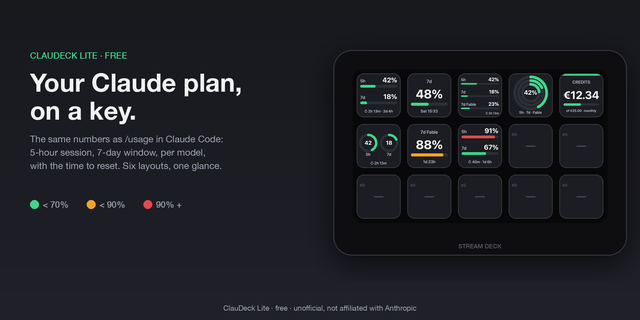
Plan Limits — Real-time session and weekly utilization, straight from Anthropic's API. Color-coded green → yellow → orange → red as you approach your cap.
Session Countdown — Time left in your current 5-hour window with live utilization below it. Keeps counting from local data even if the API is briefly unavailable.
Claude Launcher — Start a session from a key with your own presets: working directory, permission mode, reasoning effort, initial prompt, extra flags. The key shows a budget traffic light, and Auto mode picks the model for your remaining weekly budget — Opus while you have headroom, then Sonnet, then Haiku. An optional Opus guard asks for a confirm press before an expensive run. Works with Windows Terminal + WSL, plain WSL, PowerShell or cmd.
Background Agents — A live count of your running background agents: green when they're working, amber when one needs your input. Tap to open the agents view.
Session picker (new in 1.13)
Set a Claude Launcher key to "Session picker on the key" and it shows your recent sessions one at a time: project, title, last activity. Short press for the next one, hold to resume it — in the right folder, with your presets. Set a working directory to list one project only.
Stream Deck +
Six actions work as dials. Turn the Launcher dial to choose a session and push to resume; the touch strip lists three sessions at once. The other dials draw full-width charts on the touch strip: spend per hour, one bar per day, both limit bars, the token classes as a stacked bar, or every model with its cost share.
Alerts
Three keys blink to get your attention, then stay lit until you tap them: Background Agents when an agent is blocked waiting for input, Plan Limits when usage crosses a threshold you choose, and Session Countdown when a fresh 5-hour budget is available. Each is switchable in its settings.
Why you'll like it
Zero-config — uses your existing Claude Code OAuth token
More than monitoring — launch and steer sessions from your deck
Accurate costs — pricing follows the current Claude model line-up, including both cache-write tiers; unconfirmed prices are marked ≈
Budget-aware — so a long week doesn't silently burn your Opus budget
Privacy-first — session data stays on your machine, and the plugin talks to nothing but Anthropic's own endpoint
Costs in $ or € · settings in English or German · Stream Deck +, MK.2, Mini, XL and Neo
Requirements
Stream Deck app 6.9 or later (Windows 10+)
Claude Code installed (any plan)
For live Plan Limits data, run claude setup-token once in your terminal — it makes your existing login long-lived (about a year) and the plugin picks it up automatically.
Claude Code Usage — v1.13.0
Resume any recent Claude Code session straight from a key.
New
Session picker on the key — a new Claude Launcher action. The key shows your recent sessions one at a time (project, title, last activity). Short press: next session. Hold: resume it, in the right folder, with your preset flags. Set a working directory to list one project only.
Stream Deck+: the Claude Launcher now works on dials. Turn to choose a session, push to resume; the touch strip lists three sessions at once.
Improved
Plan Limits shows clearly when its numbers are a local estimate: amber frame and ≈ in front of the percentages, instead of a tiny caption.
Fixed (from 1.12.3)
Prices for the Claude 5.5 generation (Opus 5.5, Sonnet 5 / 5.5, Fable 5.2, Haiku 5.5), including the lower cache-read rates. Your cost figures will drop if you use these models — that's the fix; nothing is recalculated retroactively.
Estimate badge: a brand-new model without a confirmed price is marked with an amber ≈ instead of being quietly guessed.
Streamed messages are counted completely, and the keys no longer freeze while your machine is idle.
Your saved key configurations are untouched.
Version 1.13
Nov 24, 2026
Details
Type
Business
Development
Productivity
Utilities
OS
Windows
Compatibility
Stream Deck 6.9 or later
Size
351.14 KB
Version
1.13
Language
English
German
Support
Neo Infobar support
No
Profiles
No
Dial support
Yes
You might also like